How to Review Past Shifts and Hours
Quickly access your past shifts and hours to verify time worked, review records, and identify any discrepancies.
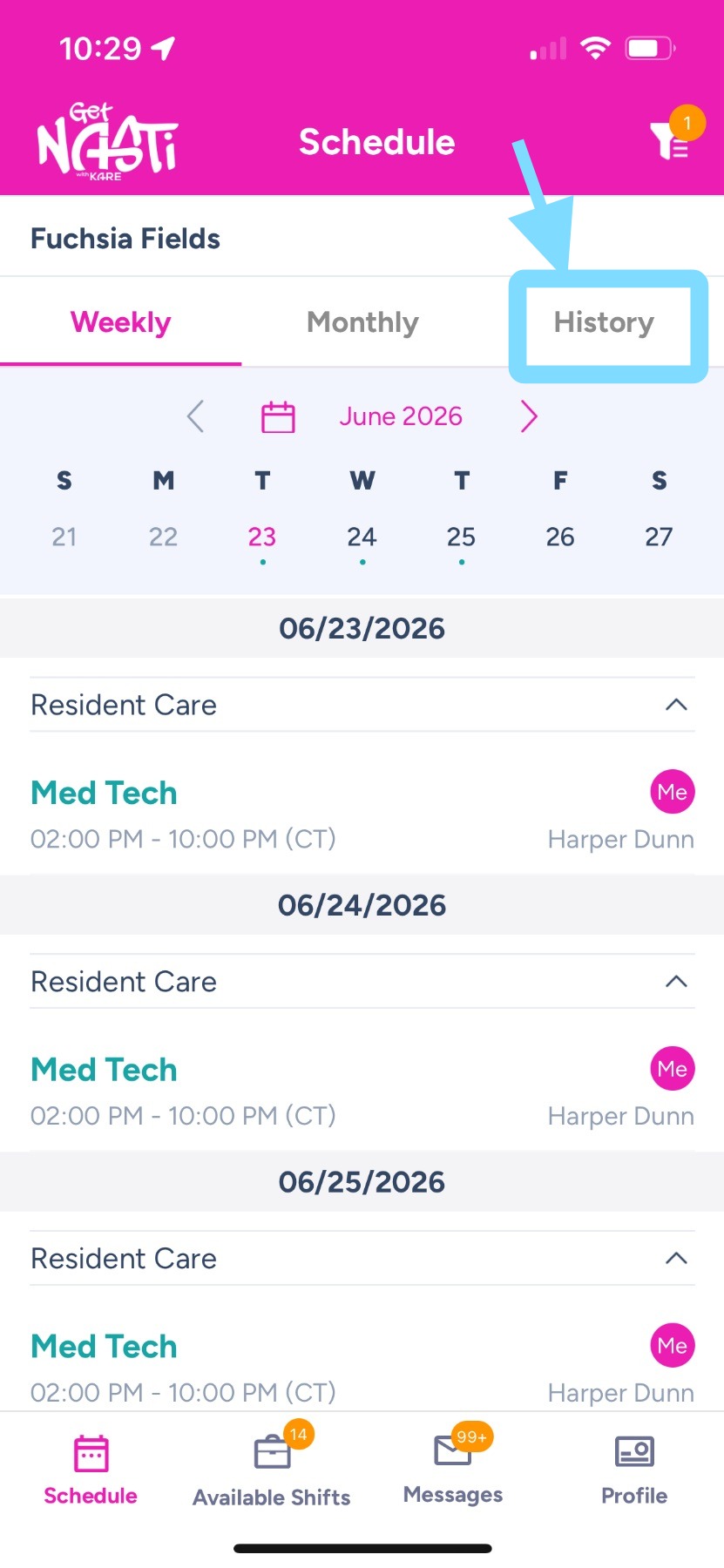
1. Upon login, tap on History to view all past shifts.
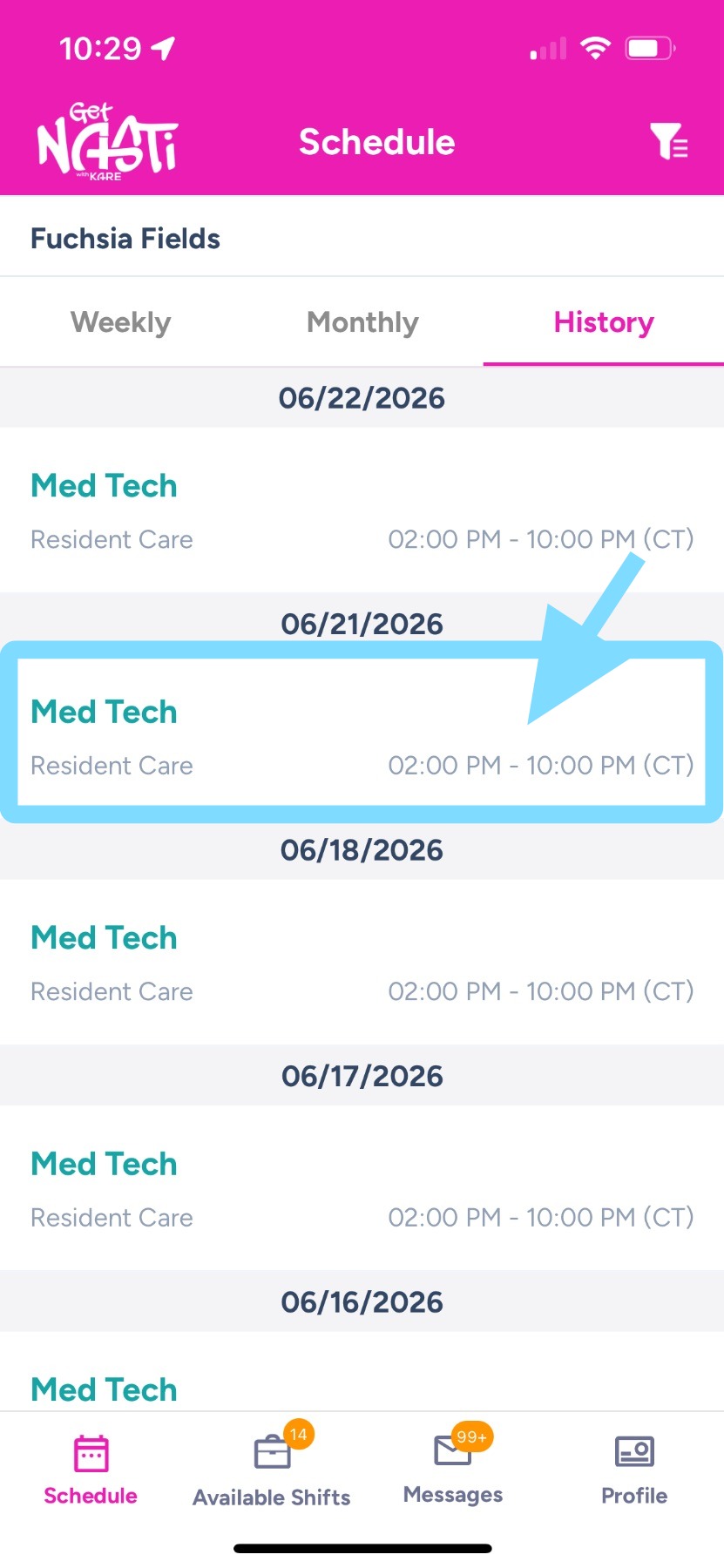
2. Scroll through your past shifts and tap any shift to view its Shift Details, including punch times.
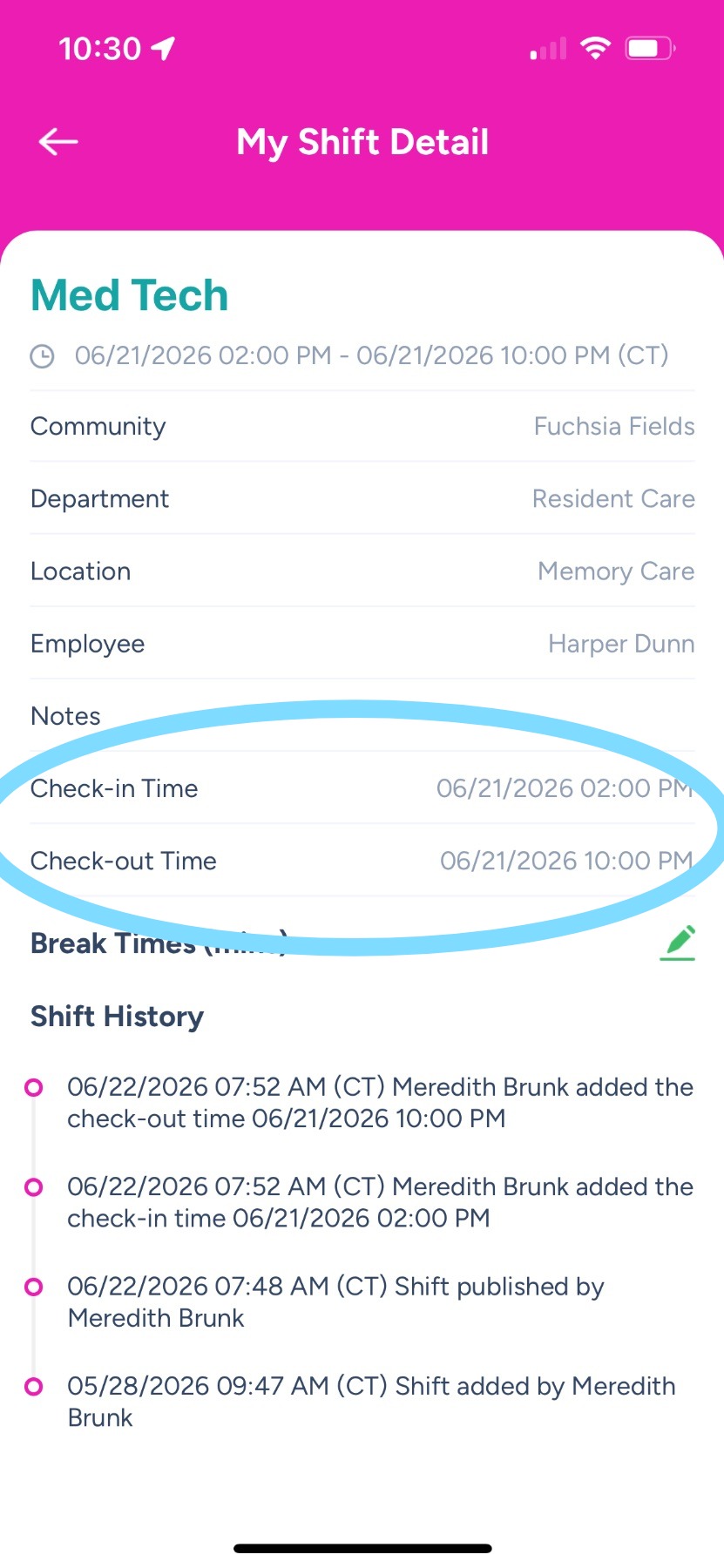
3. Within My Shift Details, you can view your check-in and check-out times, along with other shift information.