Employee Guide – How to Request Coverage for Shifts
This guide shows employees how to request coverage for their shifts so they can manage their schedules effectively. It walks through the steps to put a shift up for coverage, set coverage needs, and withdraw the request if plans change — helping maintain flexibility while keeping shifts covered. Remember, your assigned shifts are your responsibility until it’s claimed by someone else and that claim is approved!
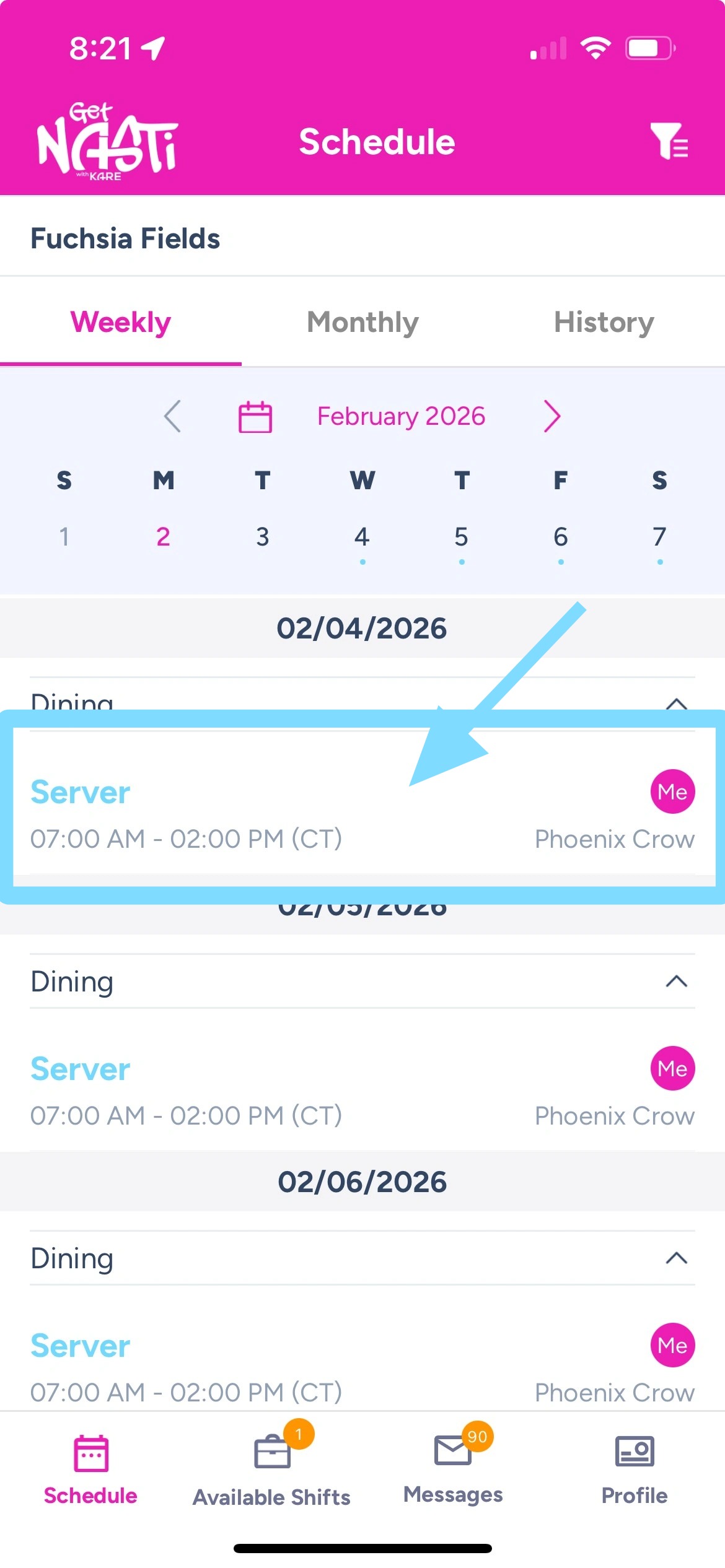
1. In the app, tap the shift you need to find coverage for.
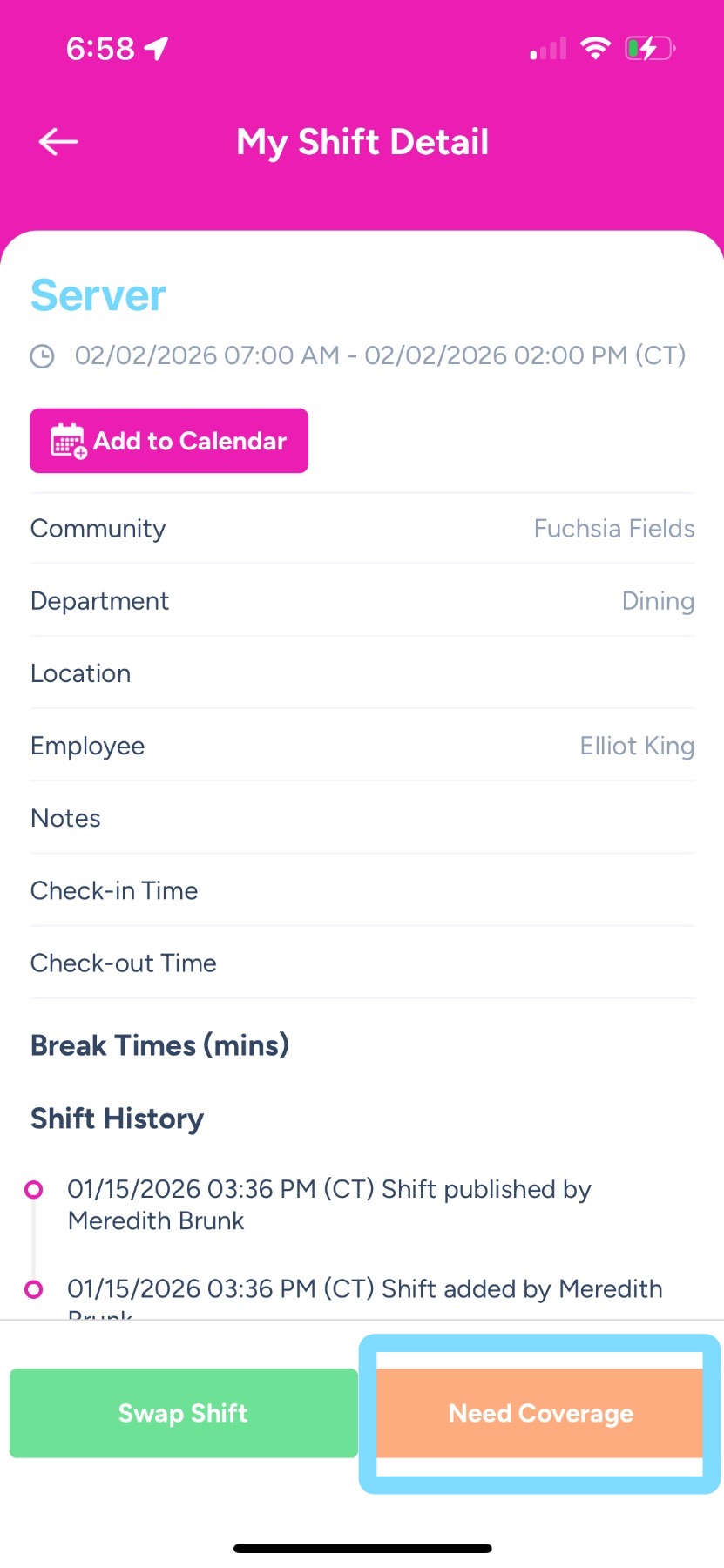
2. Tap on Need Coverage to put the shift Up for Grabs for another employee to claim.
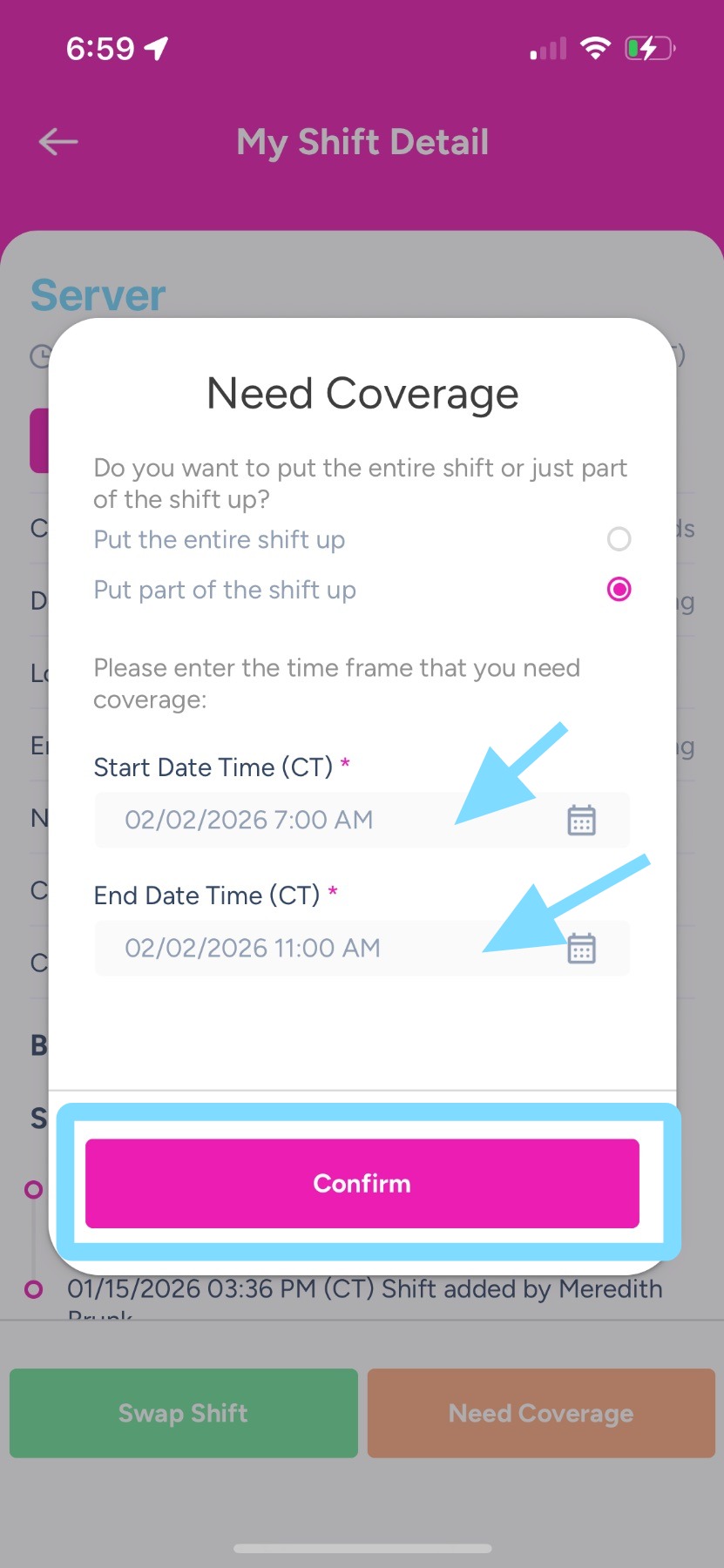
3. Indicate whether you need the whole shift covered, then tap Confirm.
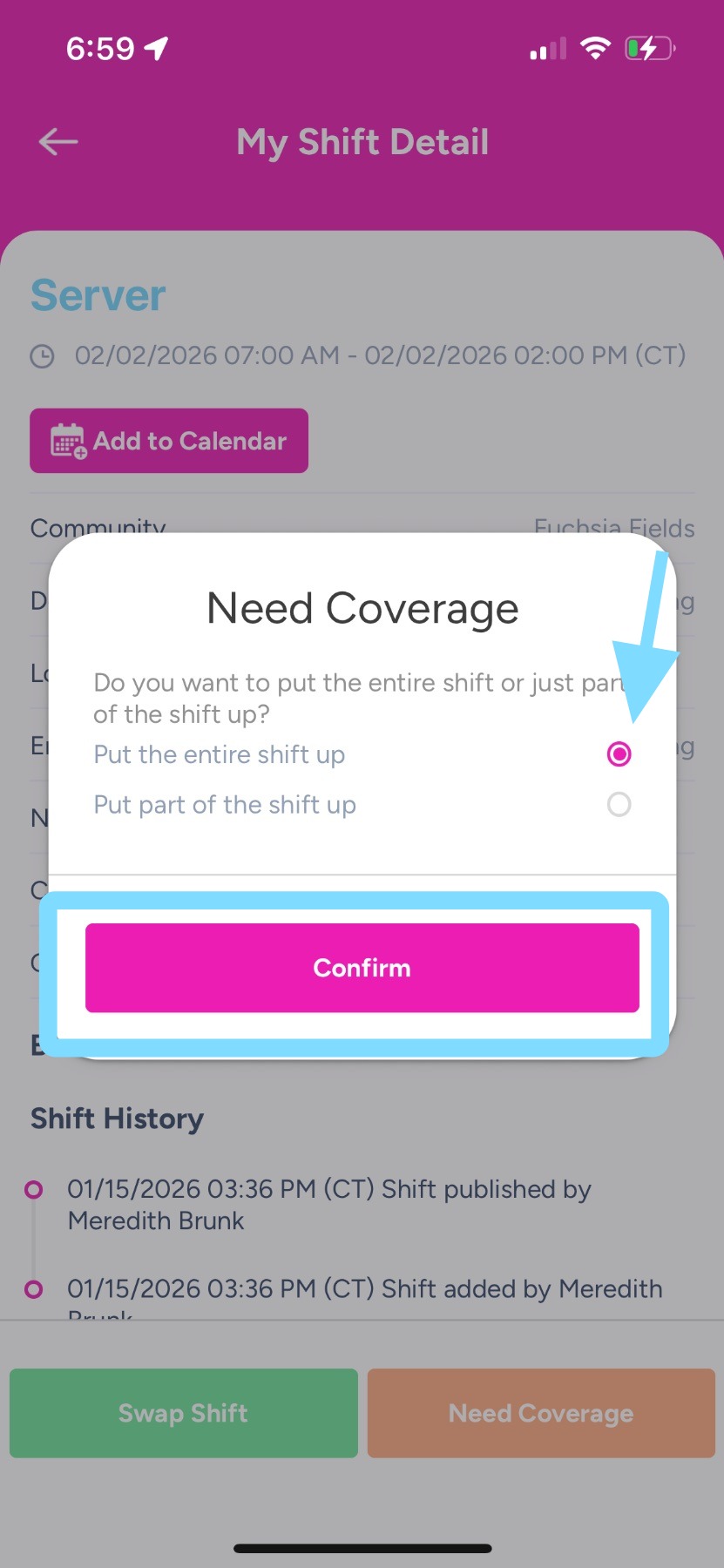
4. If your community allows you to split your shift and put some of the shift up for coverage, indicate the hours that you need covered, then tap Confirm.
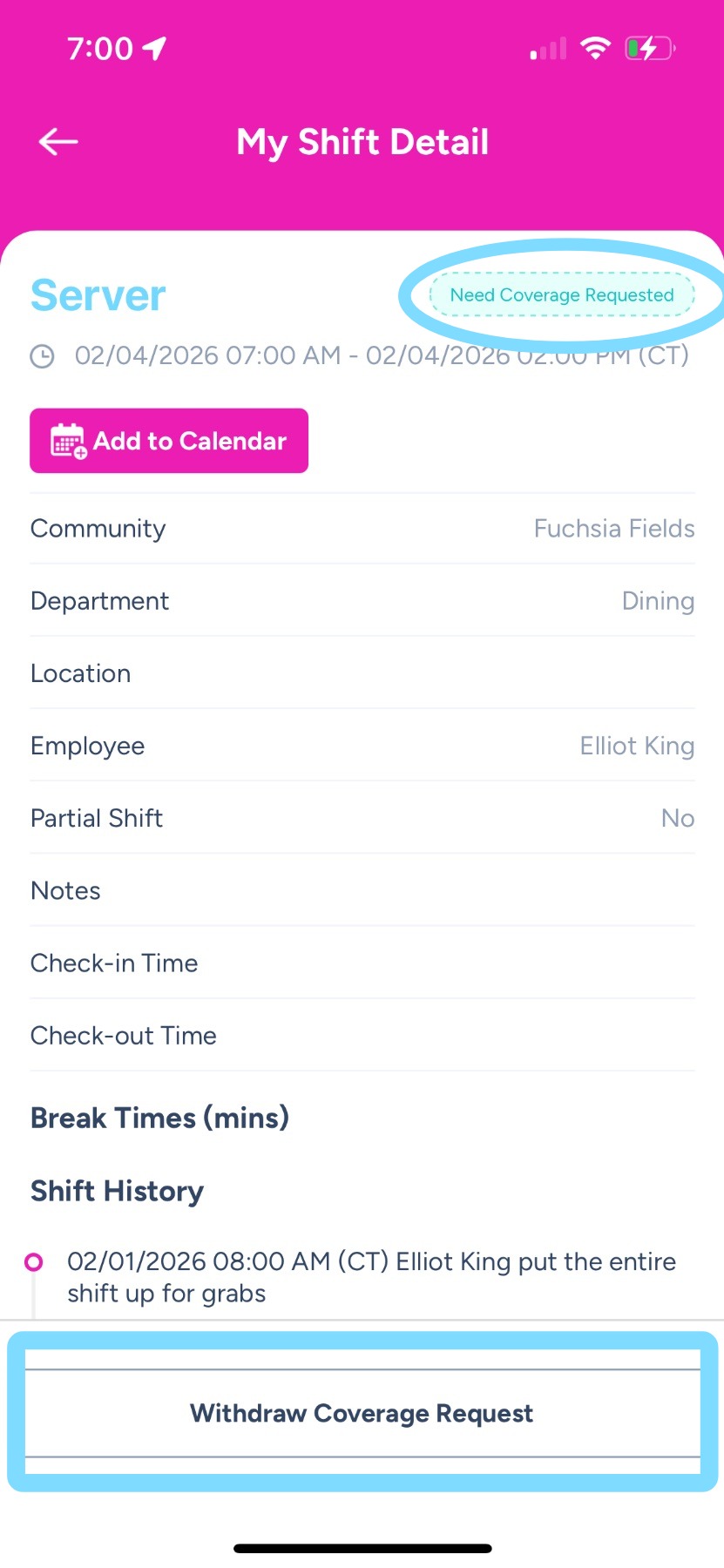
5. Done! Now you’ll see that your shift is pending coverage. If no one claims your shift, you are still responsible to work this shift.
Note: If you plan to work the shift and no longer need coverage, tap Withdraw Coverage Request.