How to Mark a Call Off in App
Use this guide to mark a scheduled shift as a call off. The step-by-step instructions help ensure the shift is updated correctly and remains accurate for scheduling.
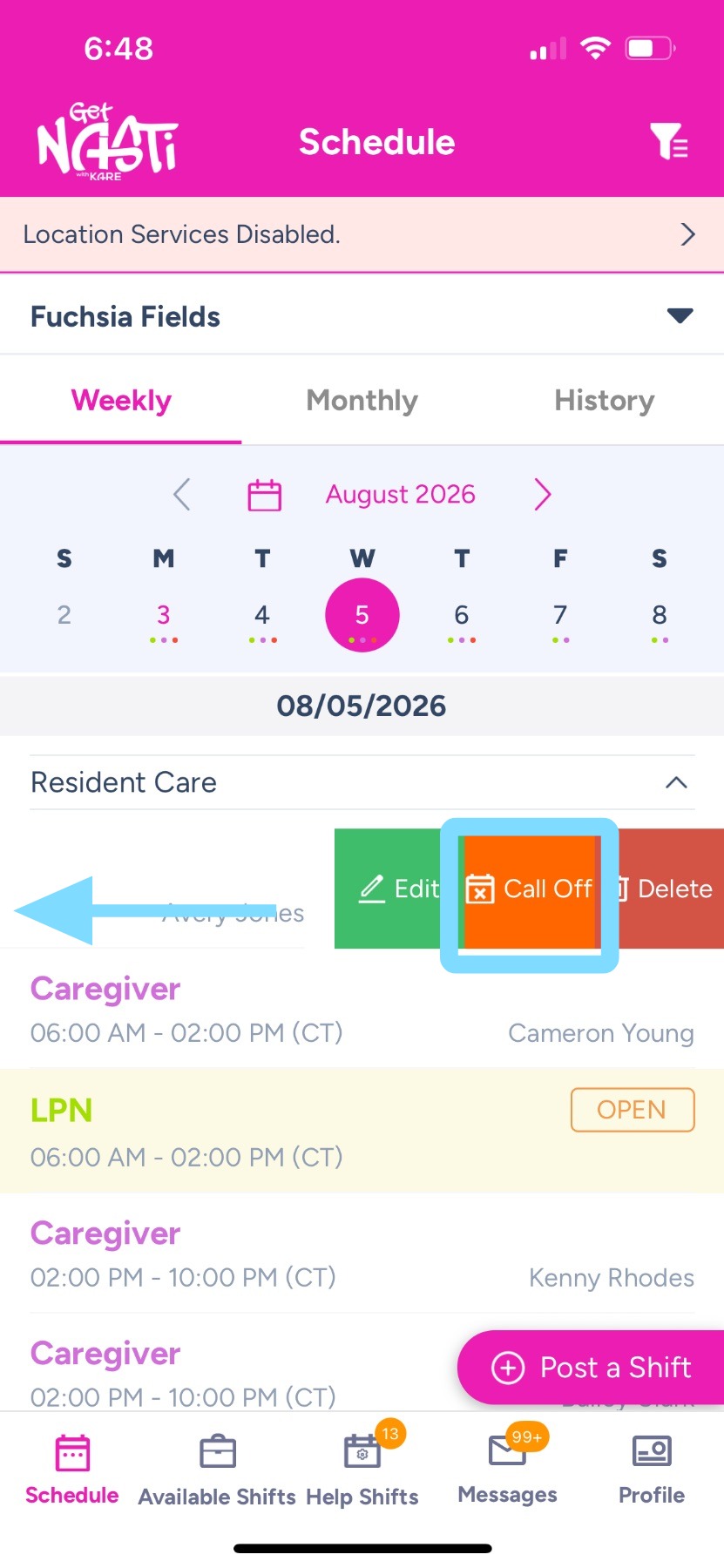
1. Slide left on the appropriate shift, then tap Call Off.
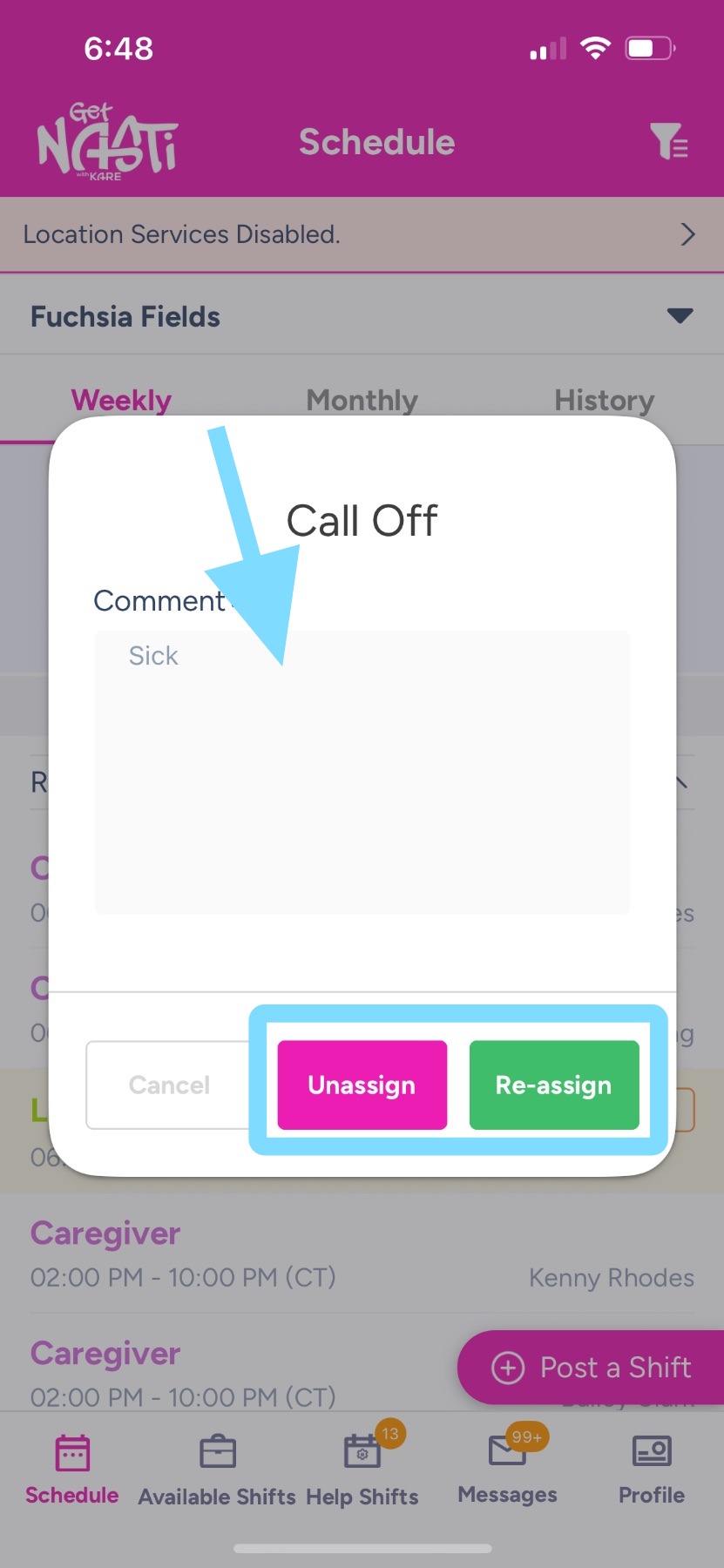
2. Add a comment, if necessary.
Tap Unassign to open the shift, or tap Reassign to assign it to another employee.
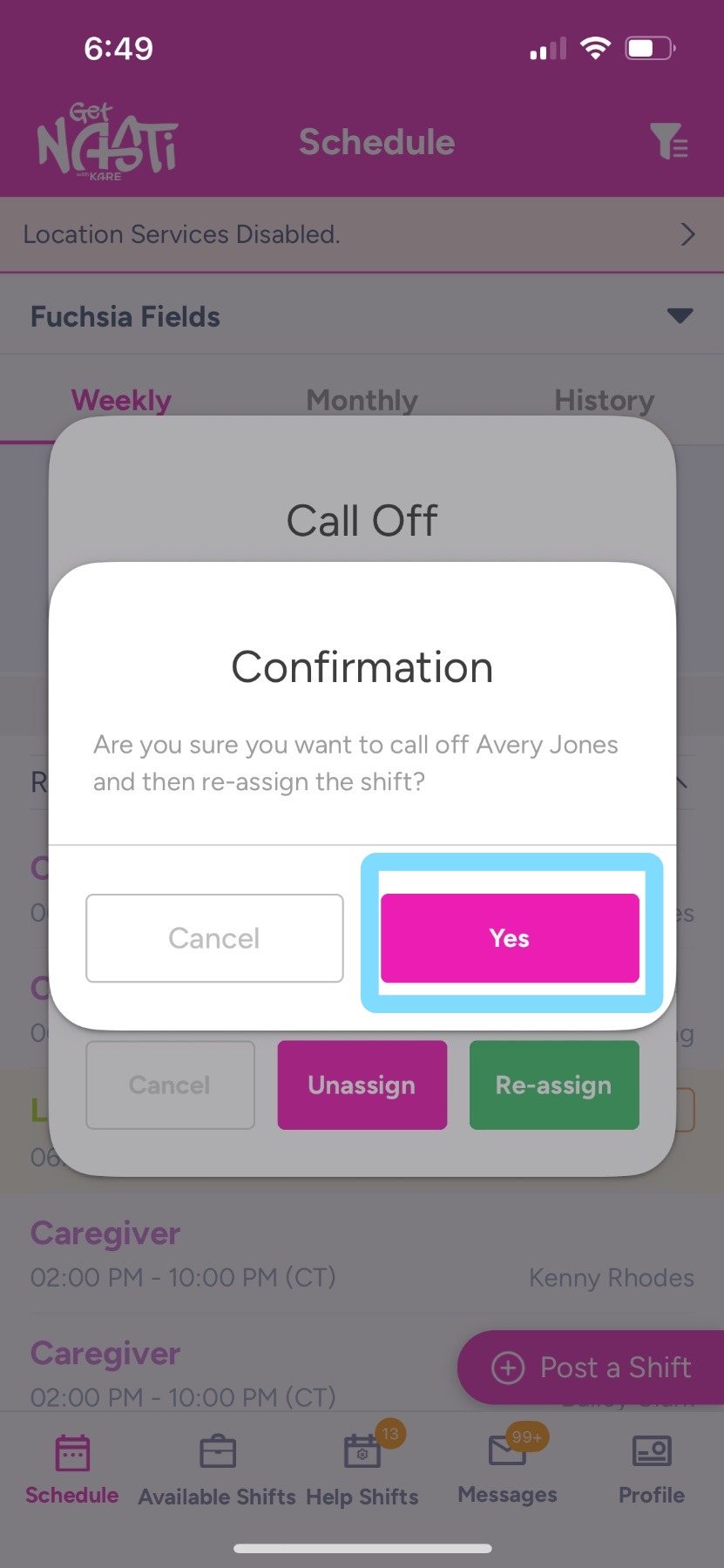
3. Tap Yes to confirm.
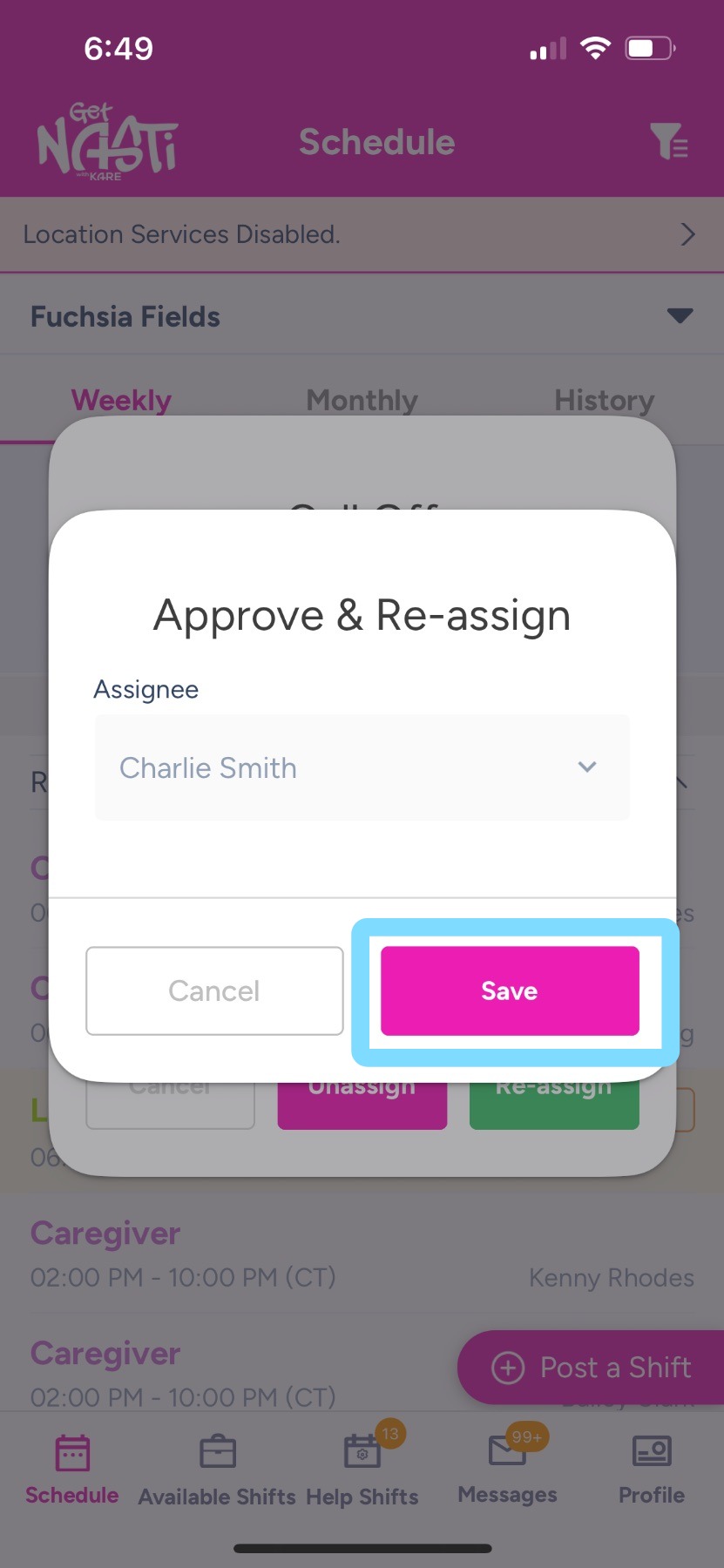
4. Tap Save as needed.