Mobile App – How to Edit Time and Attendance
This guide shows you how to quickly correct or update employee time and attendance entries from the mobile app to keep their hours and pay accurate.
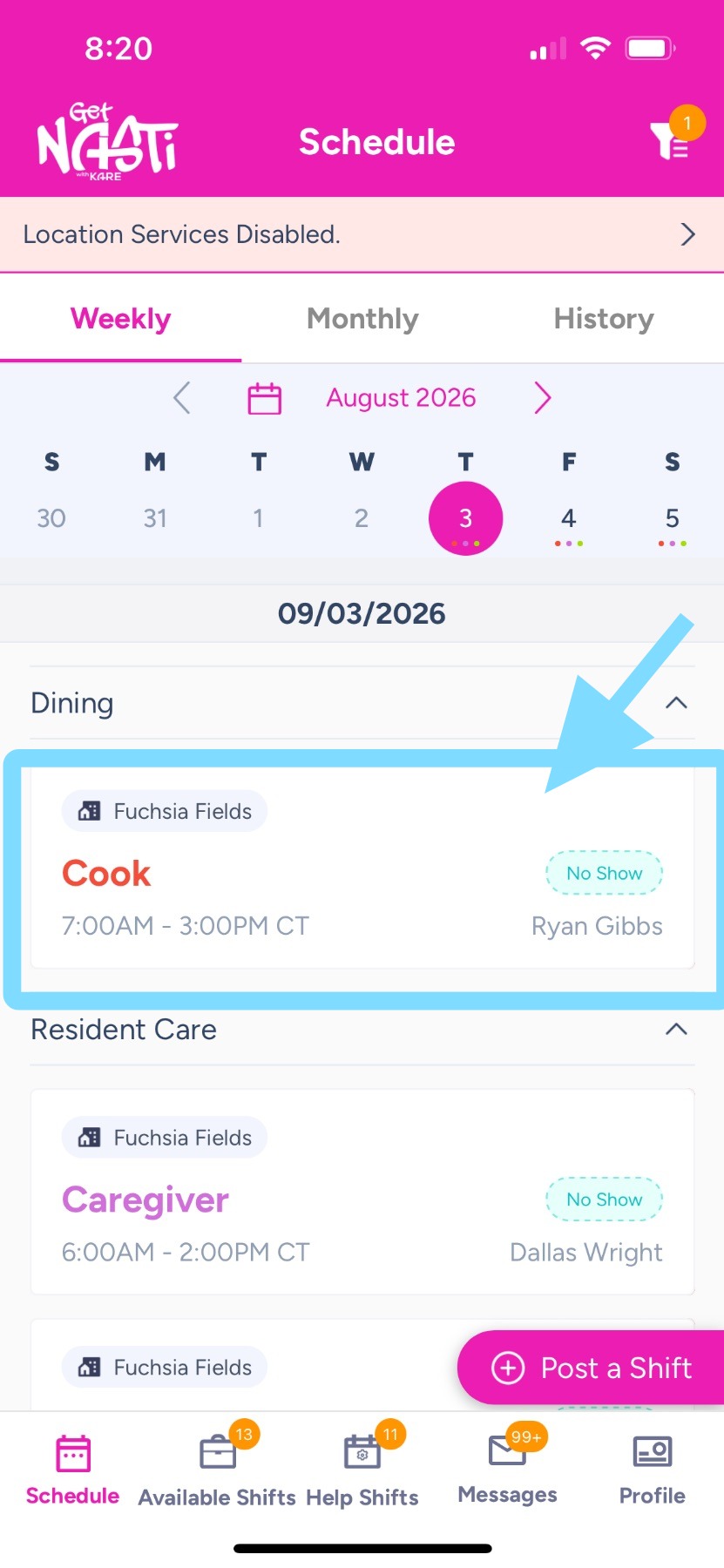
1. Within Schedule, tap on the shift to be edited.
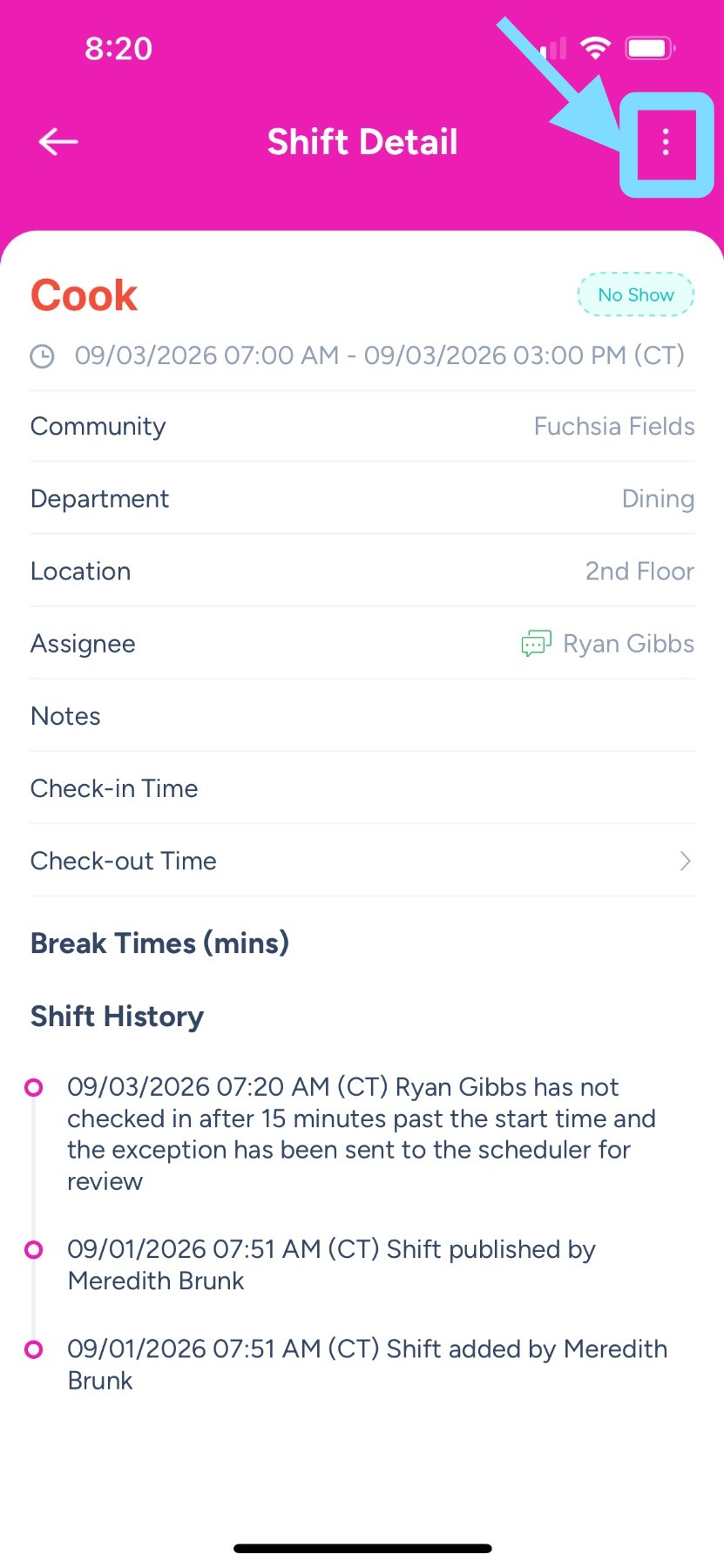
2. Tap the three dots in the top-right corner.
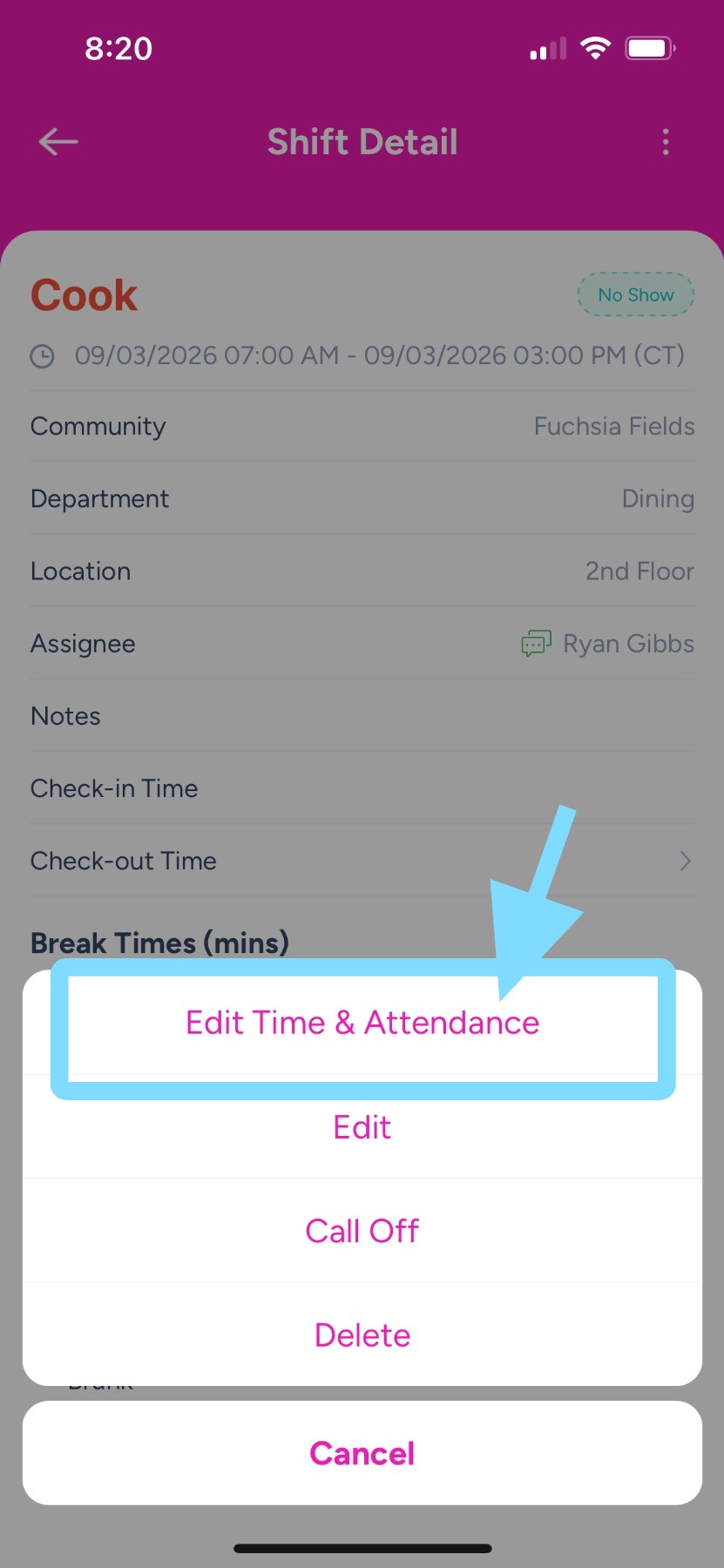
3. Tap Edit Time & Attendance.