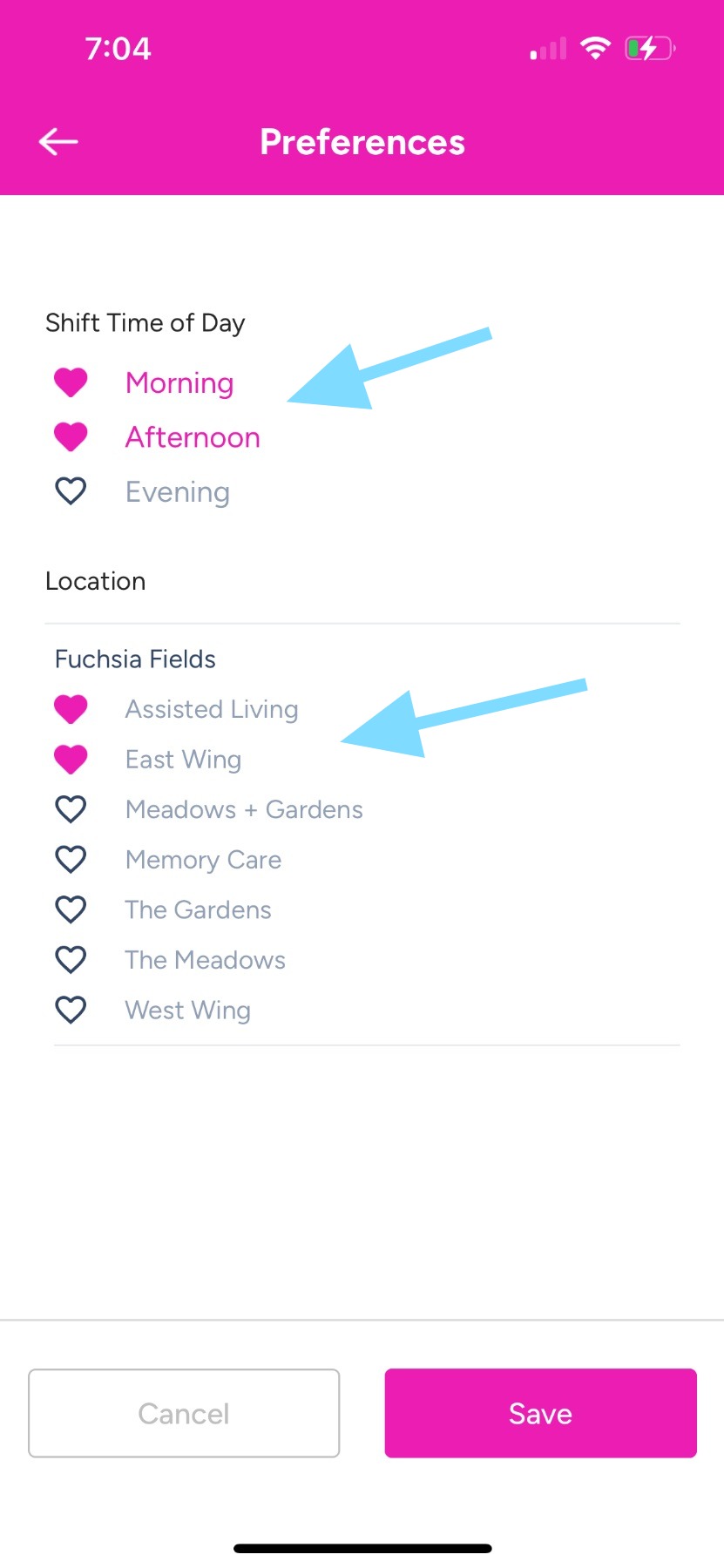
Employee Guide – How to Mark Schedule Preferences
Preferences let schedulers and admins know which shifts you prefer when building schedules. This guide walks you through how to edit your preferences so your profile reflects what works best for you.
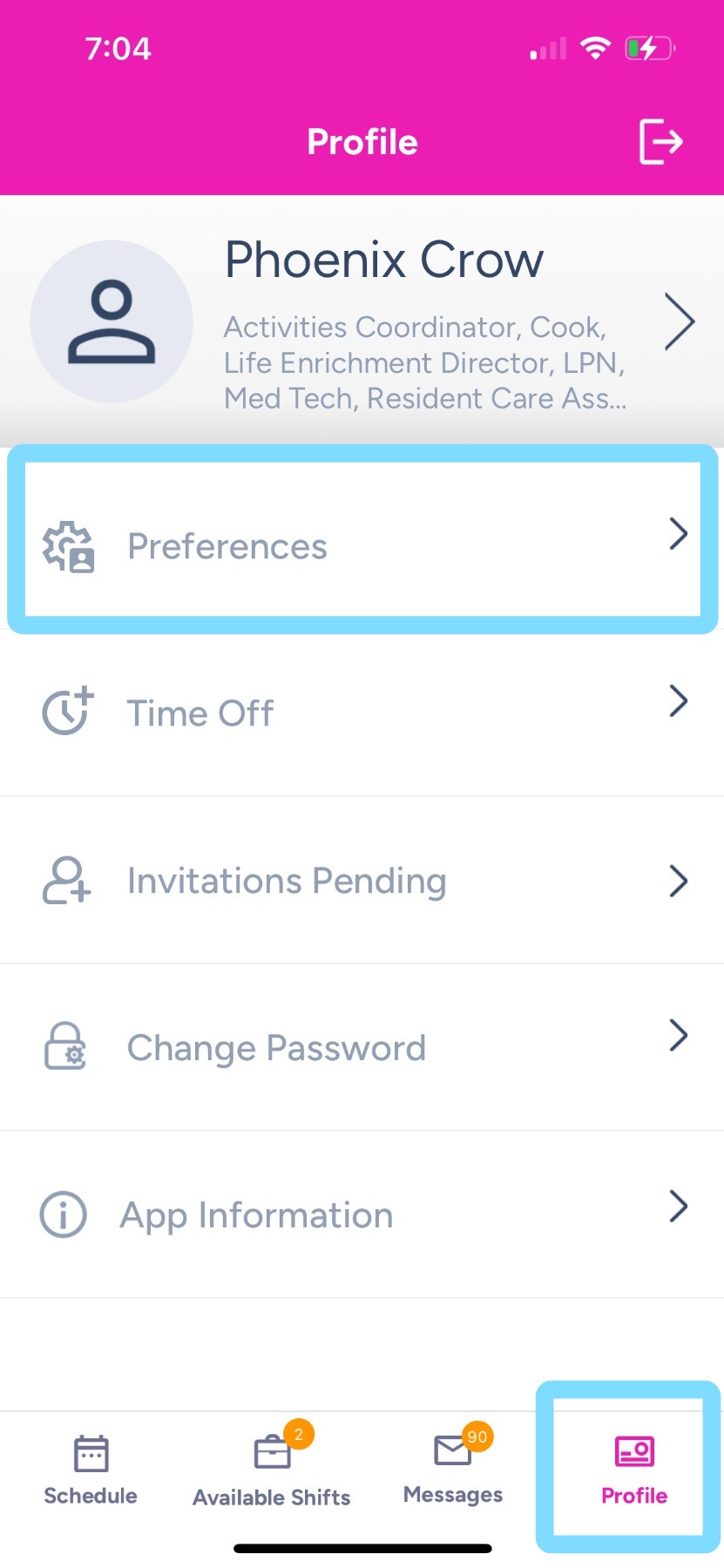
1. To edit preferences, tap on Profile
Then tap on Preferences
2. Tap the heart to mark a preference you want.
Done, preferences marked!!