Employee Guide: How to Join Another Community
Get in. Stay connected. This guide shows you how to join another community in NASTi!
1. When invited to a community, you will see a notification that you’ve been invited.
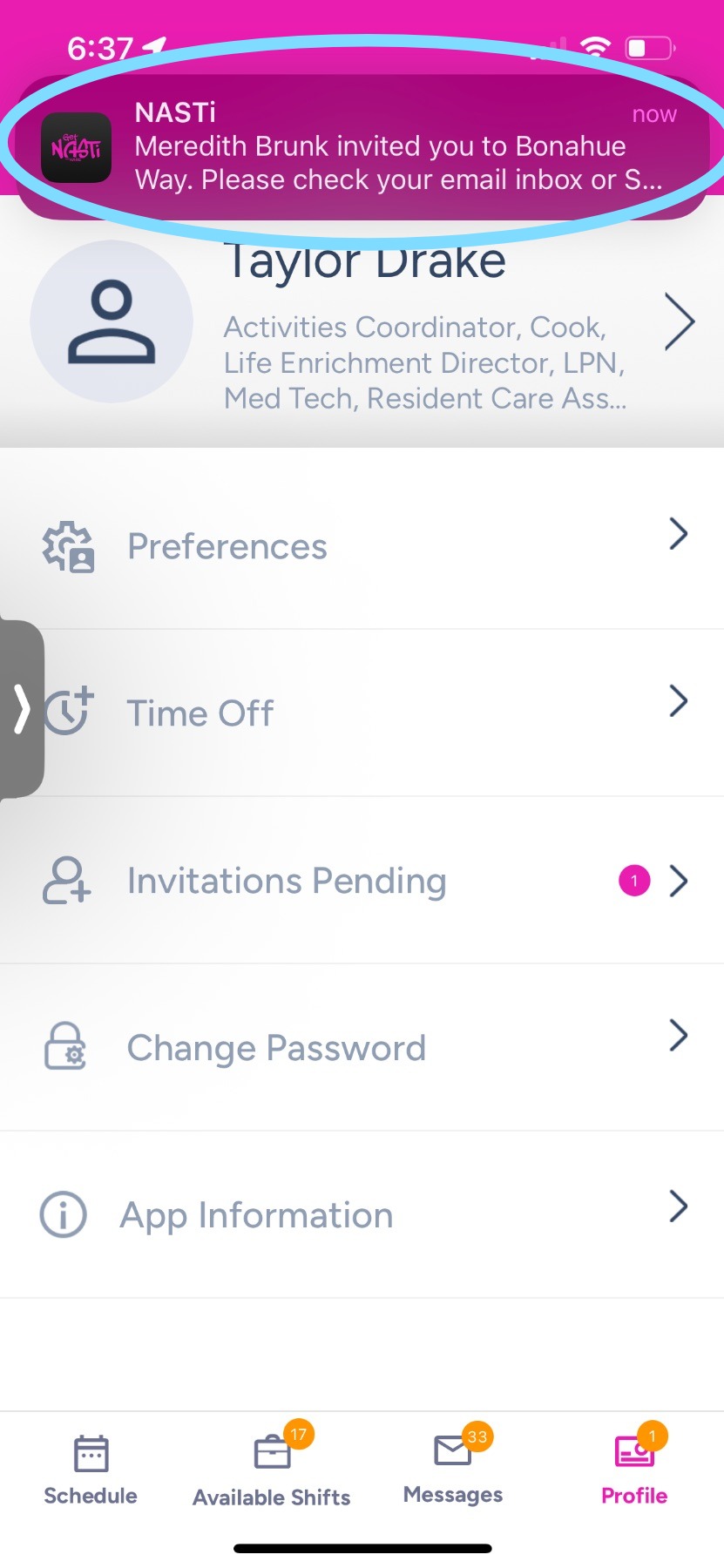
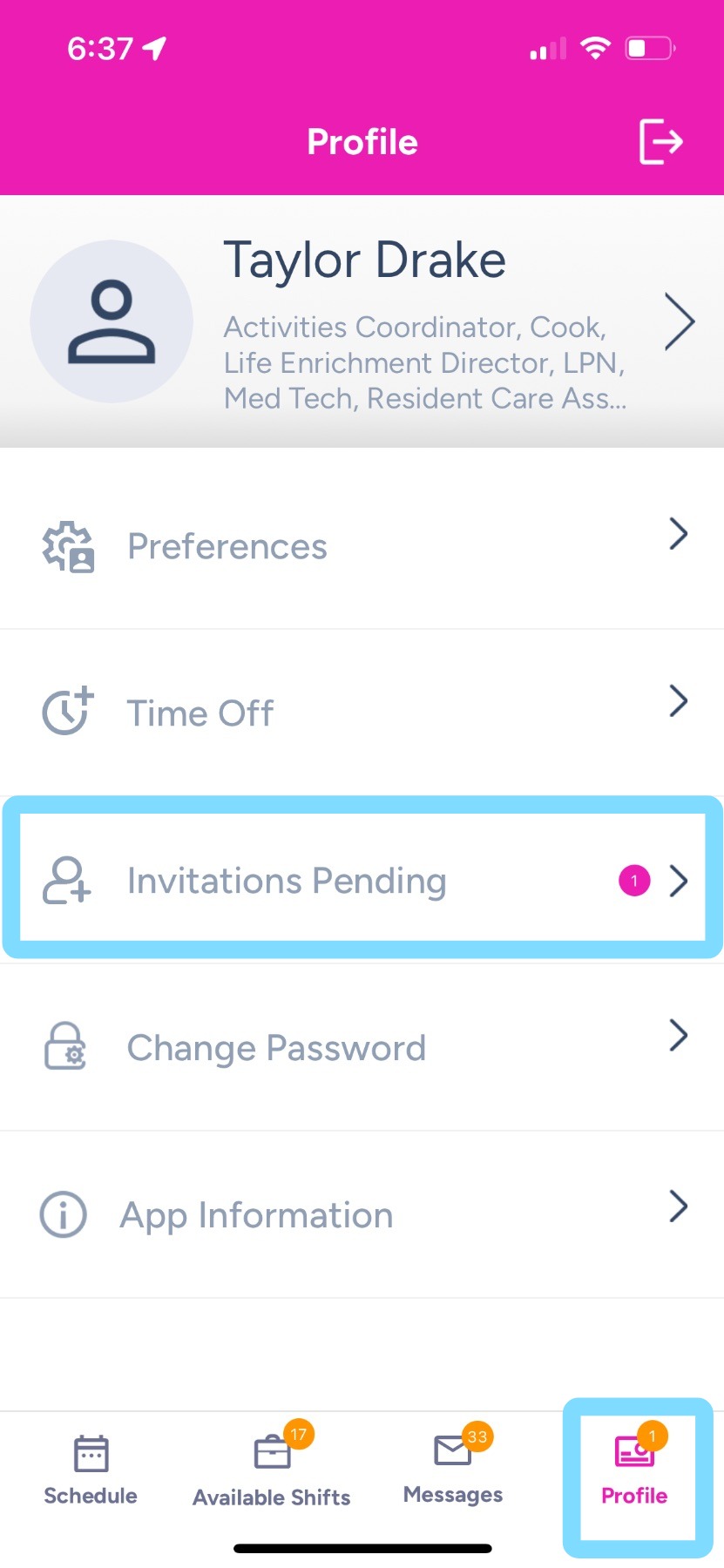
2. Log into NASTi and tap Profile.
Here you’ll notice you have an invitation waiting.
Tap on Invitations Pending.
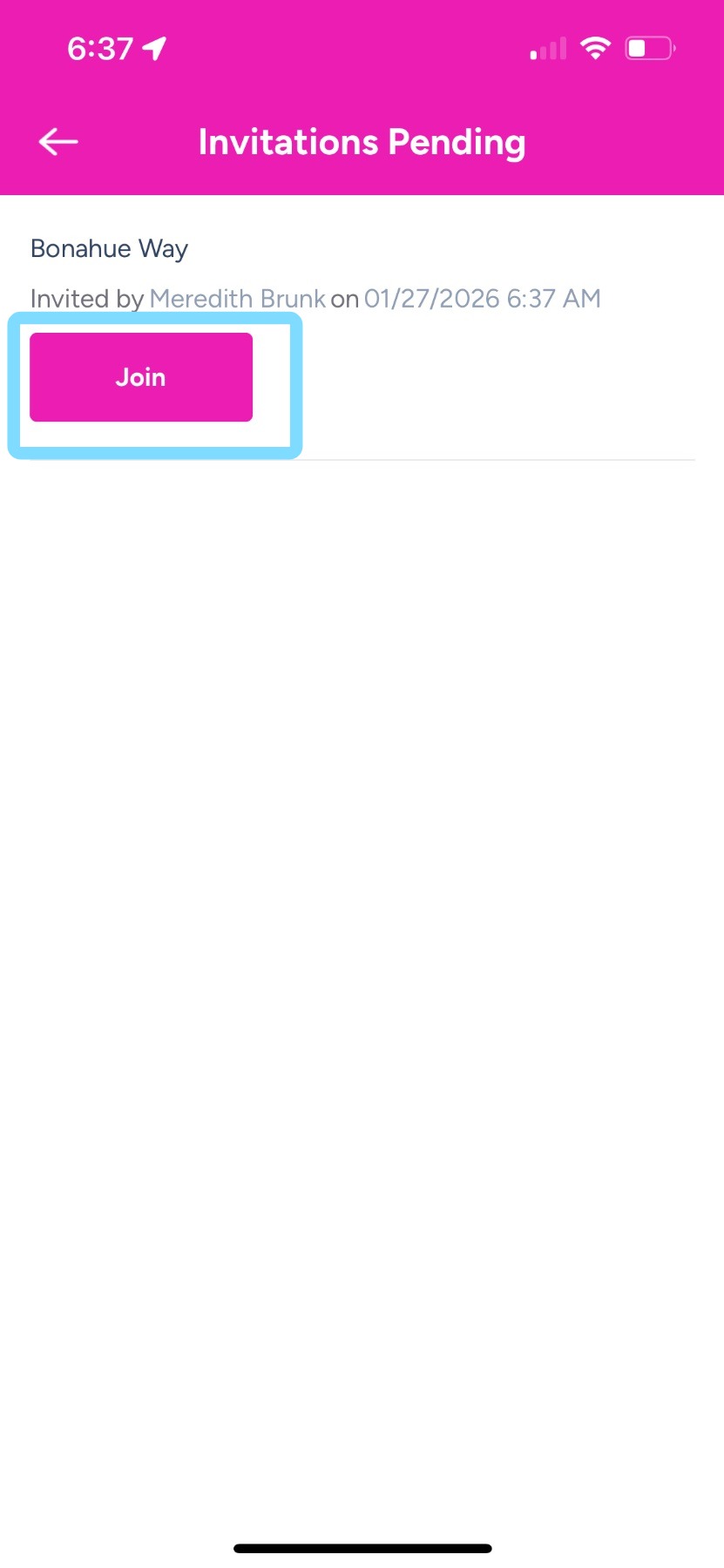
3. Tap Join.
You may be asked to enter a hire date.
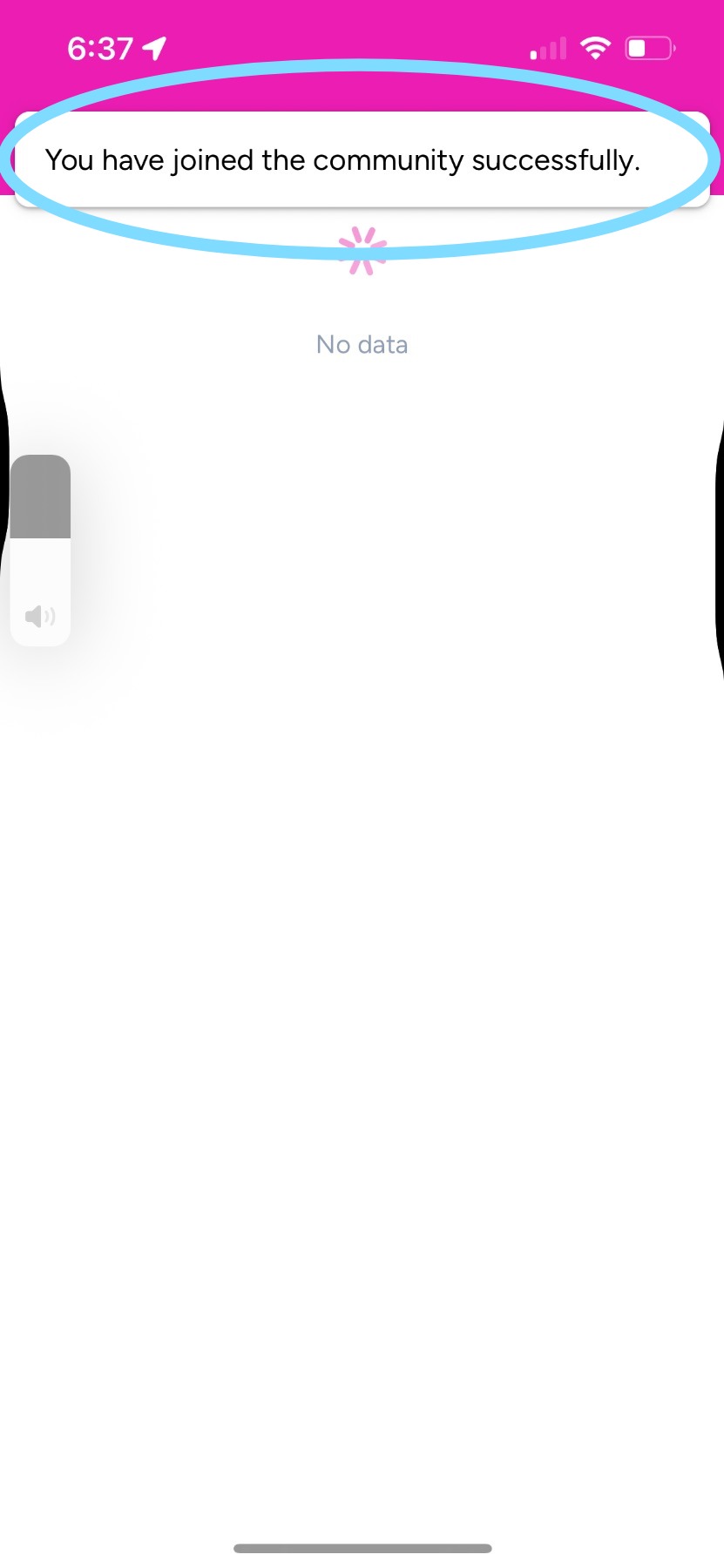
4. That’s it! You’ve joined! Now you can switch back and forth between communities to see and manage your assigned schedules.