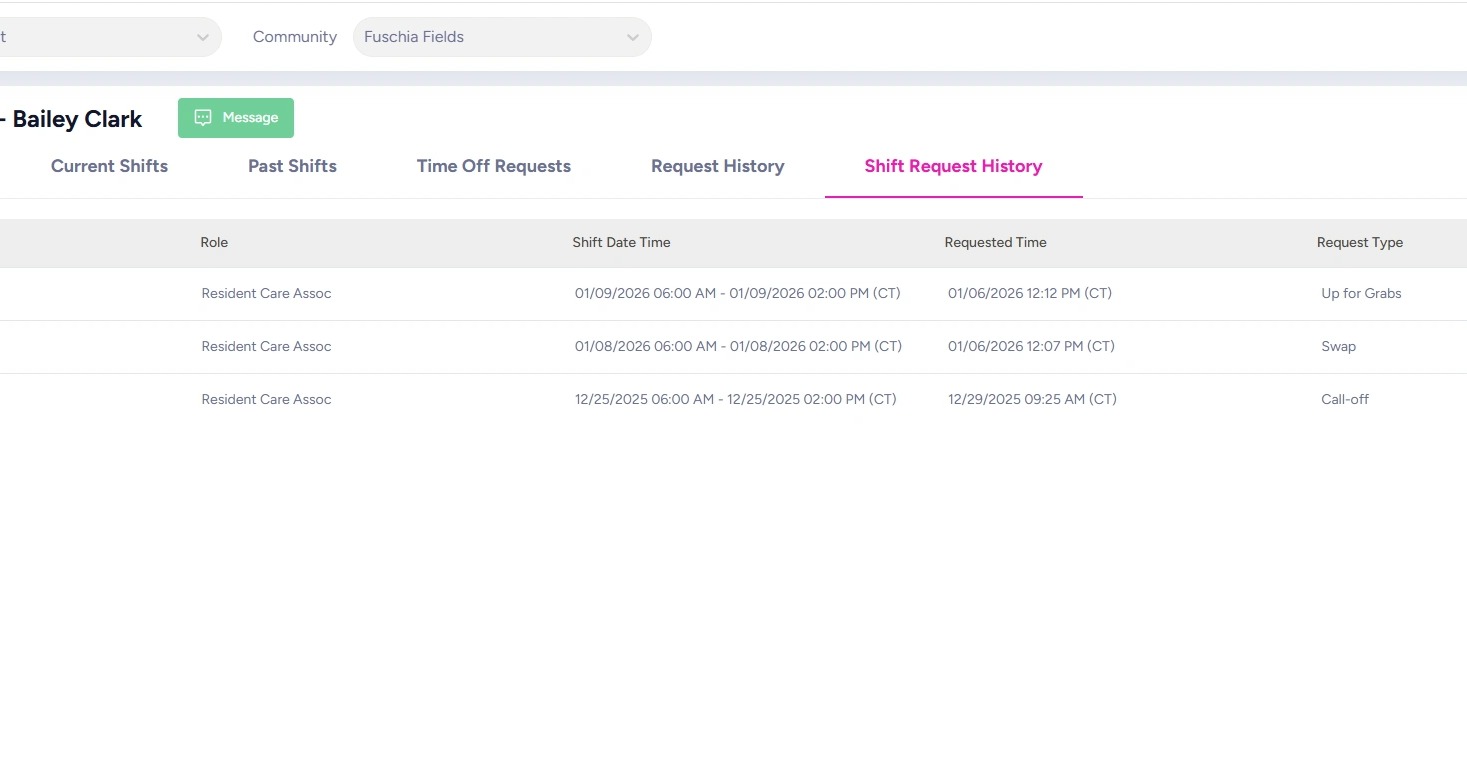
How to View Employee’s Shift History
This guide walks you through an employee’s shift history so you can review their work record, identify trends, and use that insight for annual reviews or corrective action when needed.
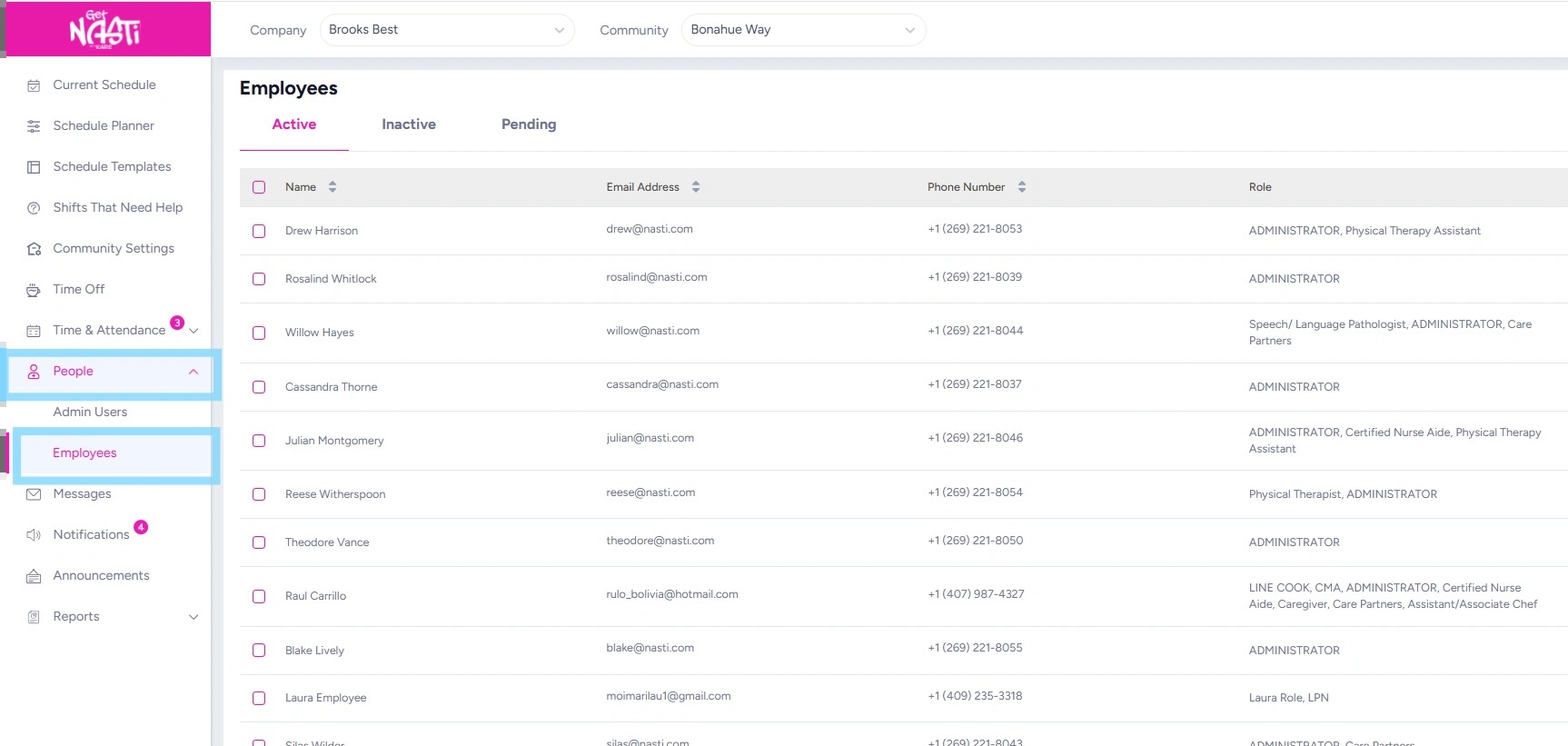
1. Navigate to People
Select Employees
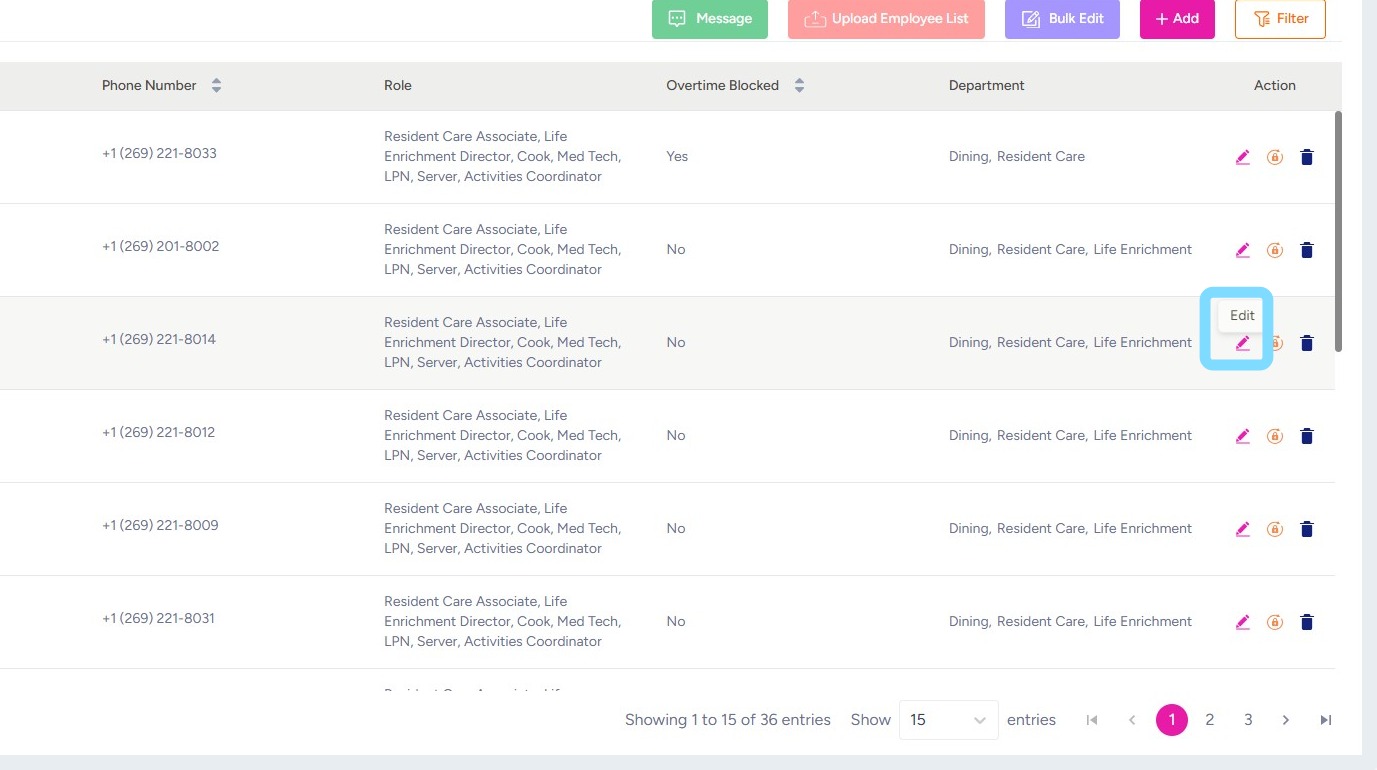
2. Select Edit icon
3. Note different tabs be selected to view different categories of shift information.
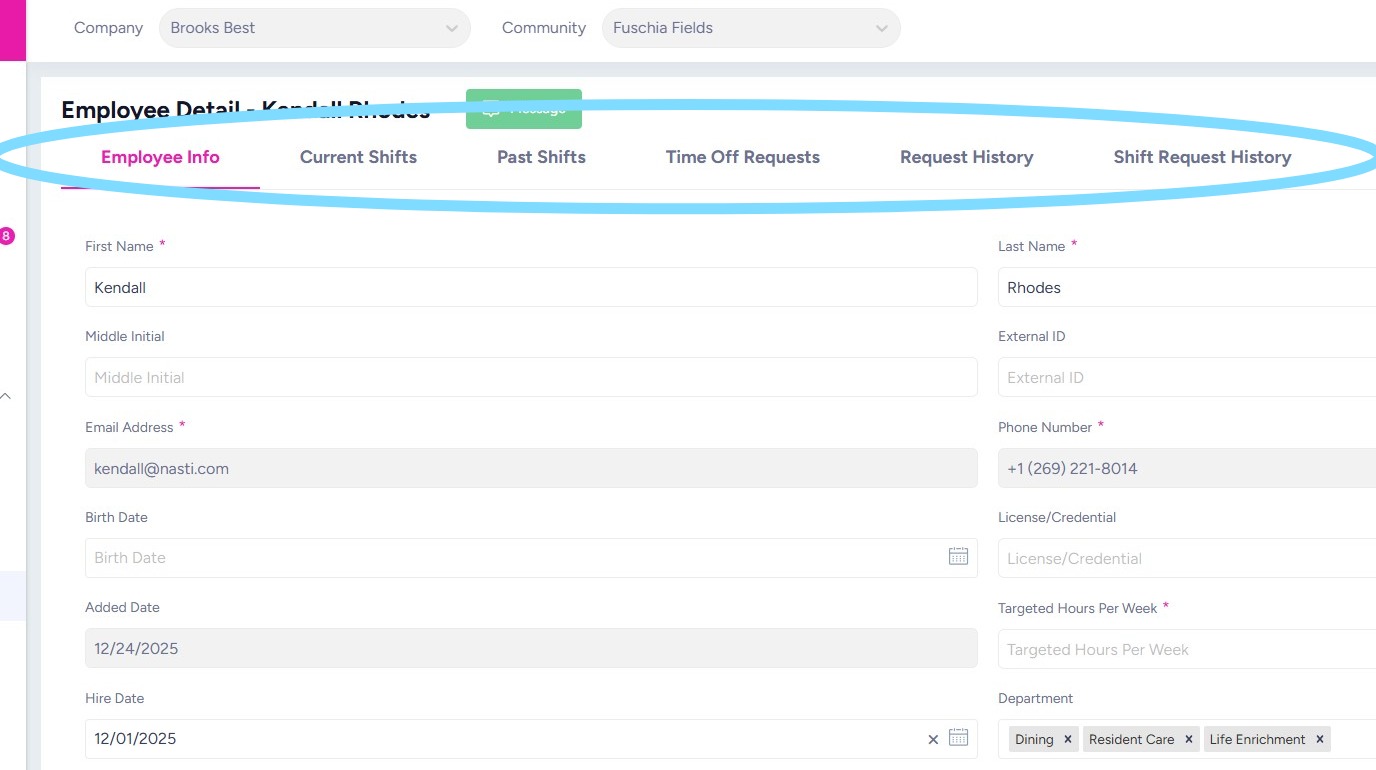
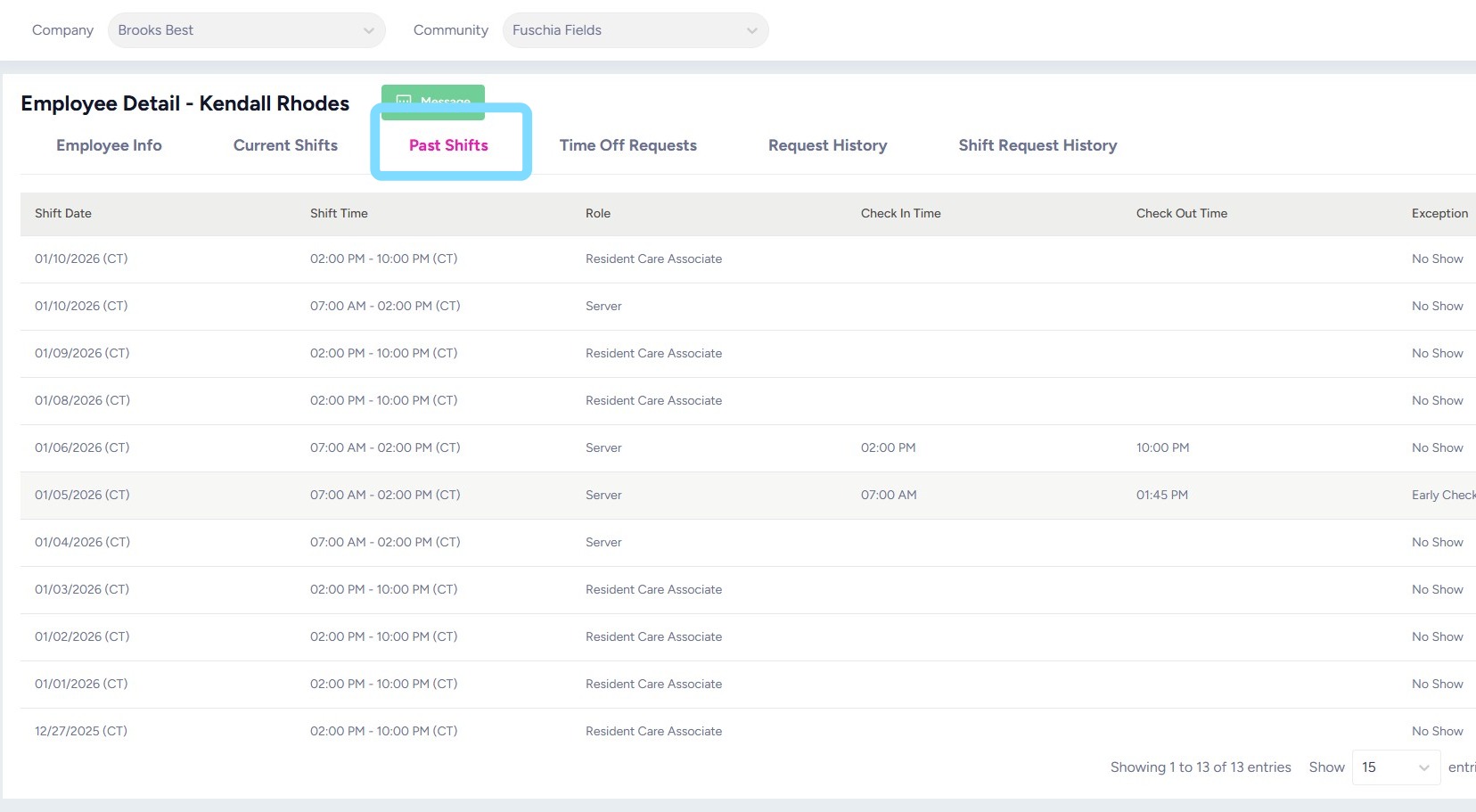
4. Select Past Shifts to review history of shifts.
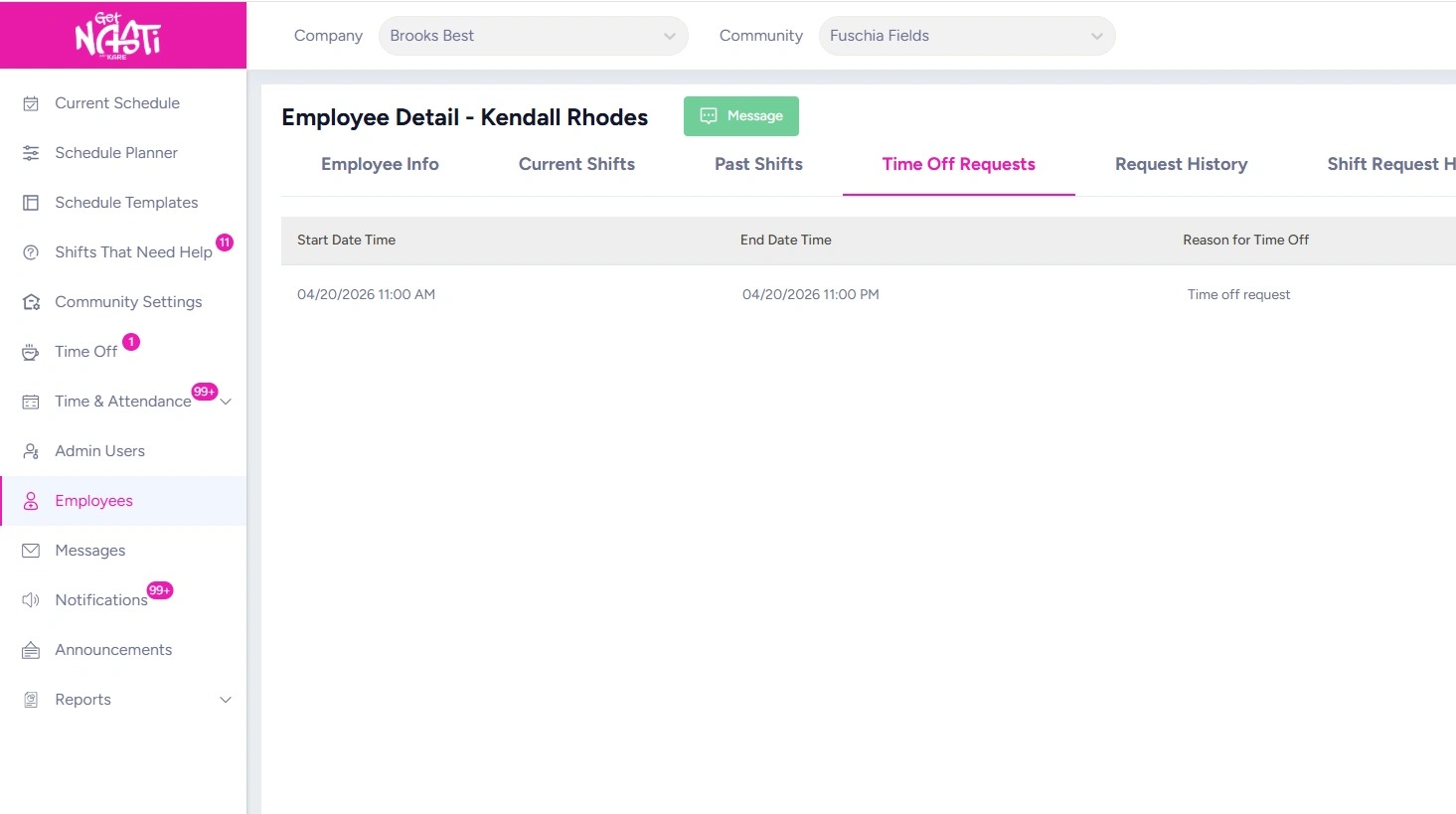
5. Time Off Requests show pending requests to be reviewed and approved or rejected.
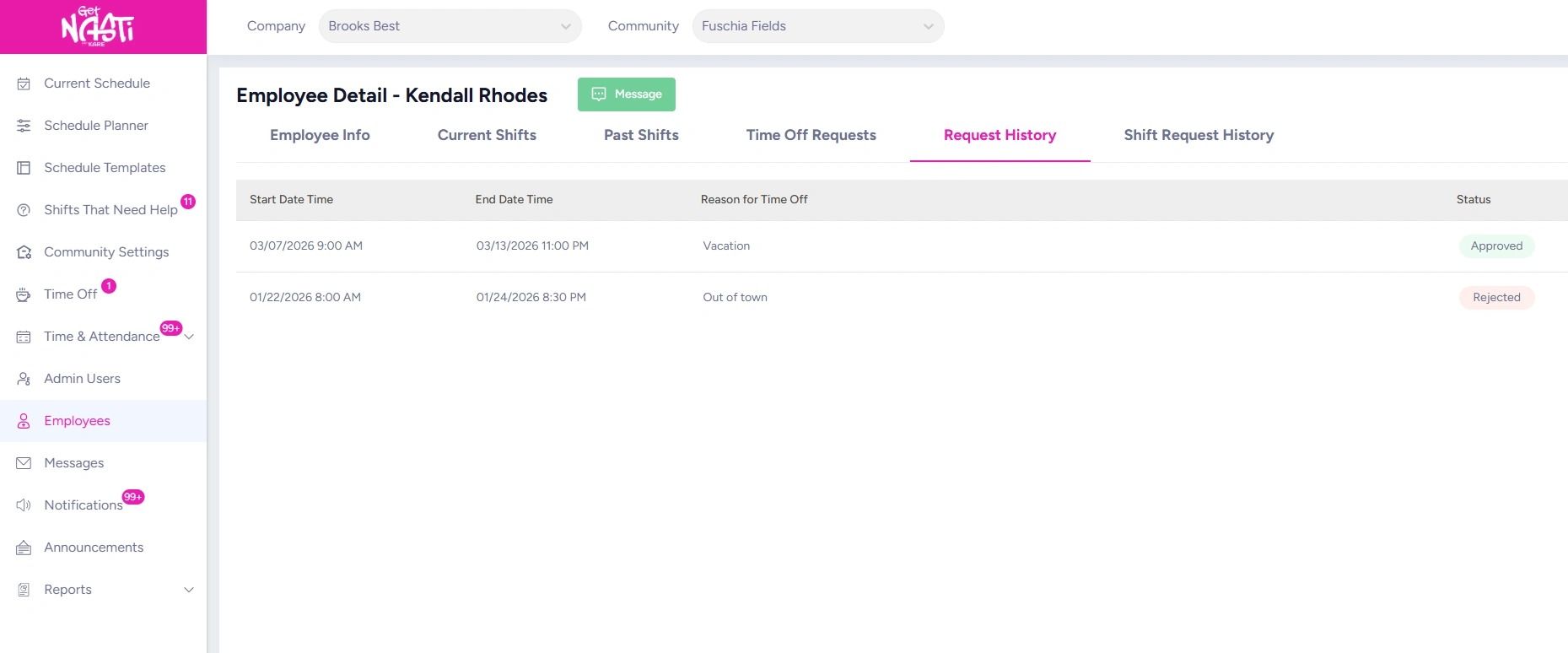
6. Request History shows time off requests that have been approved or rejected.
7. Shift Request History shows all shift changes that have been requested by employee.