How to Sign Up with NASTi
Your fast track into NASTi – a scheduling and time & attendance platform designed by and for senior living communities to revolutionize labor management! This guide shows you how to sign up so you can start taking control of labor — no spreadsheets, no stress. You’ve got this!
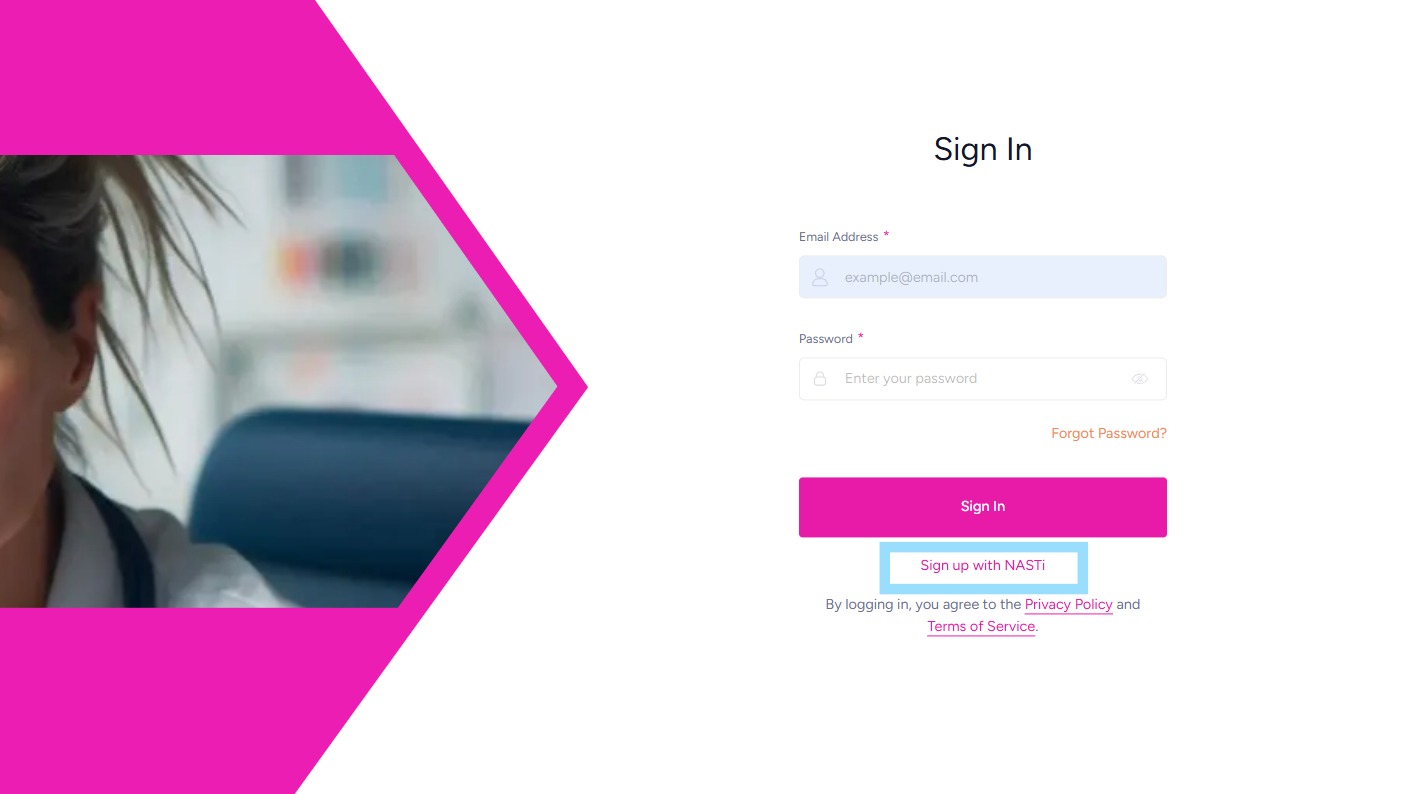
1. Navigate to https://app.getnasti.doyoukare.com/login
Select Sign up with NASTi
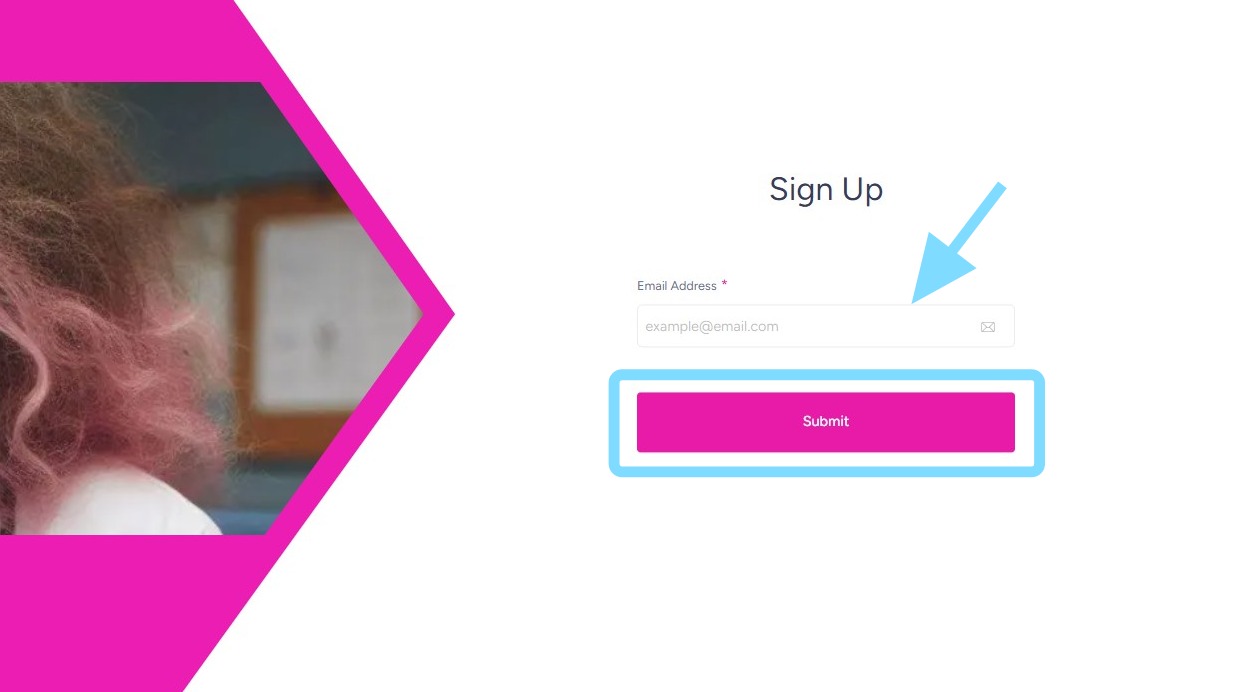
2. Enter email address.
Select Submit
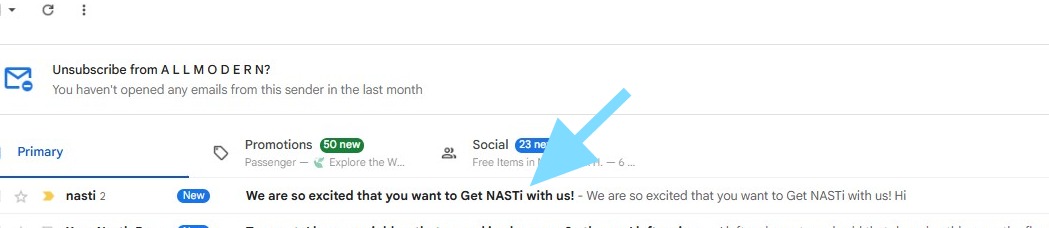
3. In a new tab, go to email inbox and find NASTi email invite (from nasti@doyoukare.com)
Open email.
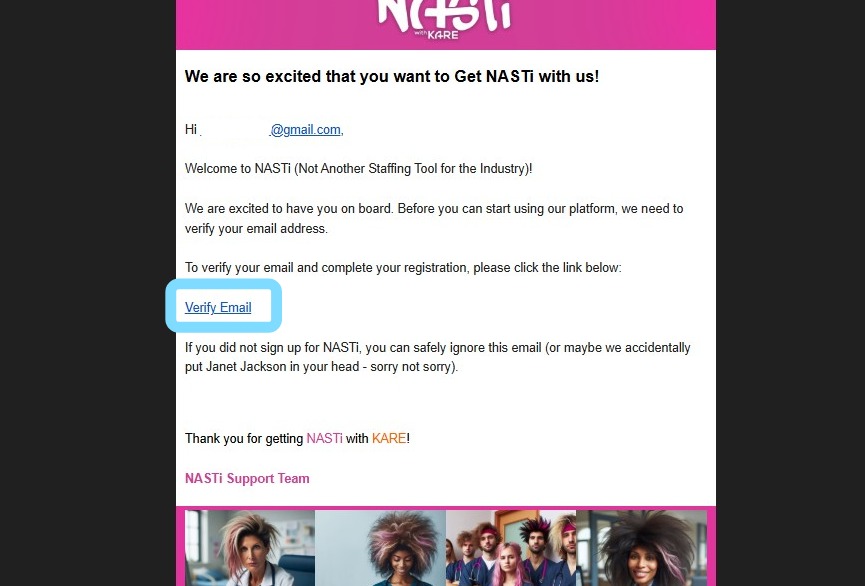
4. Select Verify Email link
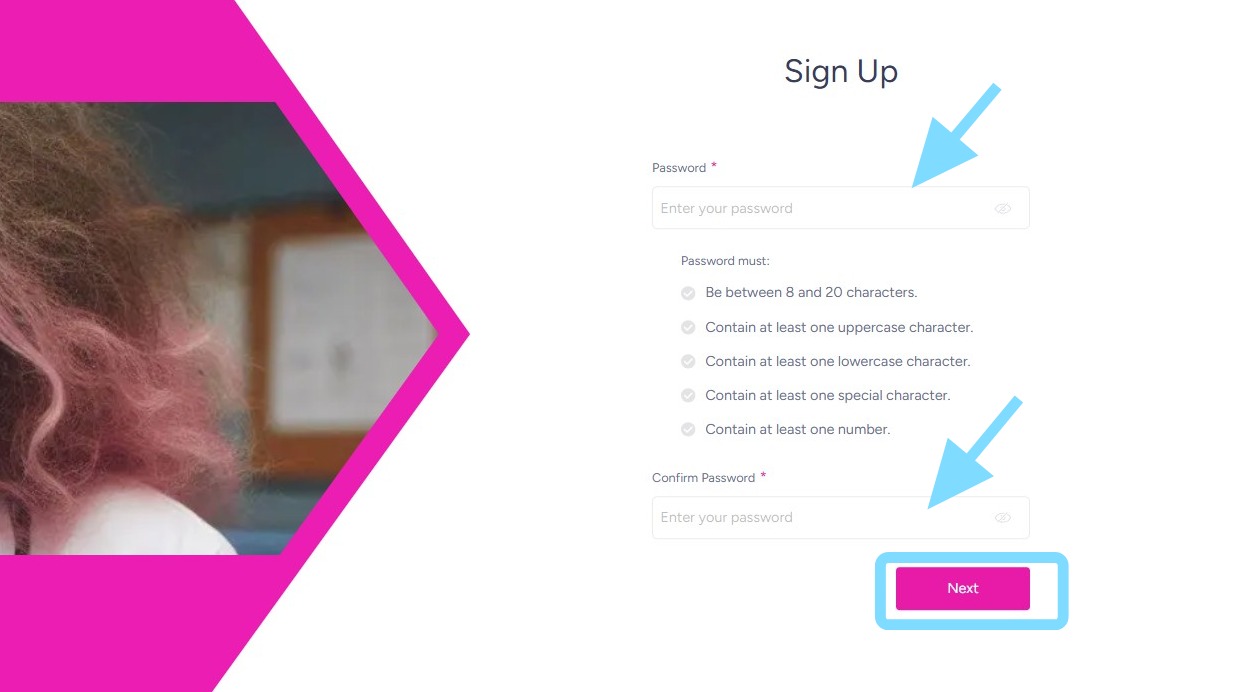
5. Enter a password and confirm that password.
Select Next.
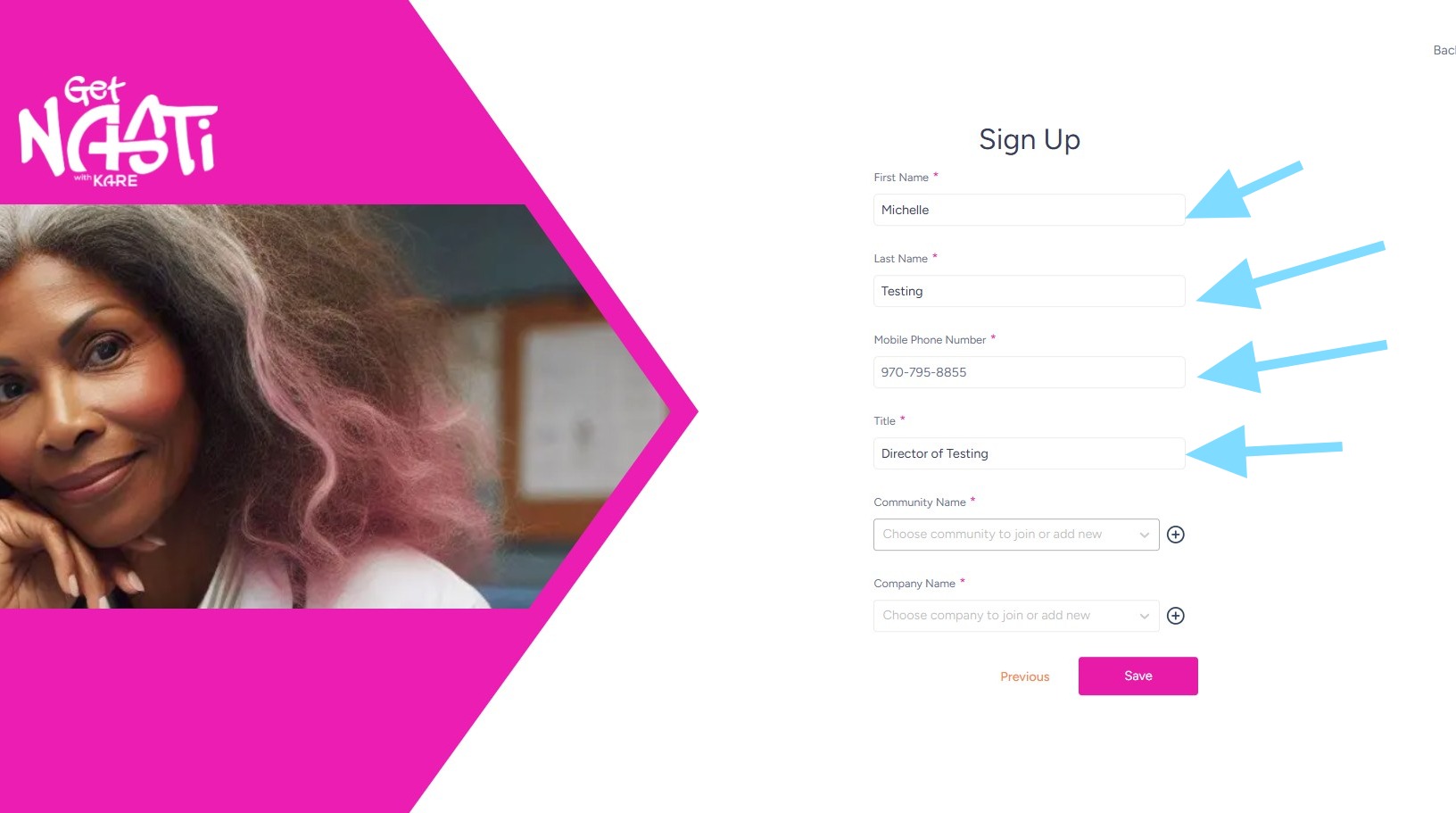
6. Enter First Name, Last Name, Mobile Phone Number, and Title
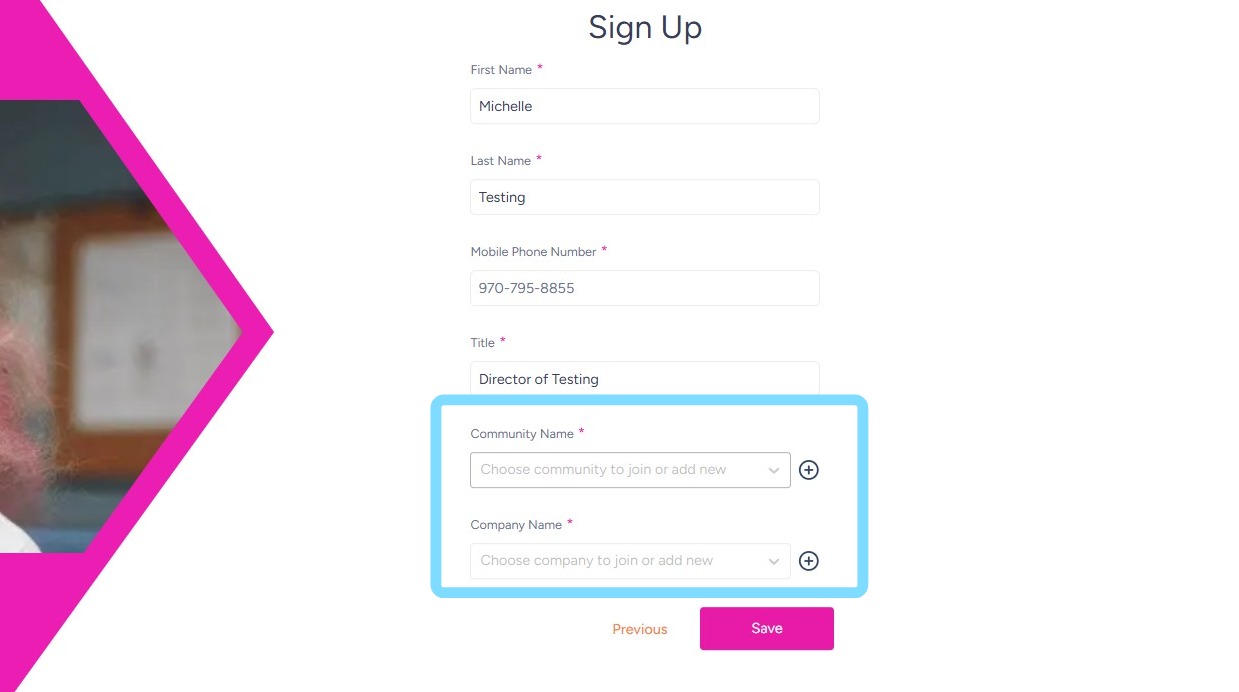
7. Select + to add new Community Name and Company Name.
Select from drop down if Company or Community already exists.
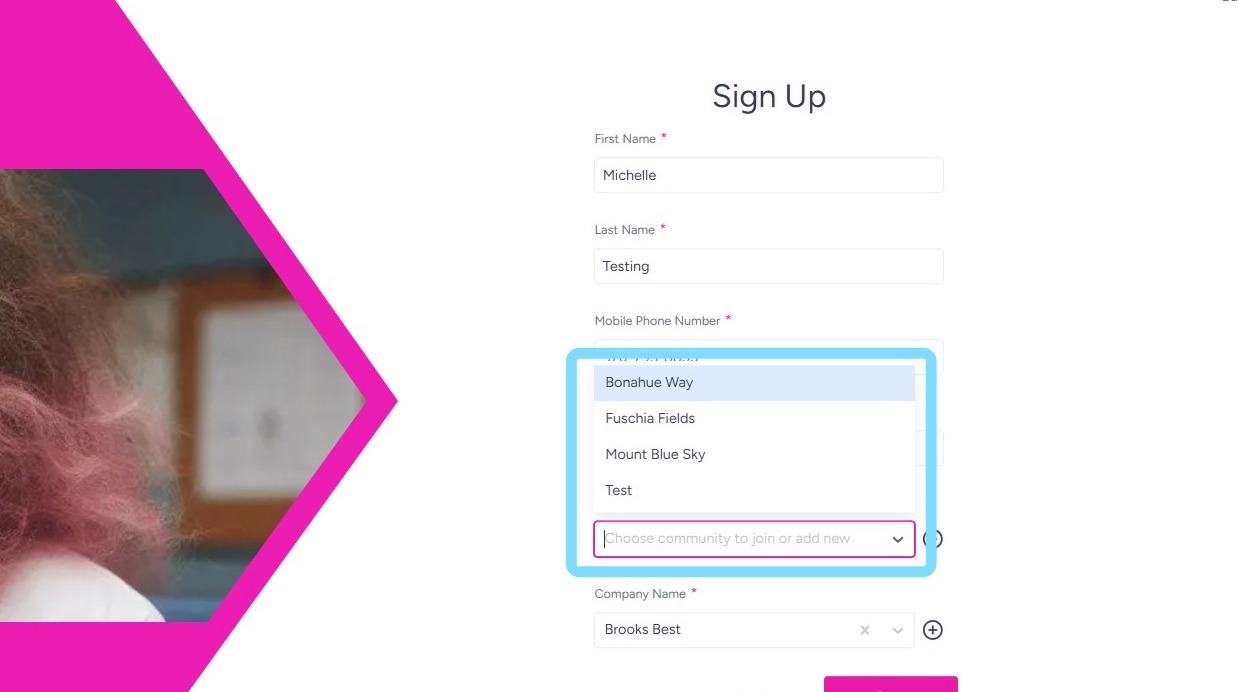
8. This example shows selecting from the drop down menu.
9. This example shows adding a new Community Name by selecting +
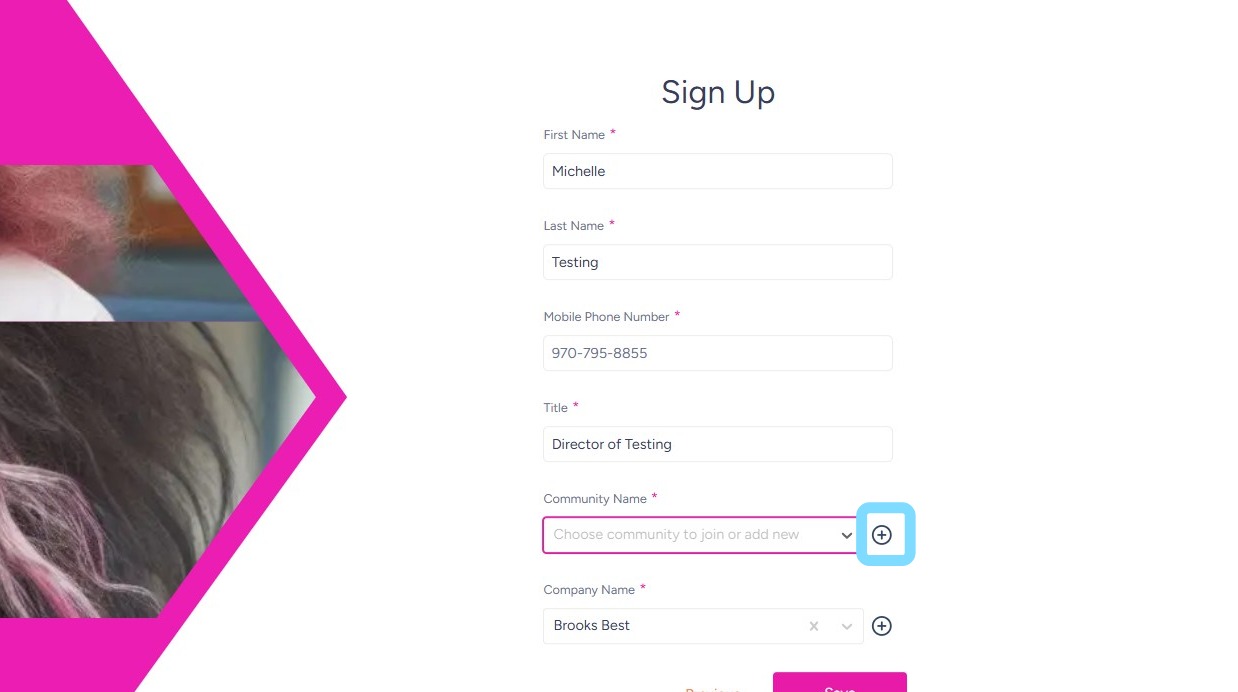
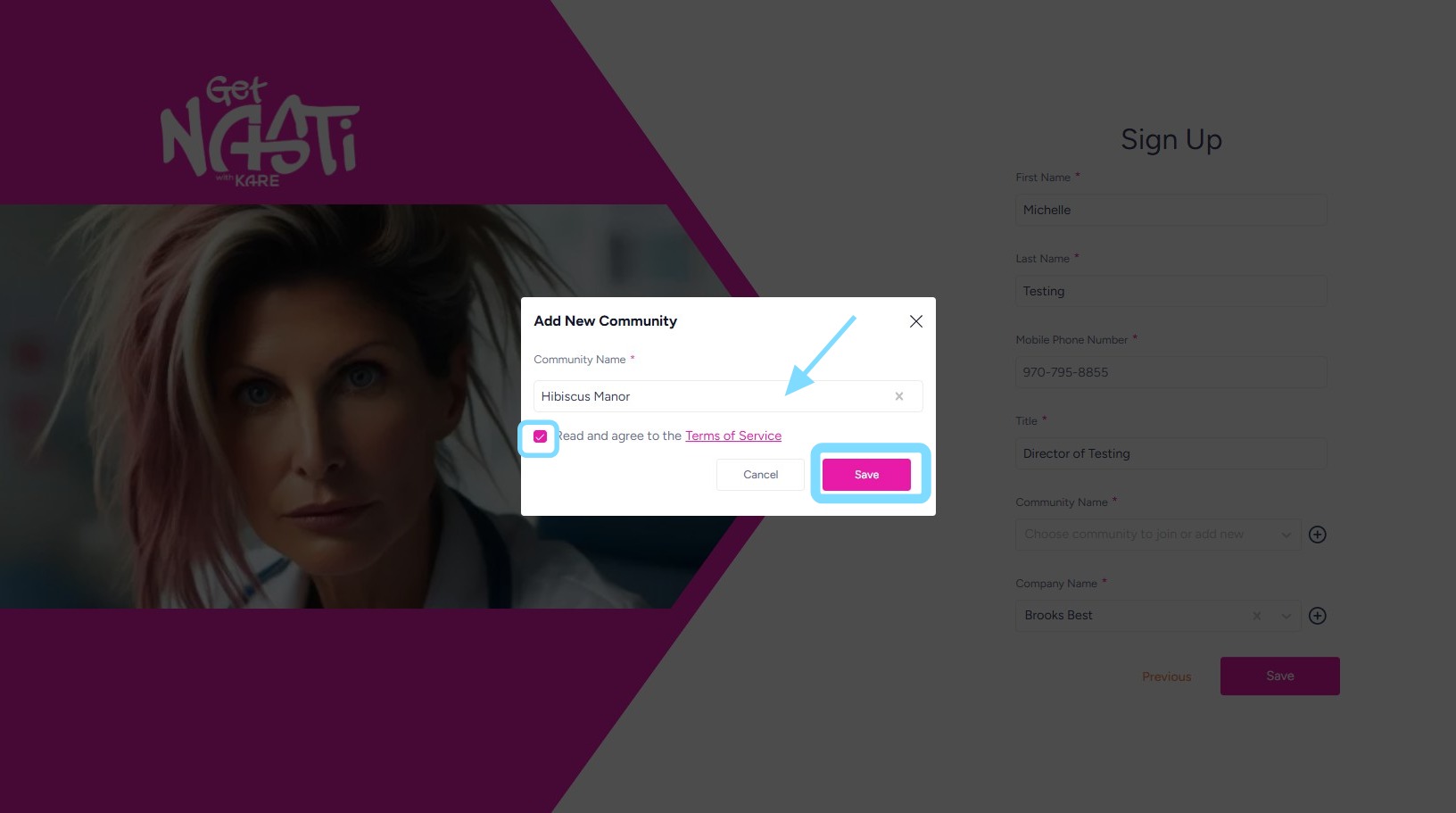
10. Then enter Community Name
Check the box to agree to Terms of Service
Select Save.
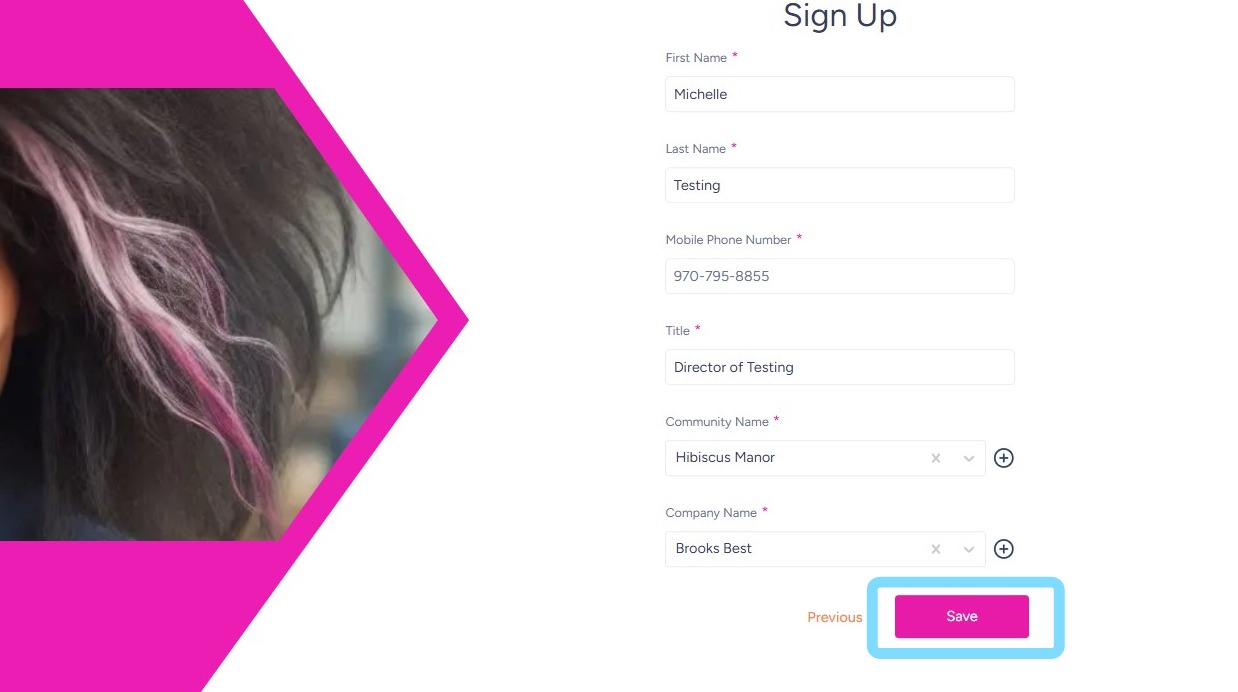
11. When all information has been entered, select Save
12. You will be prompted to verify your phone number via a verification code.
13. Congrats — you just joined the NASTi Universe. Welcome to intelligent labor management, where chaos doesn’t stand a chance! It’s time to set up your community!
See user guide How to Set Up a Community