How to Set Up a Community Info
Build it right from day one. Configure community info by verifying your address, and making key setup decisions that keep your schedules clean and compliant.
1. After creating a community, the system will direct you through setting up your community and the first part of that is configuring the Community Info.
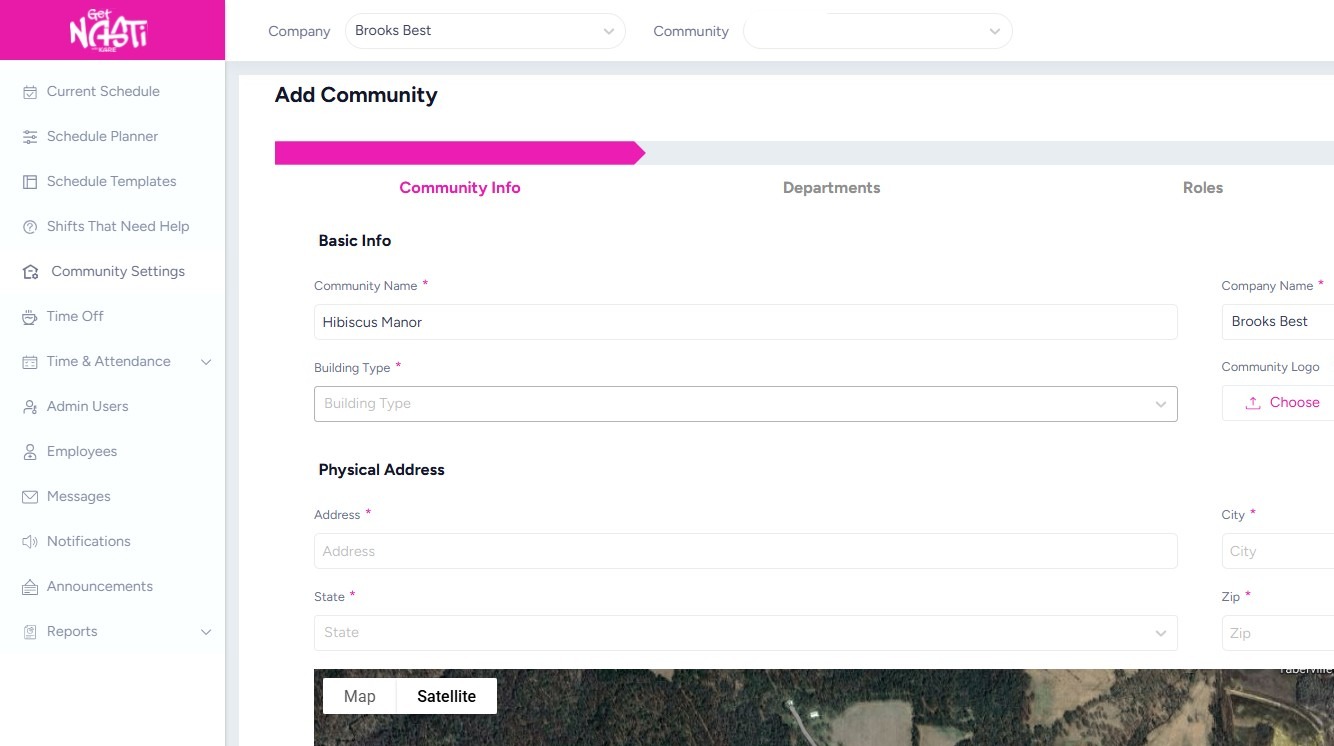
2. Complete all the required fields within Community Info section.
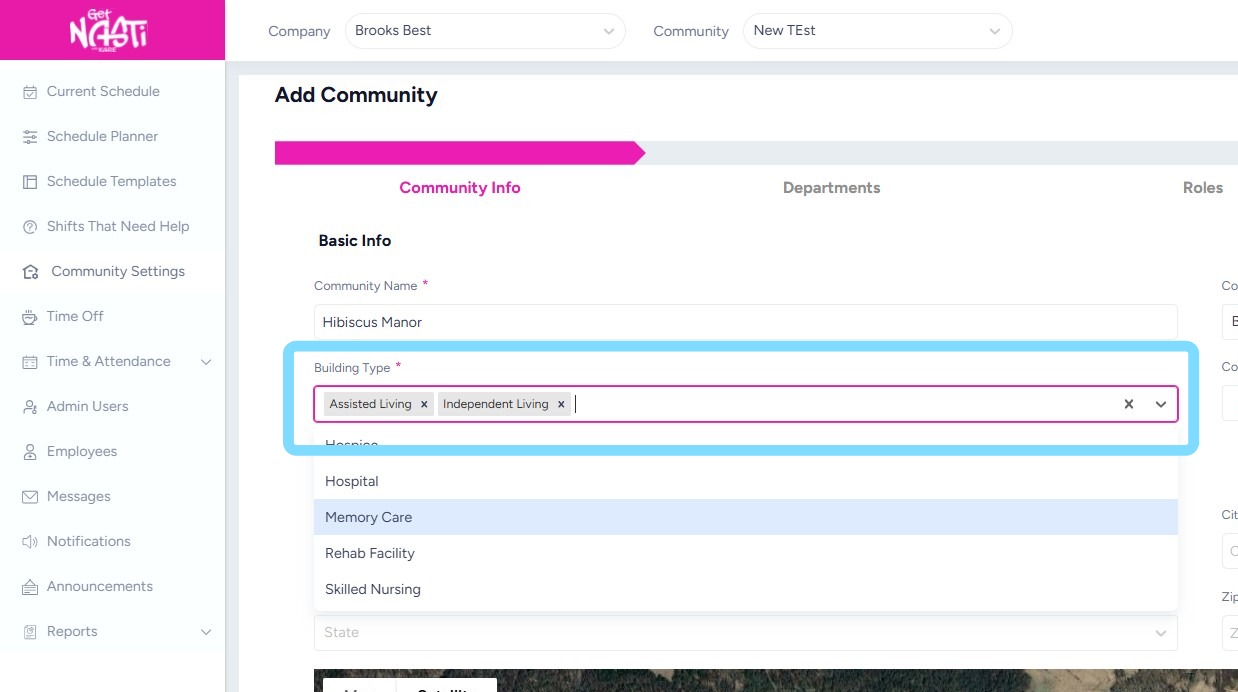
Add building type(s) from the drop down. Multiple types may be added.
3. Enter address of community.
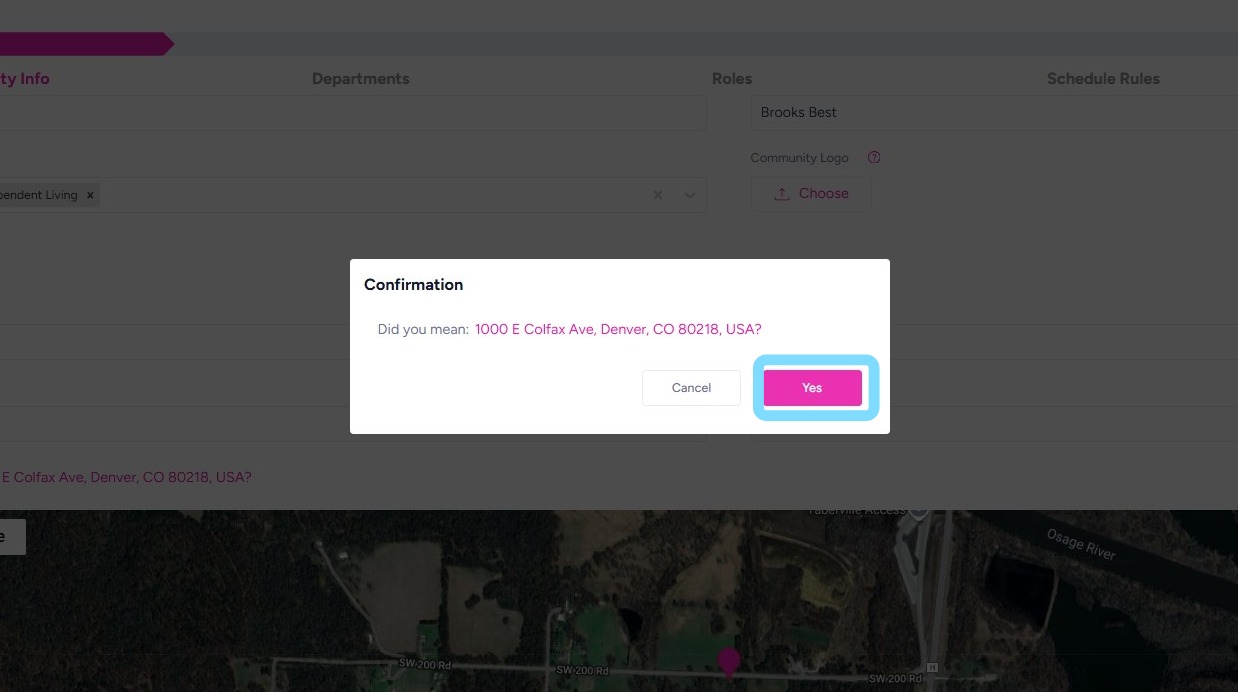
Select Verify Address
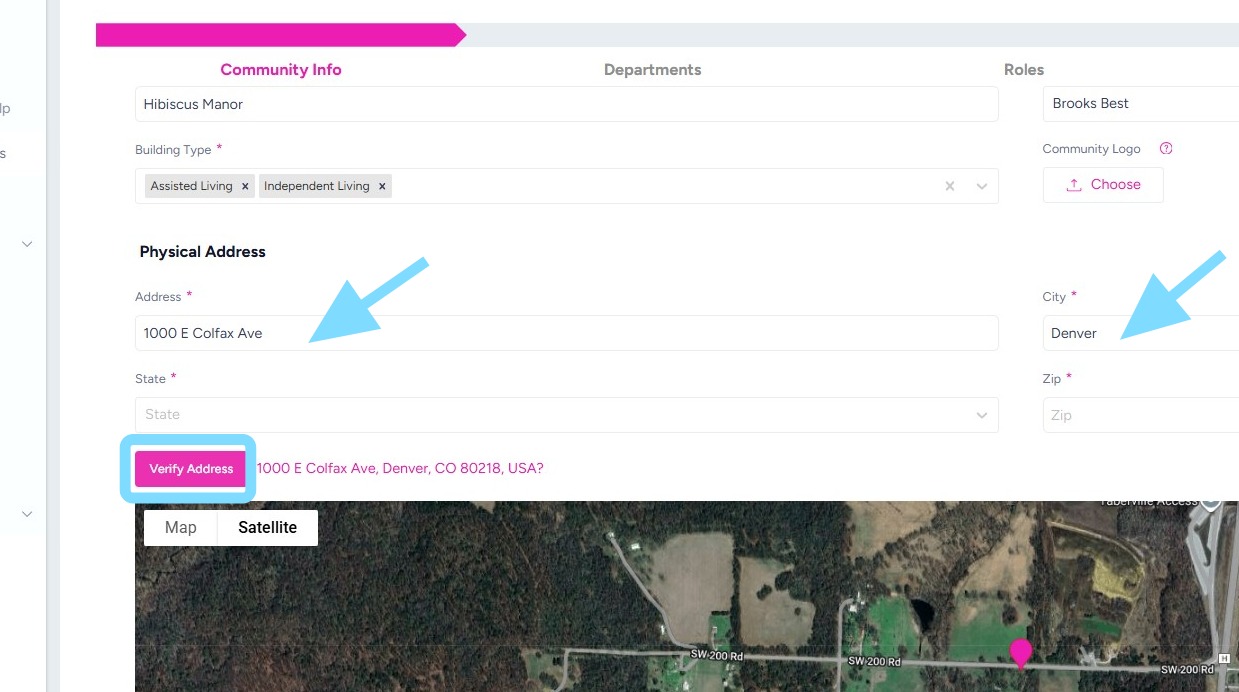
4. Select Yes to verify address of community
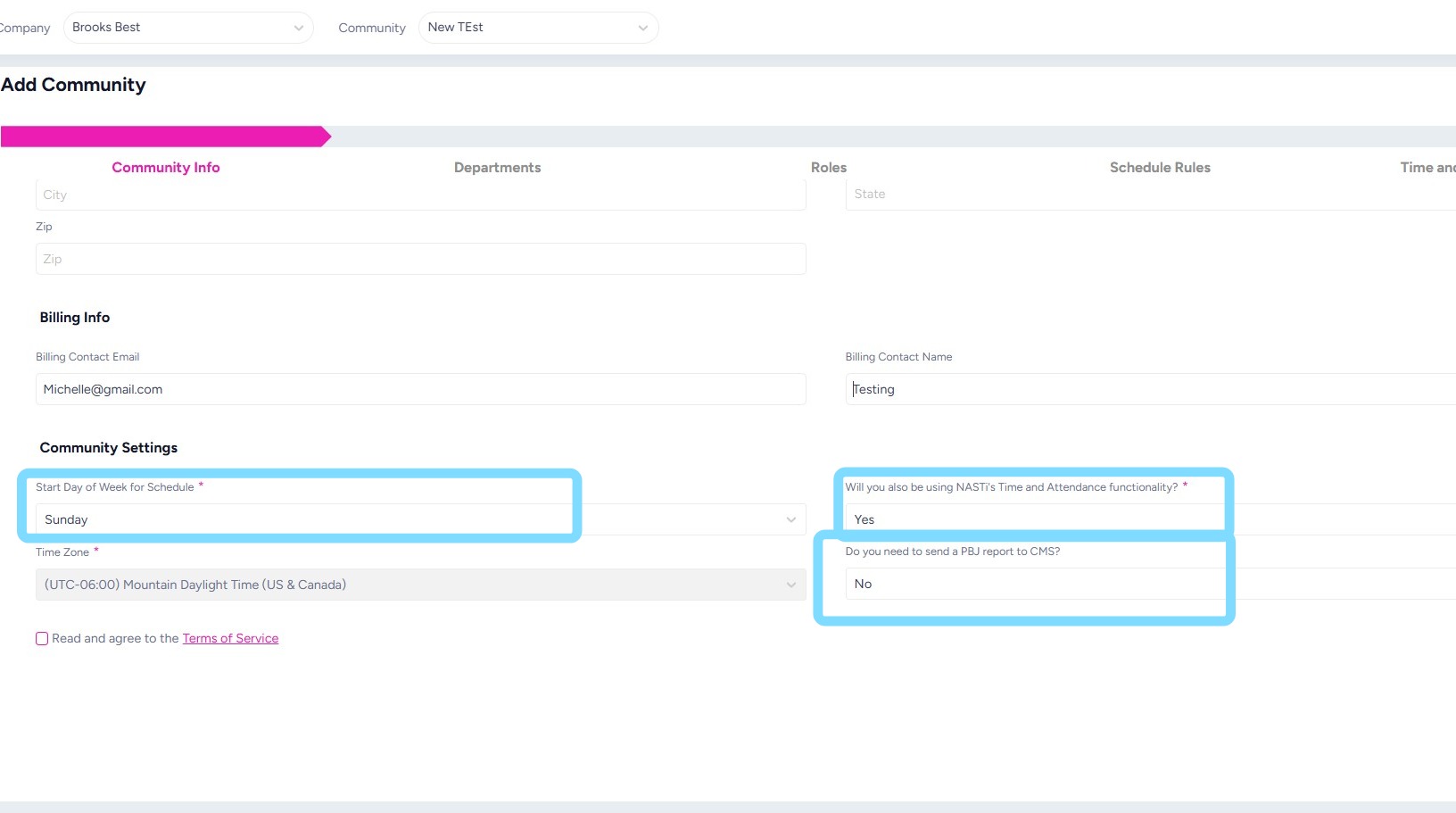
5. Select Start Day of Week for Schedule
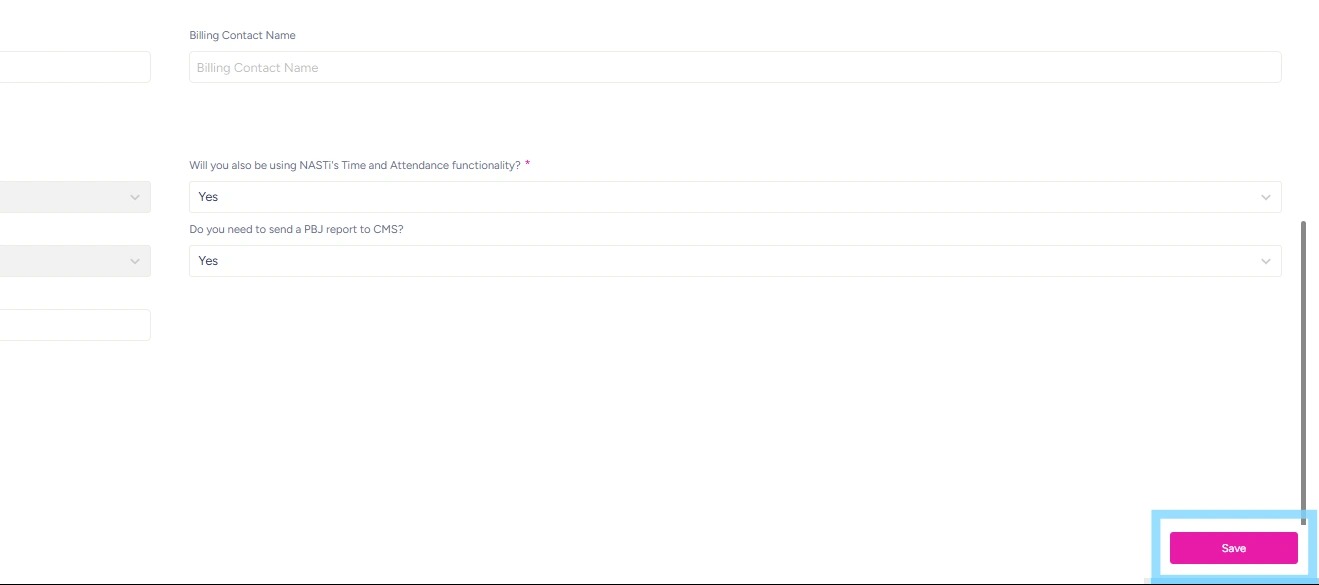
Select Yes or No regarding whether you’ll be using Time and Attendance feature of this platform.
Select Yes or No if you’ll need PBJ Reporting for CMS.
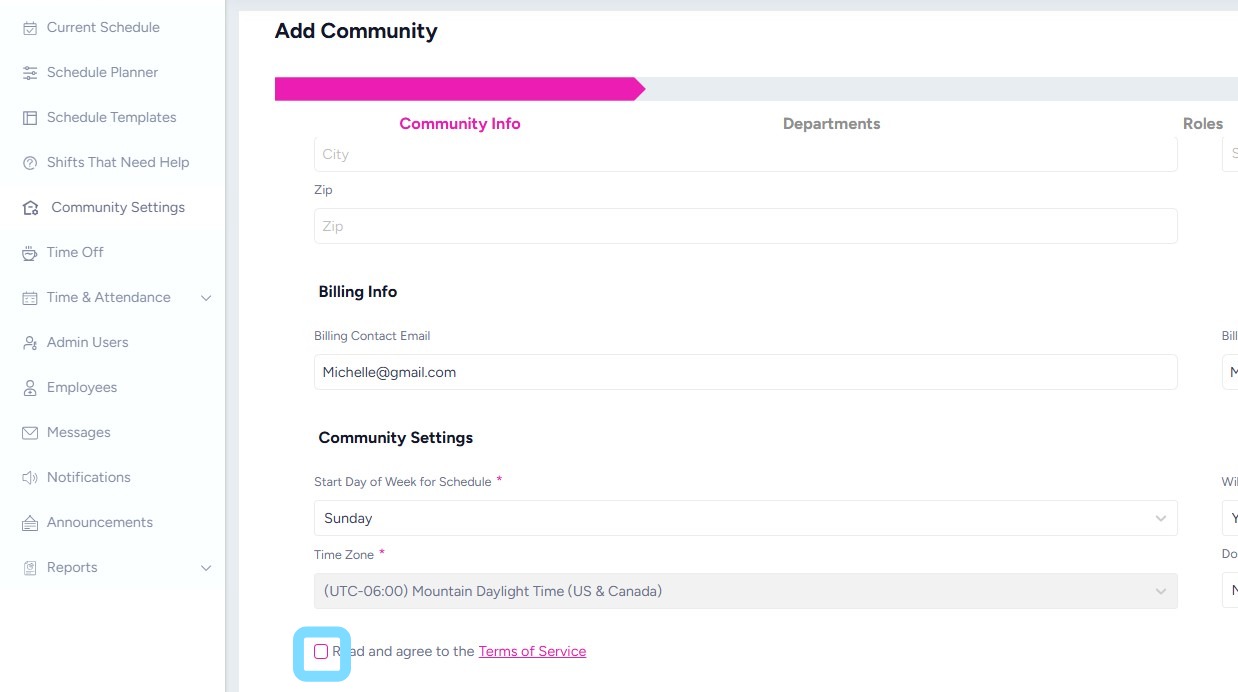
6. Select the box to read and agree to the Terms of Service
7. Select Next or Save when finished.
You did it!