
How to Resend Admin User Invite
If an admin user can’t find their invite to join the community, you can always resend it! This guide outlines simple steps to resend an admin user invite so they can get logged in and get NASTi!
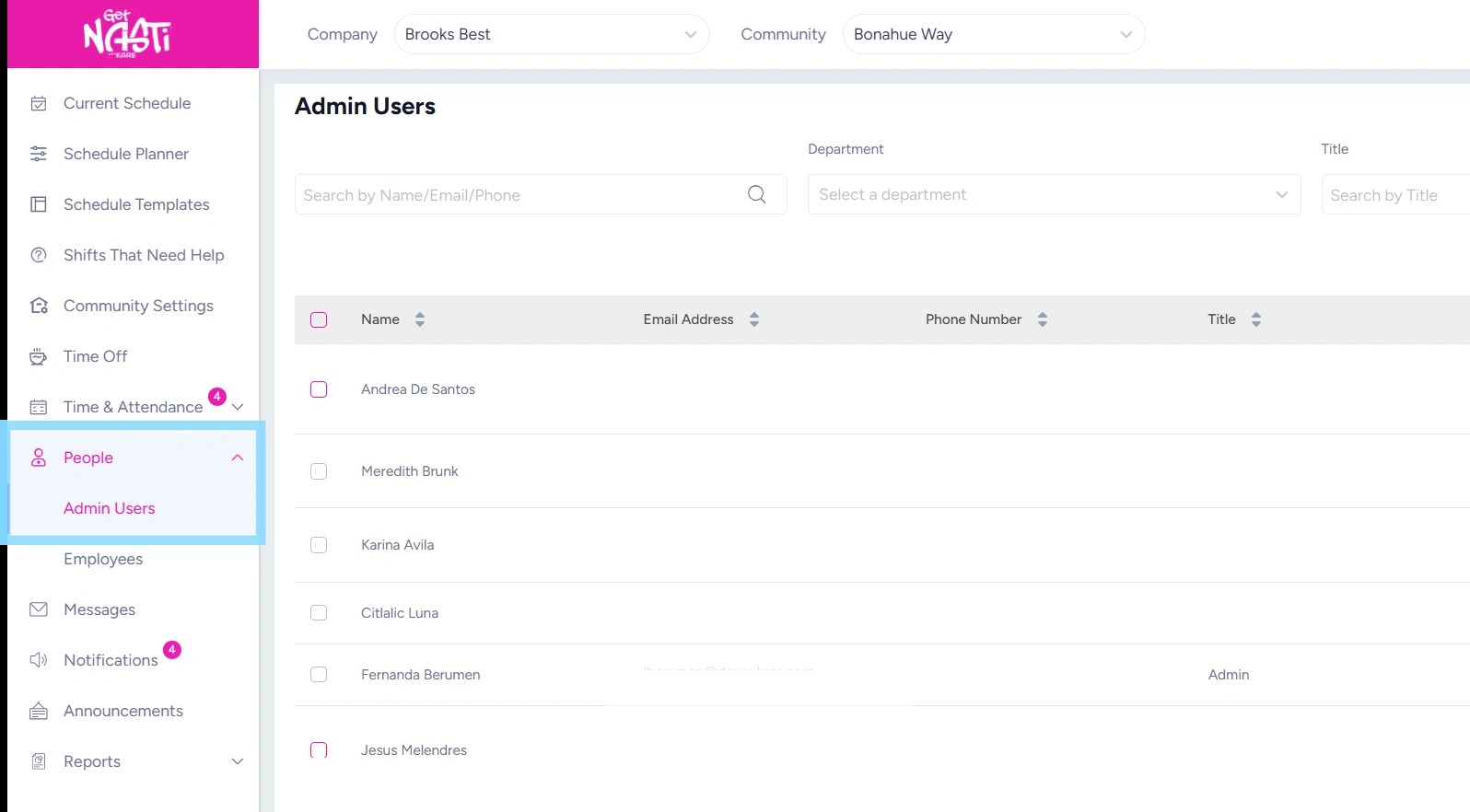
1. Navigate to People
Select Admin Users
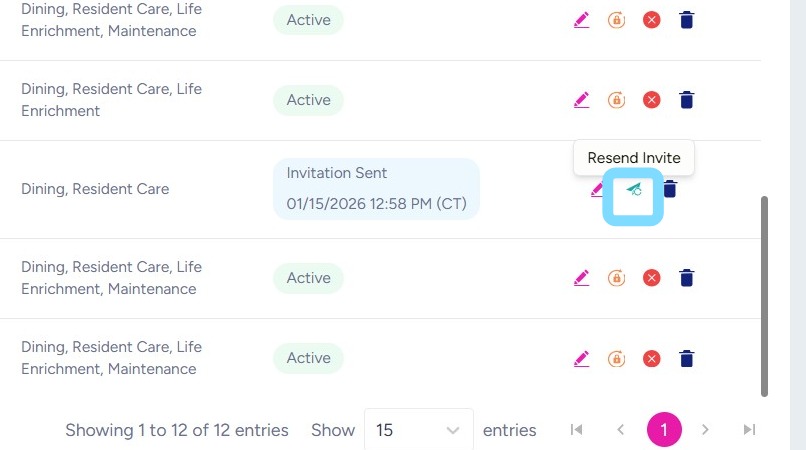
2. Select Resend Invite icon
3. Note that some invites arrive in Spam or Junk box.
If you’re admin still doesn’t see the invite, reach out to nastisupport@doyoukare.com