How to Mark a Call Off and Manage the Called Off Shift by Reassigning or Opening
This guide provides essential steps for Admin Users to efficiently manage call offs in the scheduling system. It outlines how to either unassign or reassign shifts when marking a call off, ensuring that open shifts are promptly filled and notifications are sent to employees. Note: Admin Users must have permissions to mark call offs
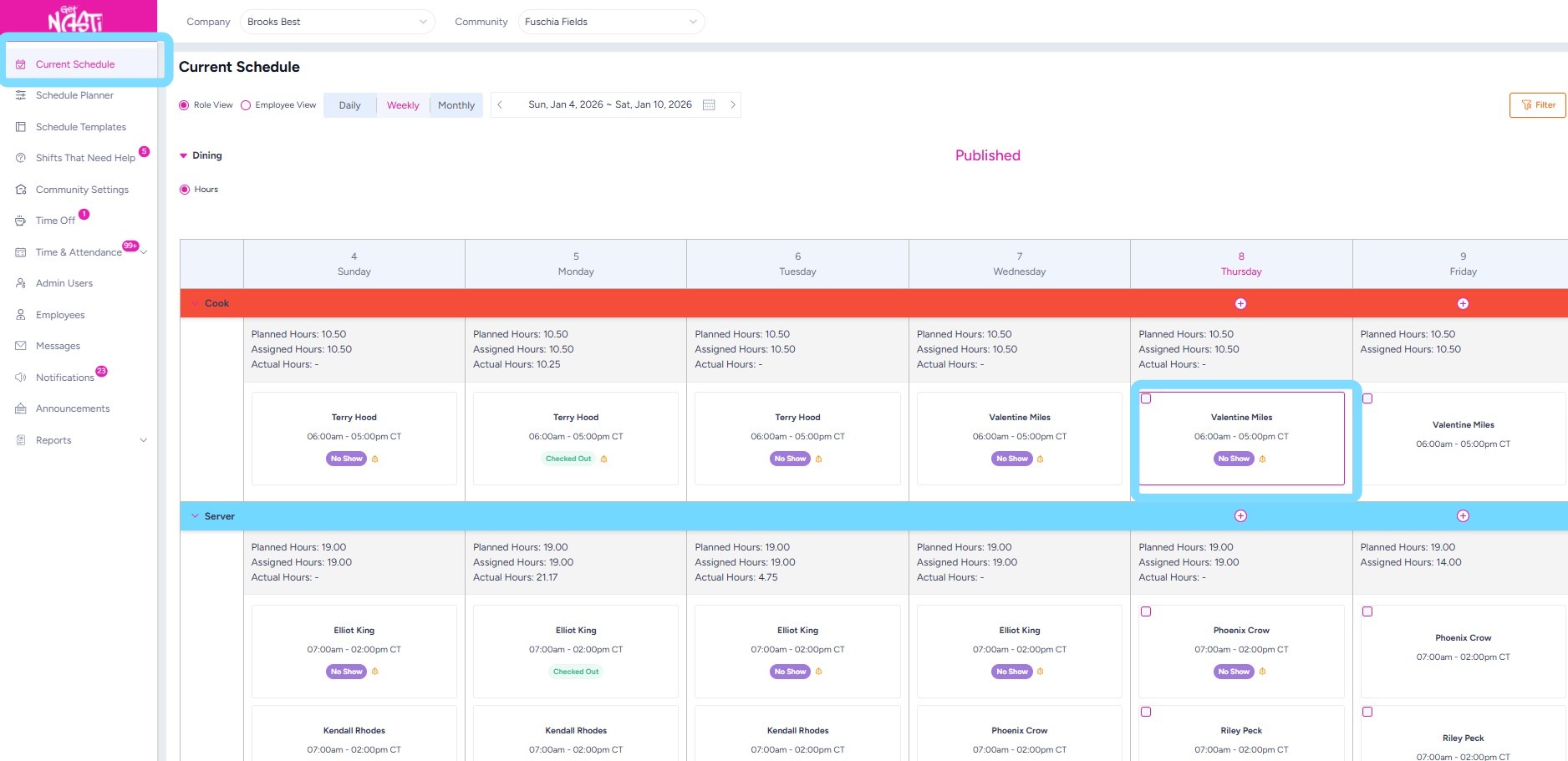
1. Navigate to Current Schedule
Select shift box to open Shift Details
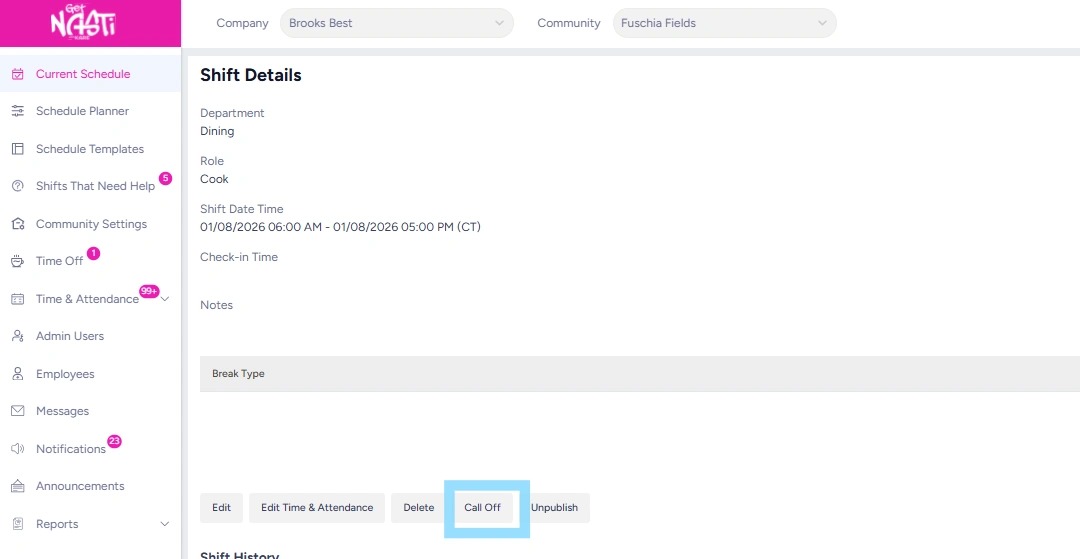
2. Select Call Off within Shift Details page
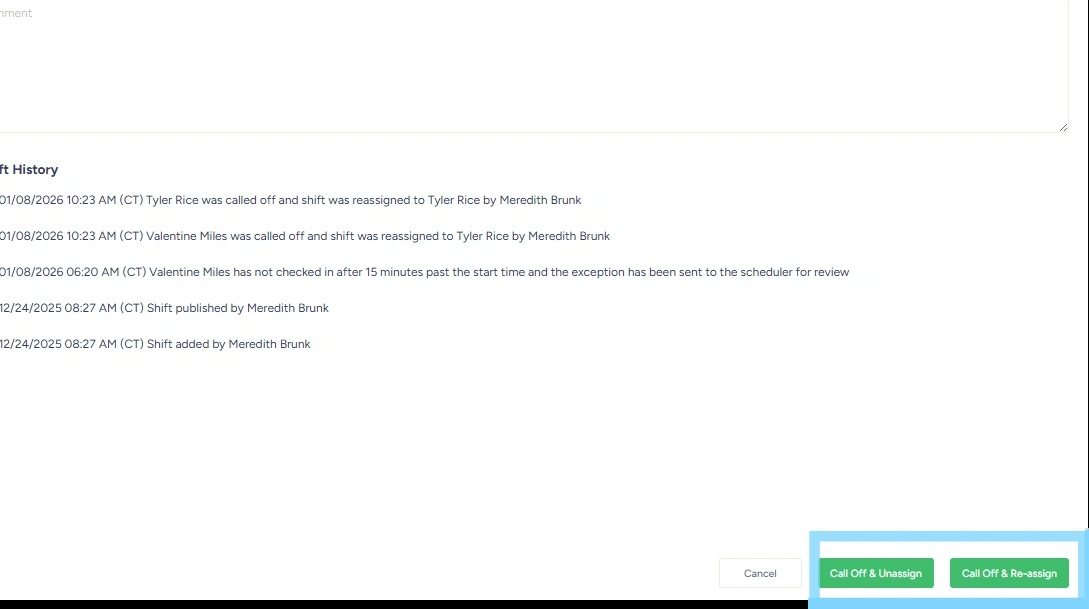
3. Select Call Off & Unassign or Call Off & Re-assign
Note: Call Off & Unassign will mark the shift as Open for employees to claim and if the shift is about to begin, eligible employees will receive an app notification regarding the open shift. Call Off & Re-assign will allow the Admin User to re-assign the shift to another employee.
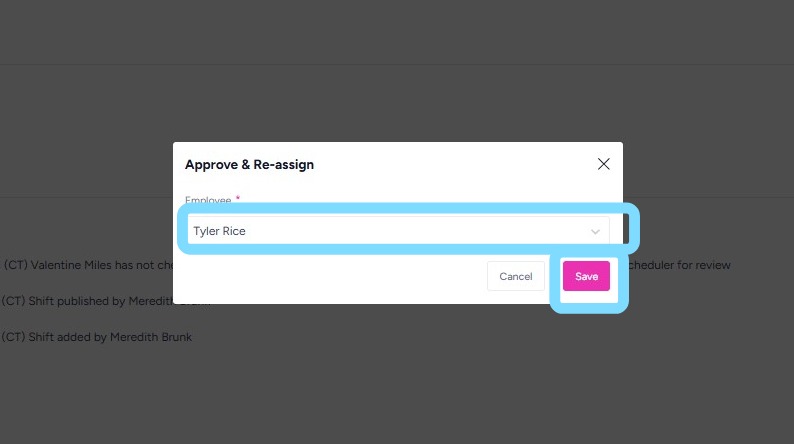
4. If the Admin User has selected Call Off & Reassign, re-assign the shift to another employee by choosing from the Employee drop down box
Then select Save.
5. You did it. Call-offs handled, coverage protected, chaos avoided. Your schedule stays tight and your team stays moving. ✊