
How to Manage Time Off Requests (Approve or Reject)
This guide shows you how to quickly review and approve or deny time off requests so schedules stay clean and nothing slips through. When it comes to managing time off without chaos, this is how you keep things locked in.
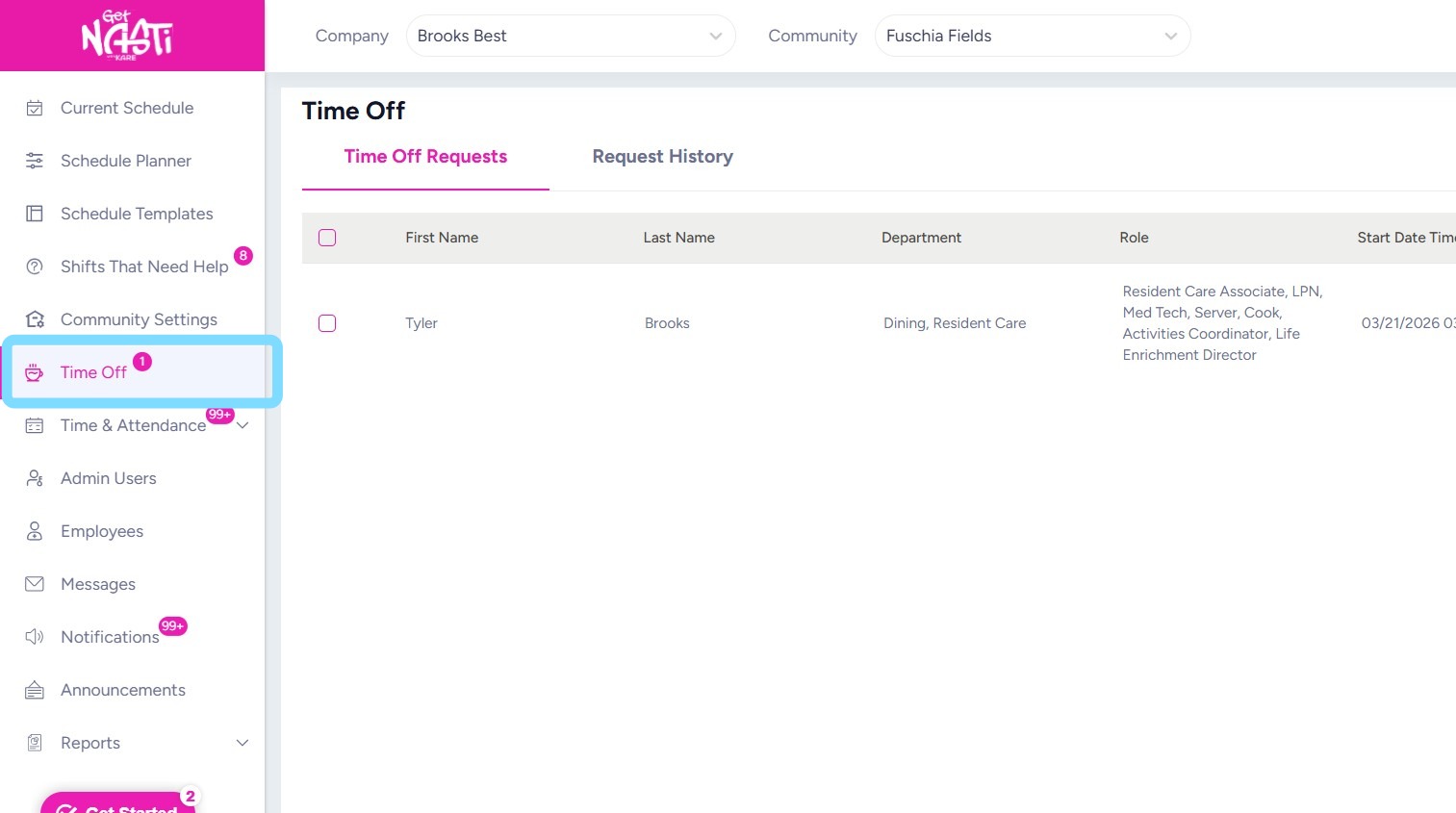
1. Navigate to Time Off
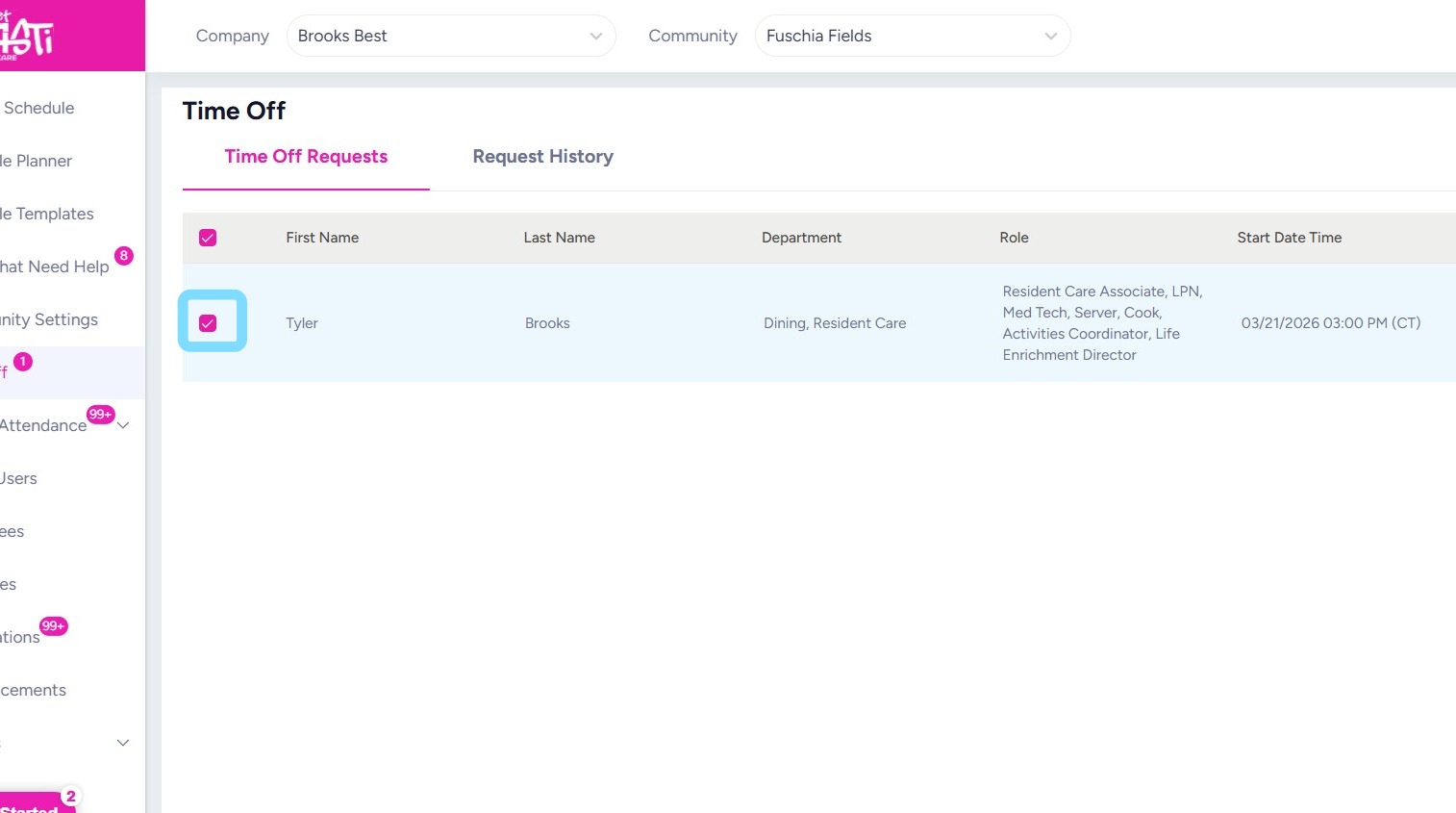
2. Select box next to employee request.
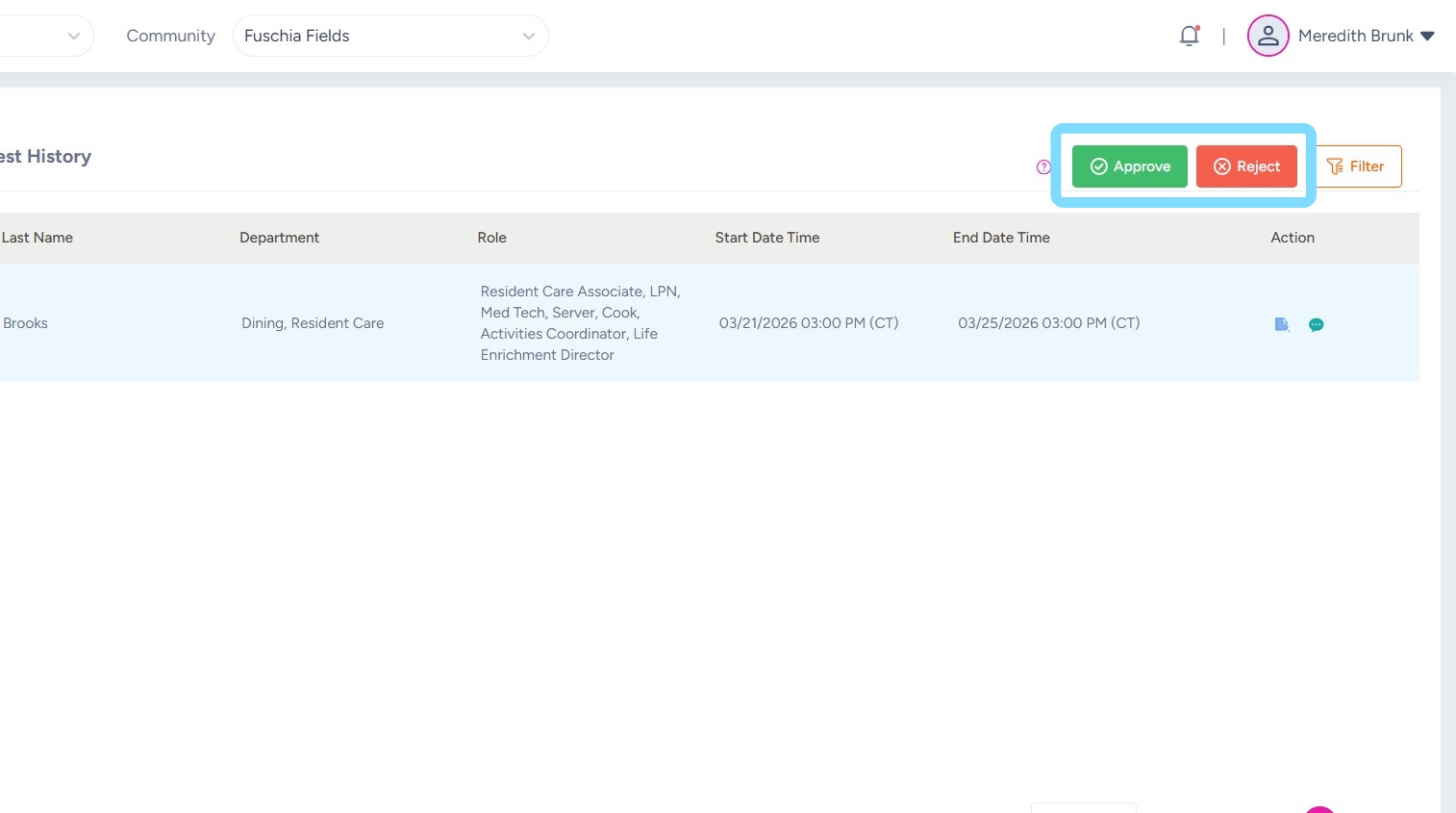
3. Select Approve or Reject
4. Enter a comment if helpful.
Select Approve or Reject.
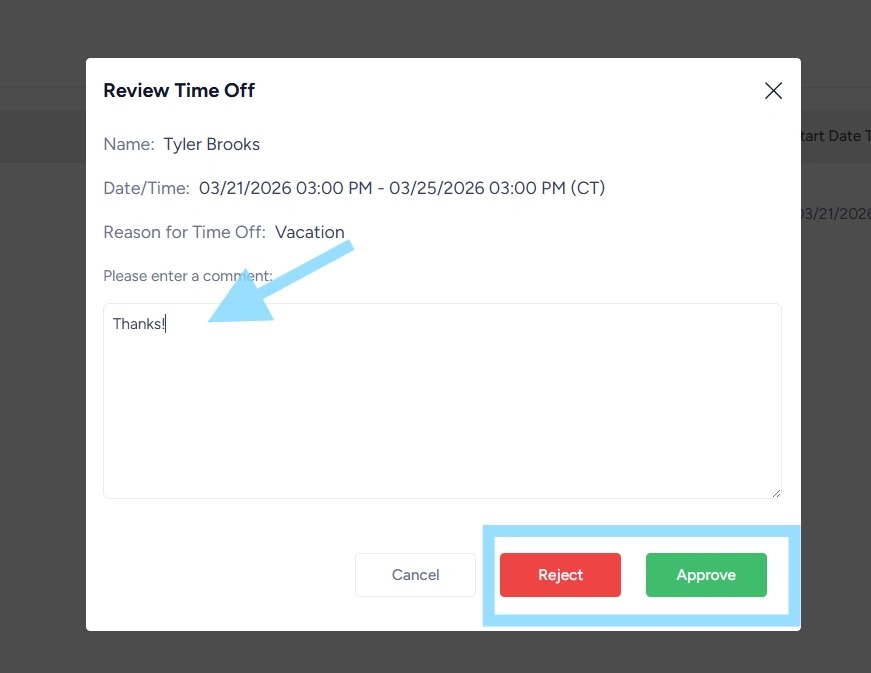
5. Select Yes to confirm approval or rejection.
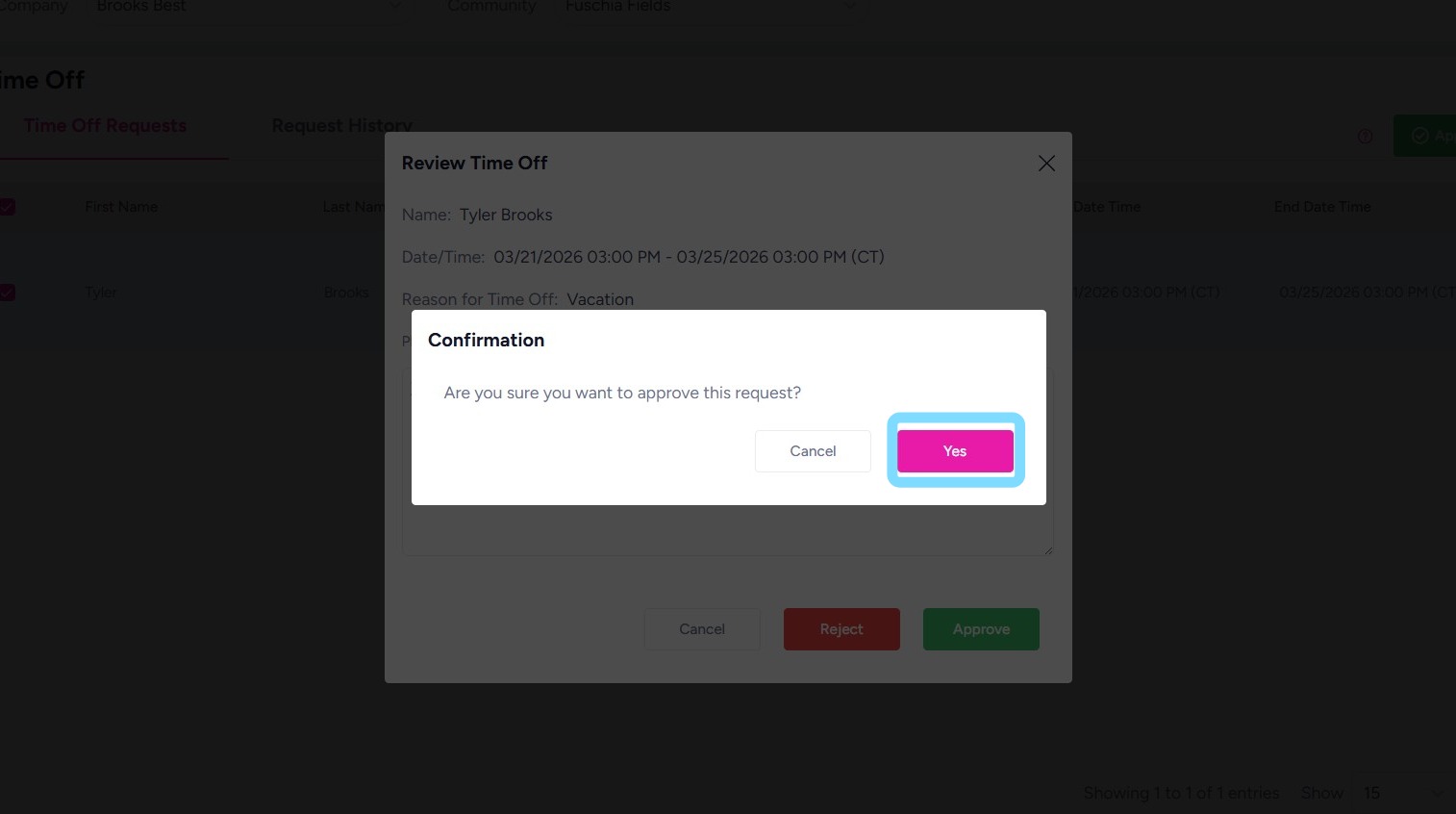
6. Congrats, employee’s time off is now logged in the system!
If an admin attempts to schedule the employee during the approve time off period, the system prevent scheduling by triggering this error.
