How to Invite Employees
This guide provides a straightforward process for inviting employees to the NASTi platform. Once invited, employees receive a link by text or email to open on their phone, download the app, and complete registration or login—unlocking access to schedules, shift swaps, and reminders. It’s more than filling a roster; it’s about empowering your team to own their shifts and gain the flexibility they crave.
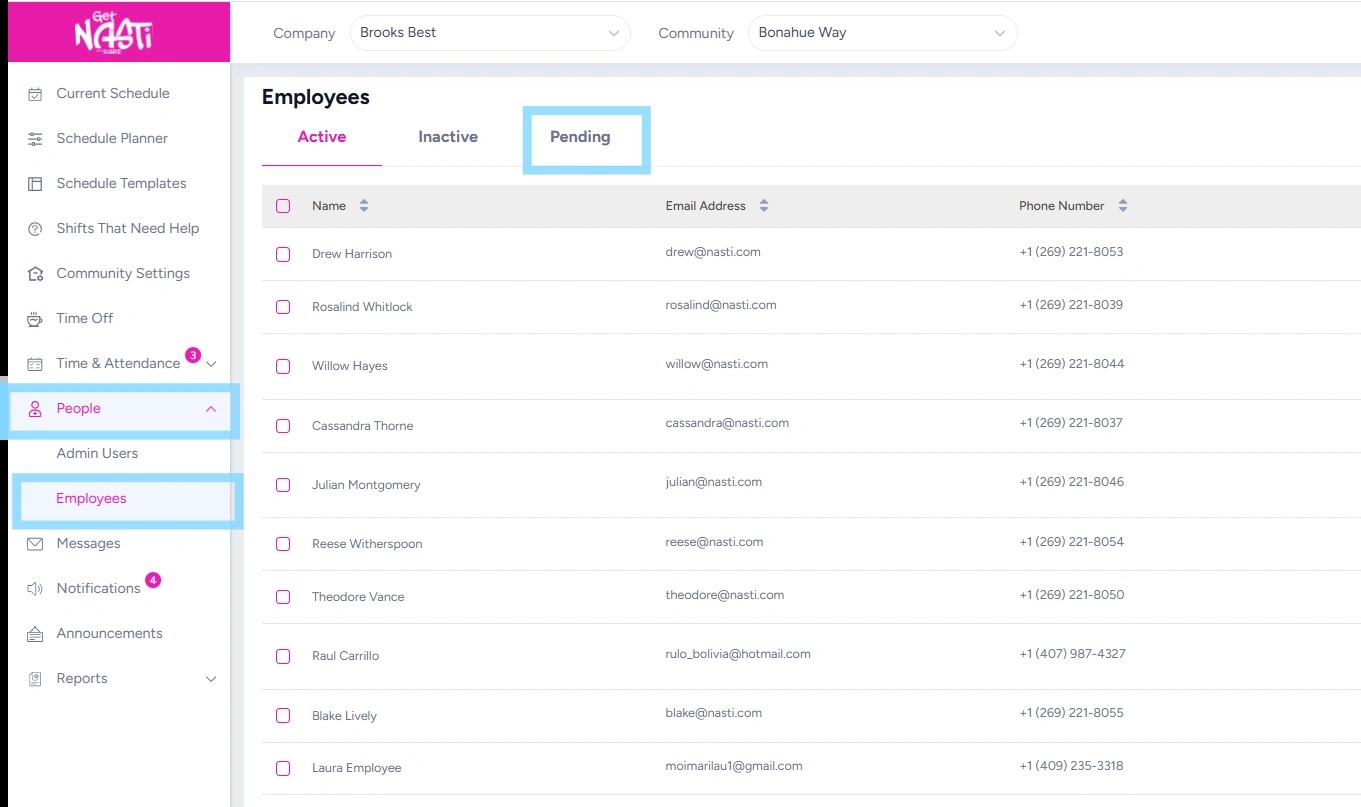
1. Navigate to People and Employees
Select Pending.
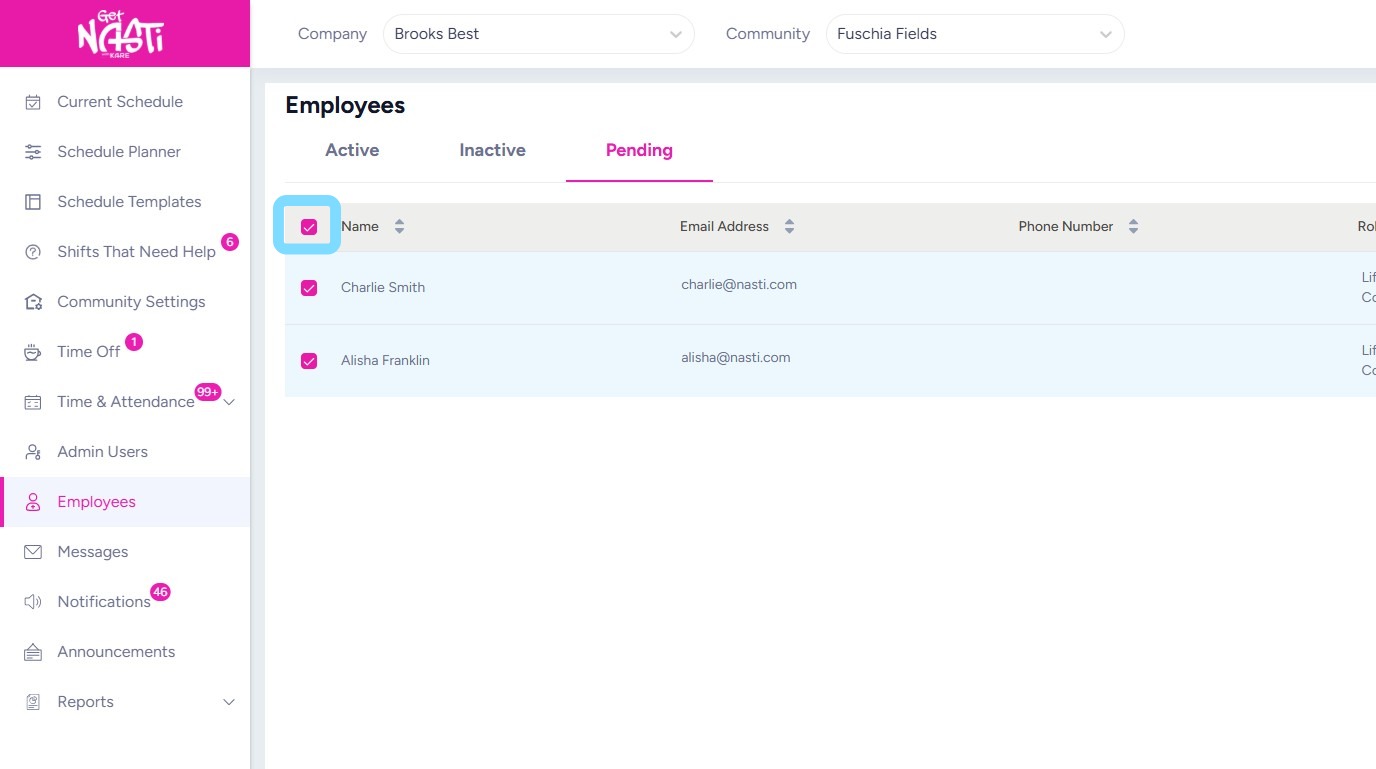
2. Select the Select All checkbox next to Name to choose all pending employees to receive an invite.
Select the checkbox next to an individual employee’s name to send an invite to just that employee.
3. Select Send Invite.
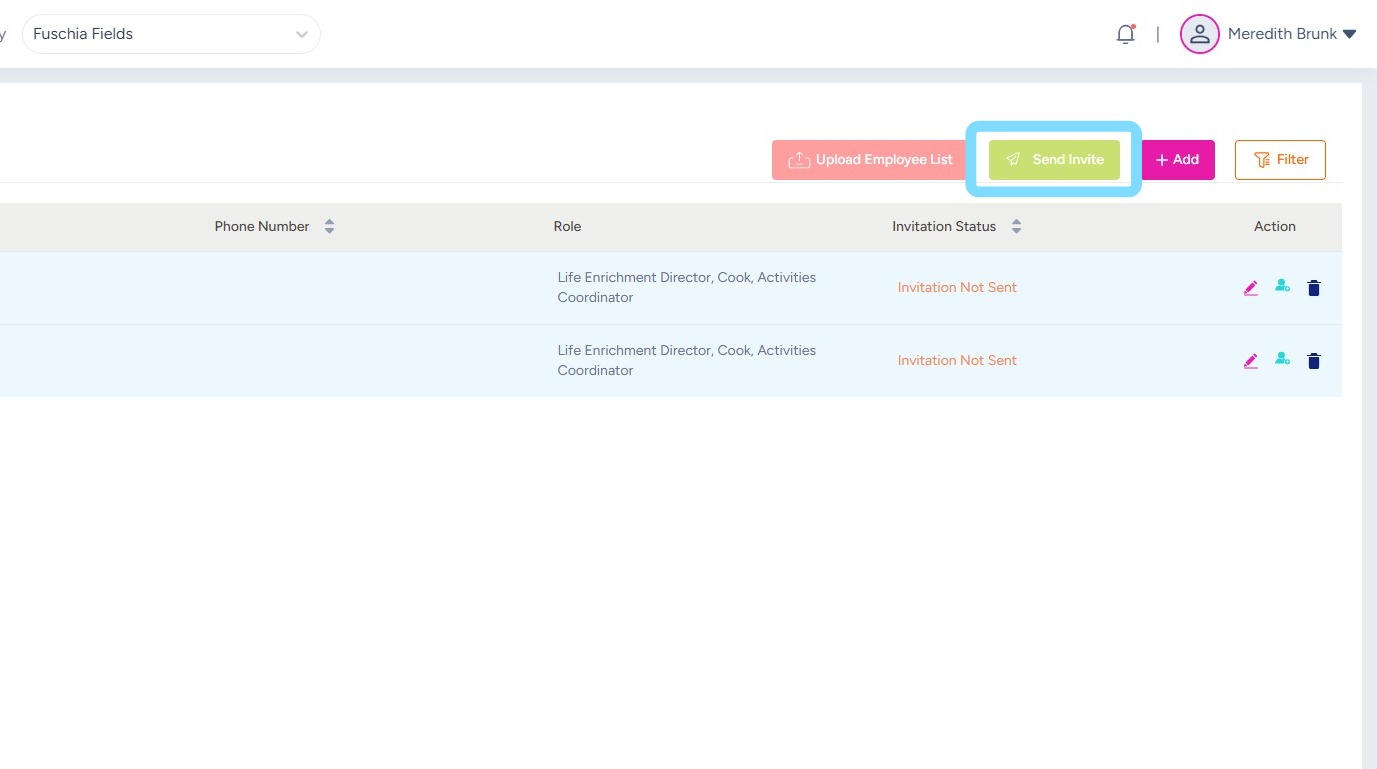
4. Congrats, your employees are invited!