How to Edit Location Information
This guide provides easy steps for admin users to add, edit, deactivate, or delete locations. Note: Admin Users need Community Settings permissions to edit location information.
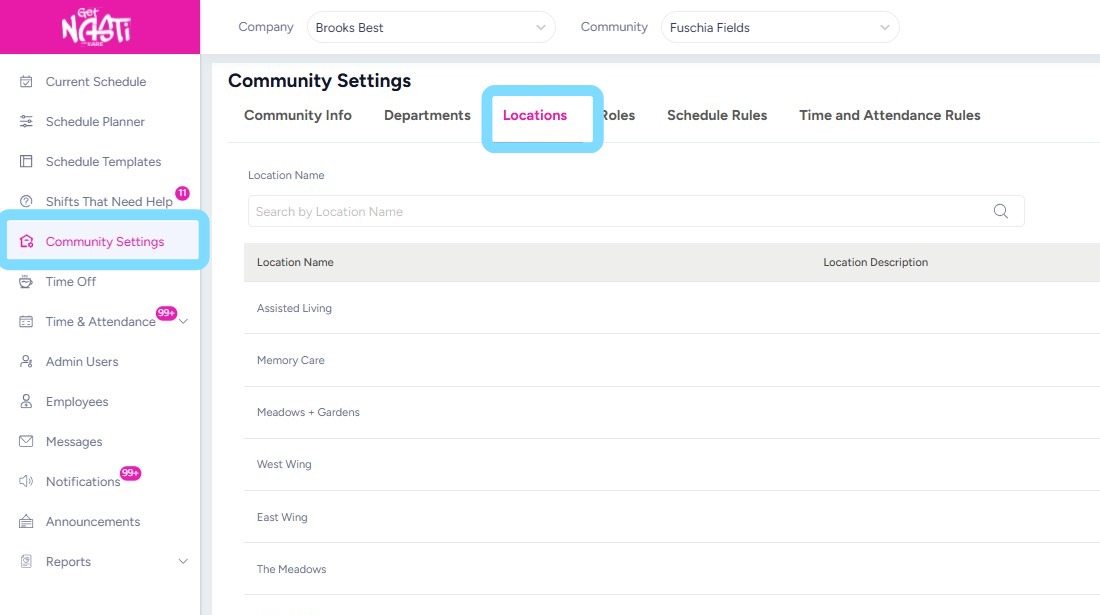
1. Navigate to Community Settings
Select Locations.
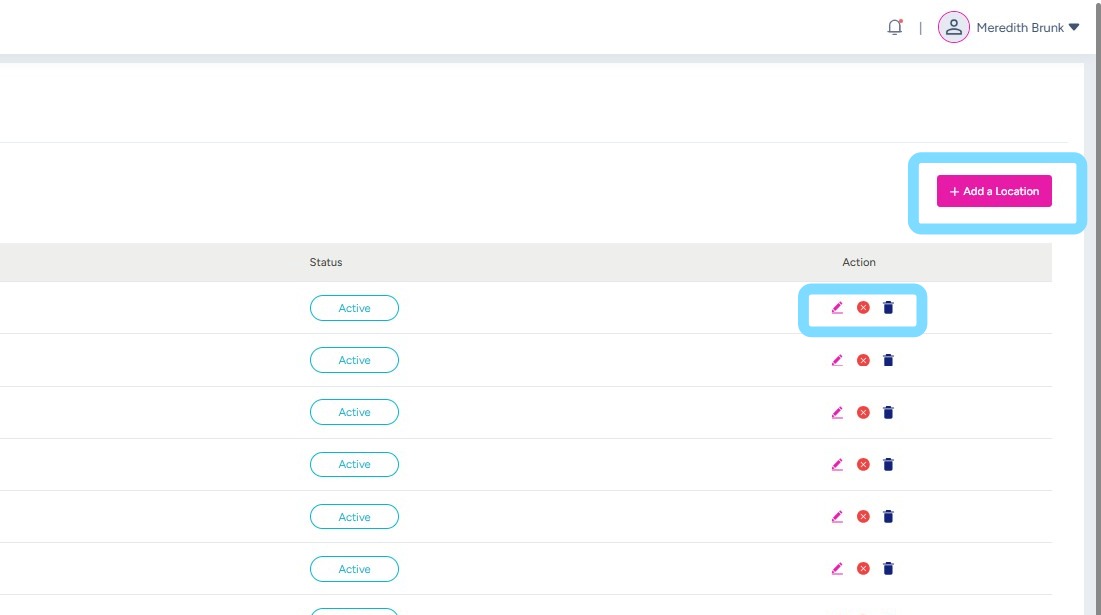
2. Admin User can now choose to add a location by selecting the + Add a Location
or
Admin User can edit, deactivate or delete a location.
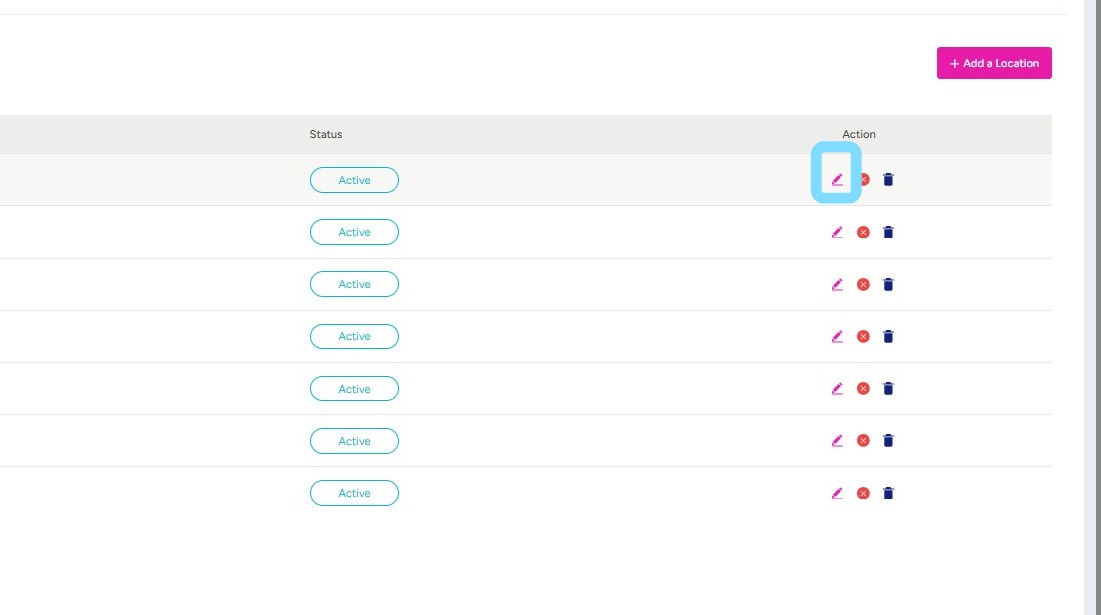
3. If editing a location, select Edit icon
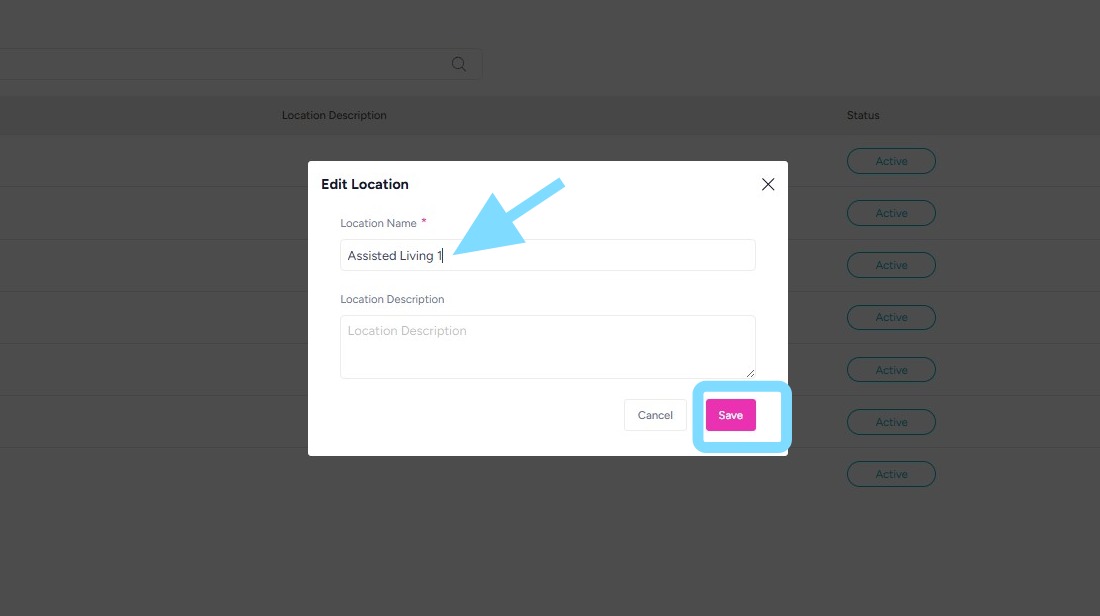
4. Make edits and select Save.
Boom, done! It’s that easy!