How to Edit Department Information
This guide provides a straightforward process for admin users to manage department information effectively. It outlines how to add, edit, deactivate, or delete departments within the Community Settings. Note: Admin Users need to have permissions to edit Community Settings!
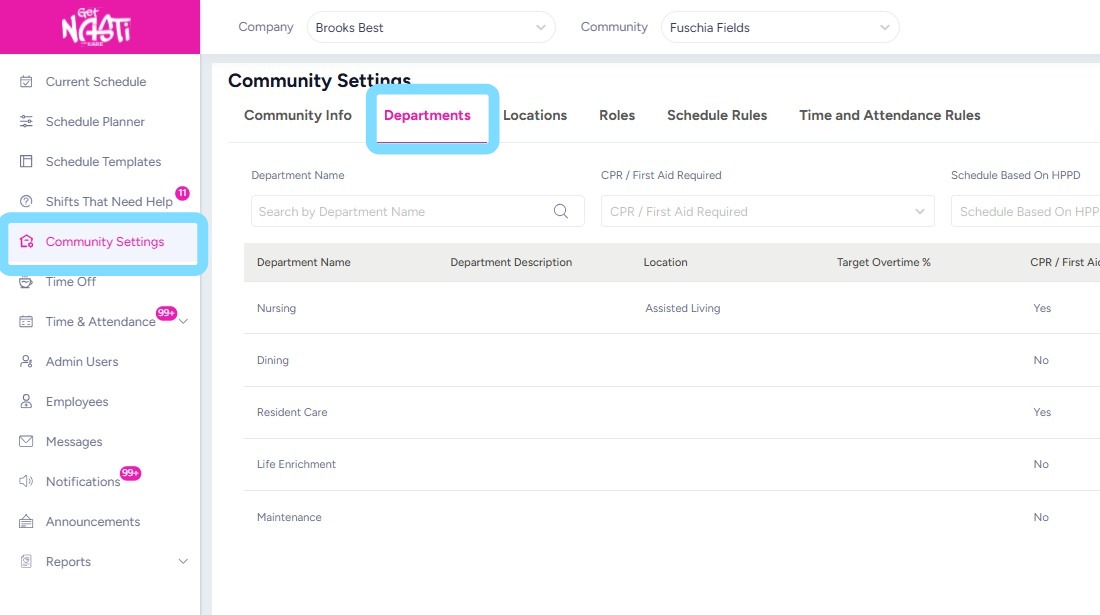
1. Navigate to Community Settings
Select Departments
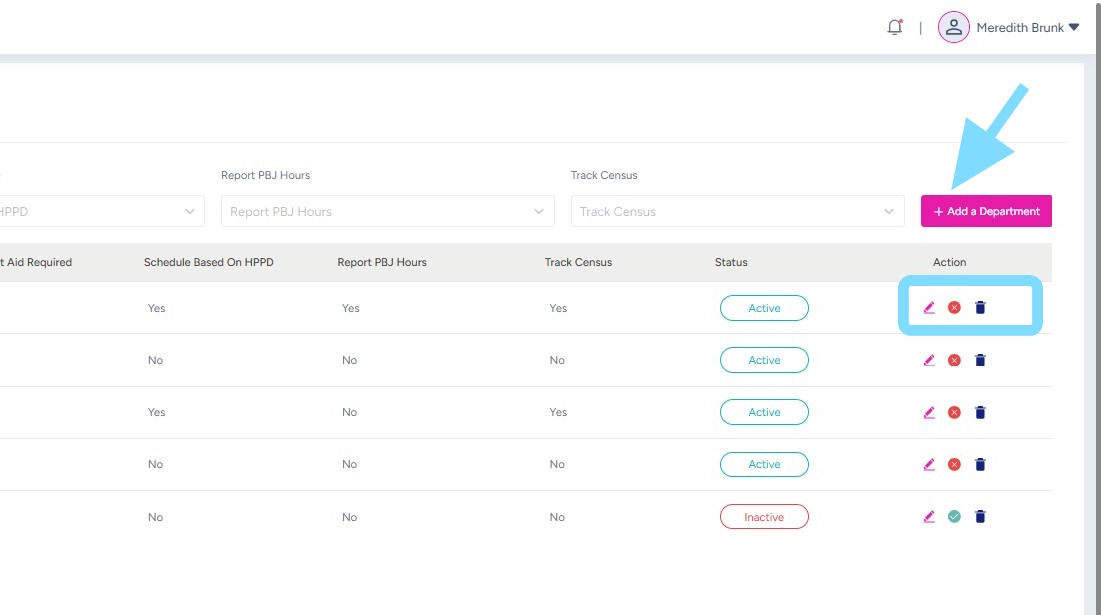
2. Admin User may now add a Department by selecting + Add a Department
Admin User may also edit, deactivate or delete a department selecting the corresponding icon
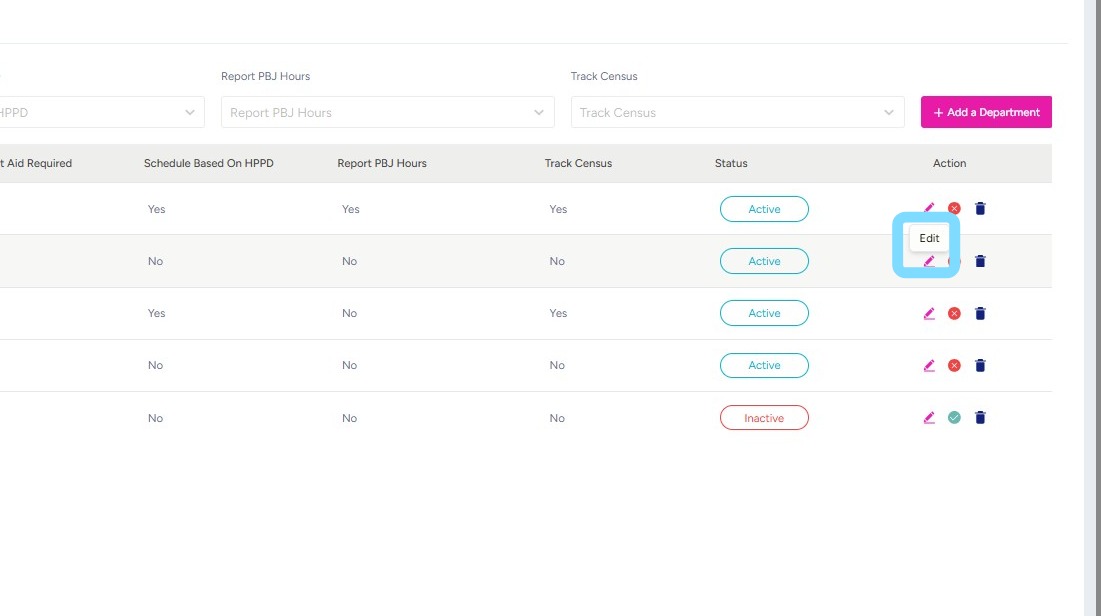
3. To edit department information, select the Edit icon.
4. Edit information as needed
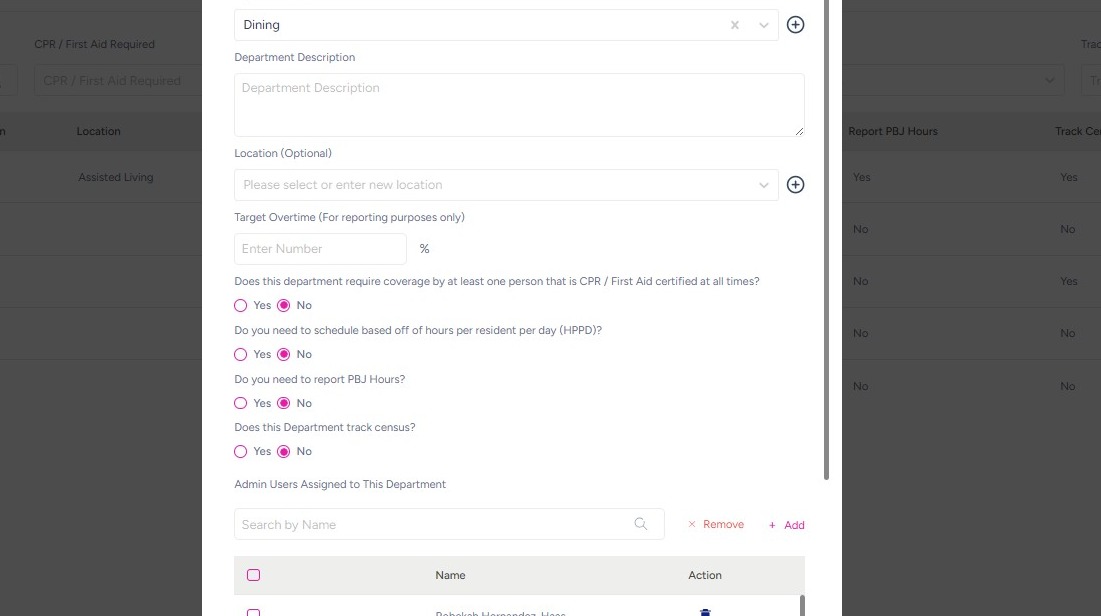
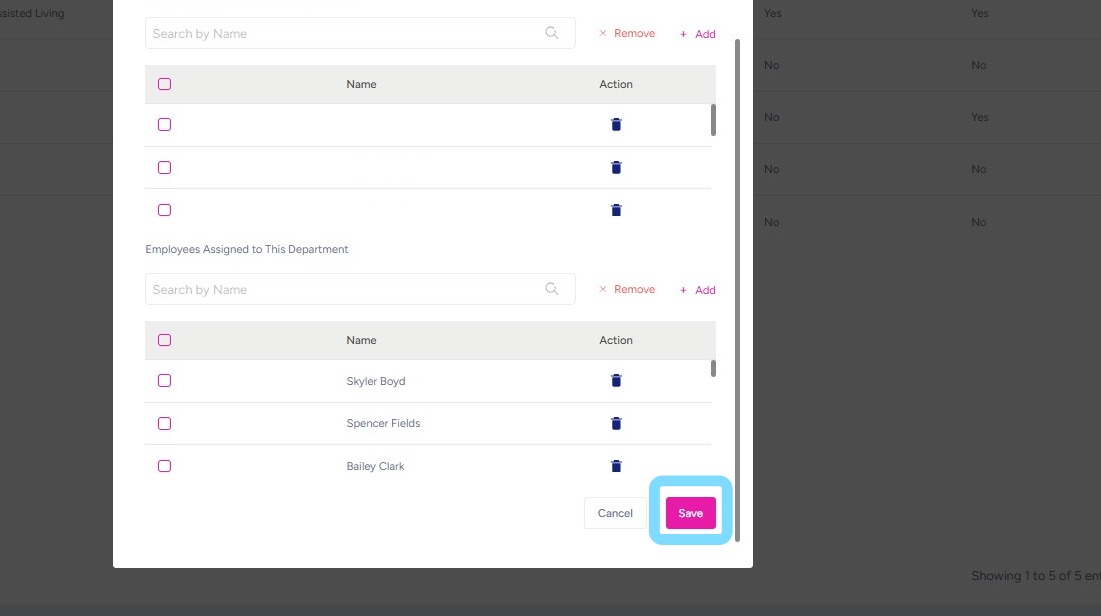
5. Select Save.
That’s it!