How to Delete Employee
This guide shows you how to delete an employee from your system.
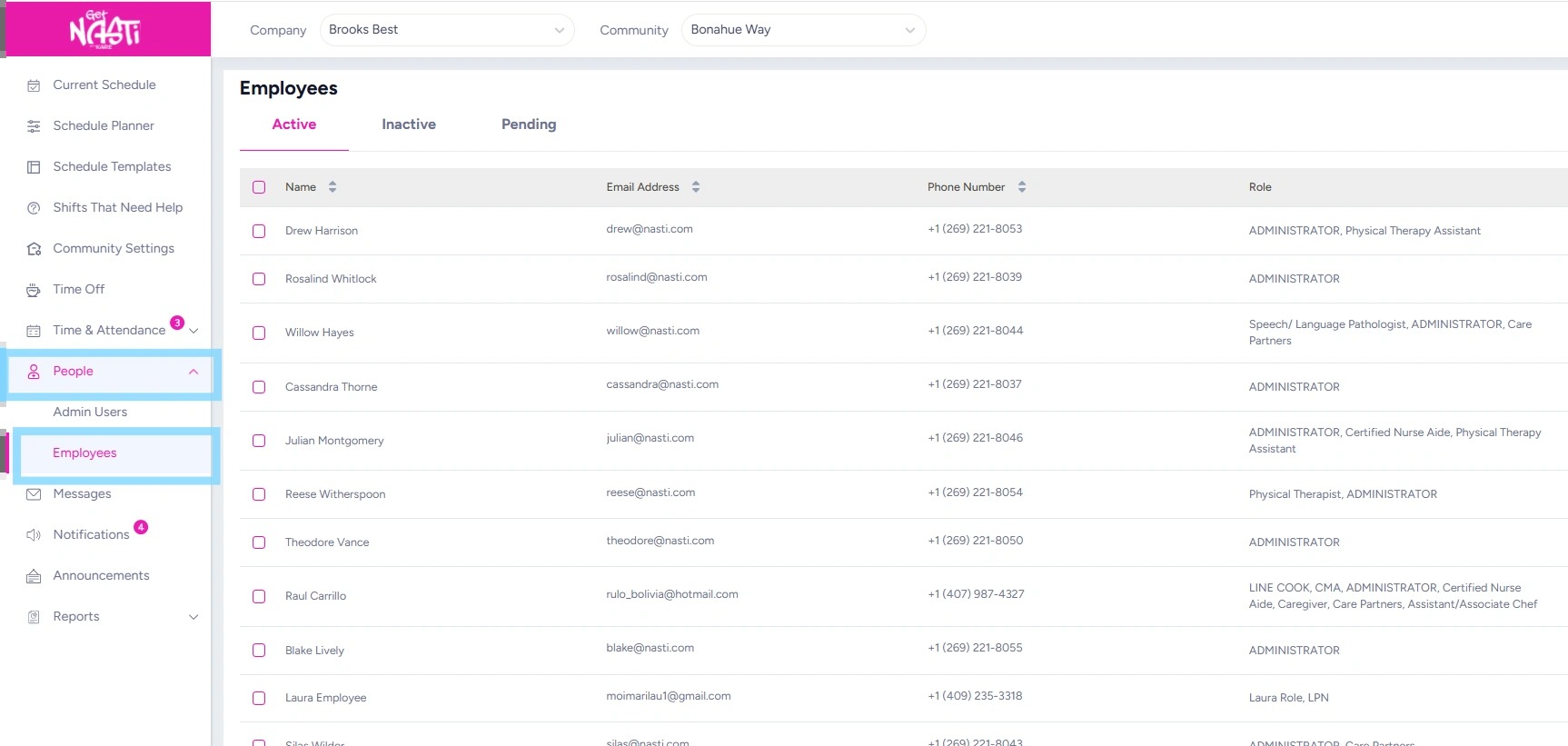
1. Navigate to People
Select Employees
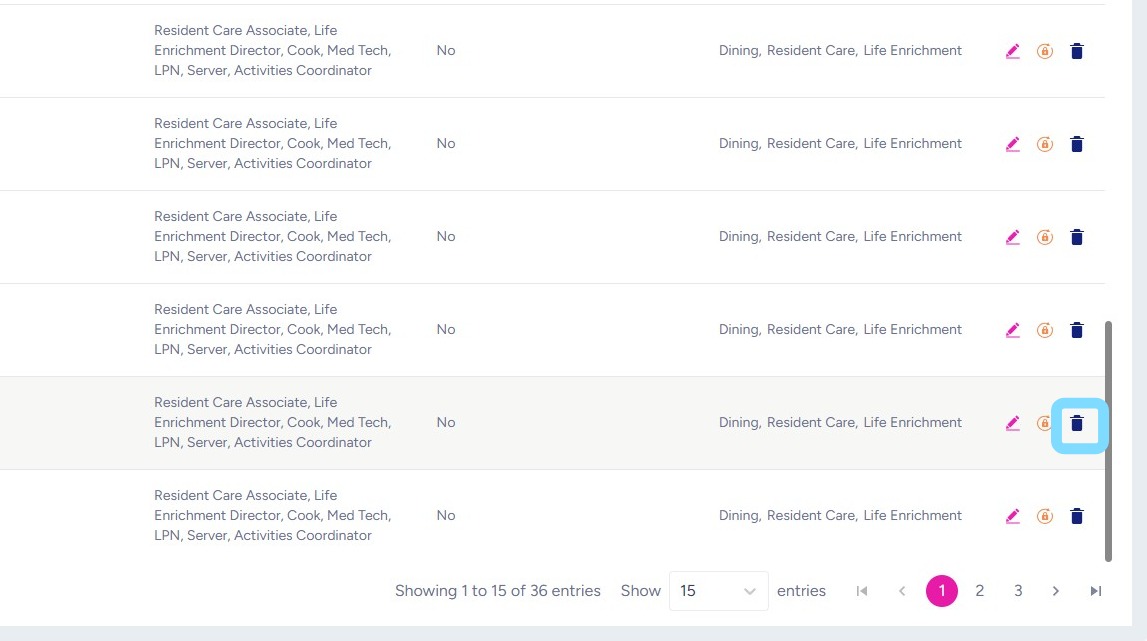
2. Select Delete icon
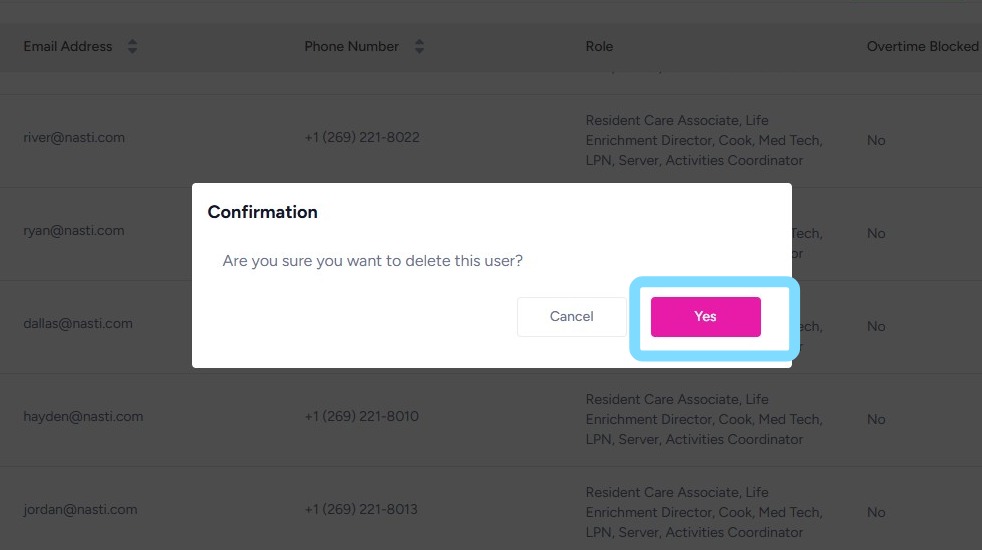
3. Select Yes to confirm deletion.

This guide shows you how to delete an employee from your system.
1. Navigate to People
Select Employees
2. Select Delete icon
3. Select Yes to confirm deletion.
Our NASTi Support Team is here for you:
Support Hours: Monday–Friday, 8:00 AM – 5:00 PM Central Time with intermittent weekend support.
We will get back to you as quickly as possible!