How to Assign Open Shifts to Employees
This guide provides a straightforward process for efficiently assigning open shifts to employees, ensuring optimal staffing and coverage. Employees will be notified via app regarding shift assignments.
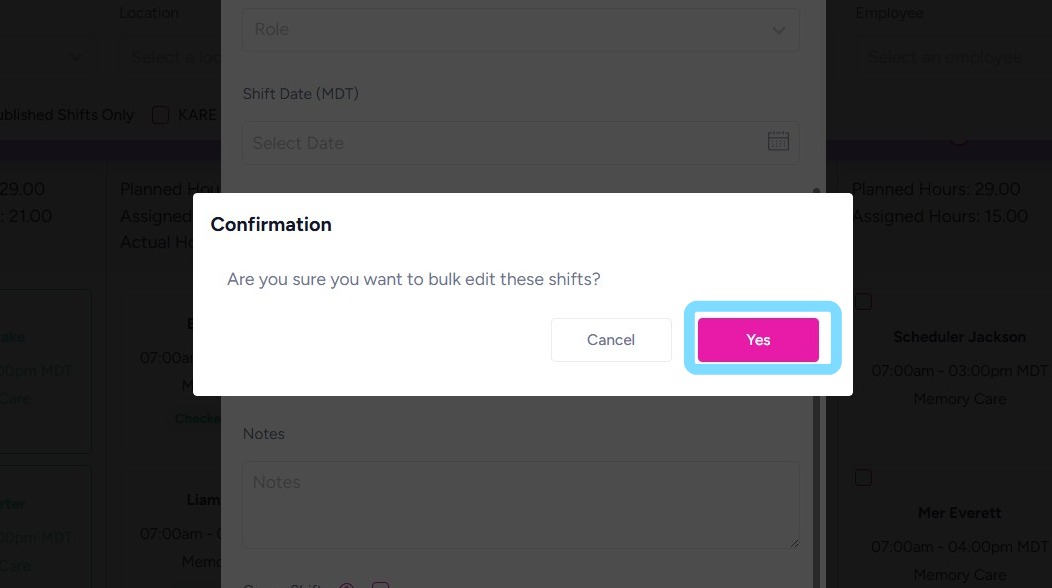
1. Select the open shifts you want to assign by checking the box within one or more shifts.
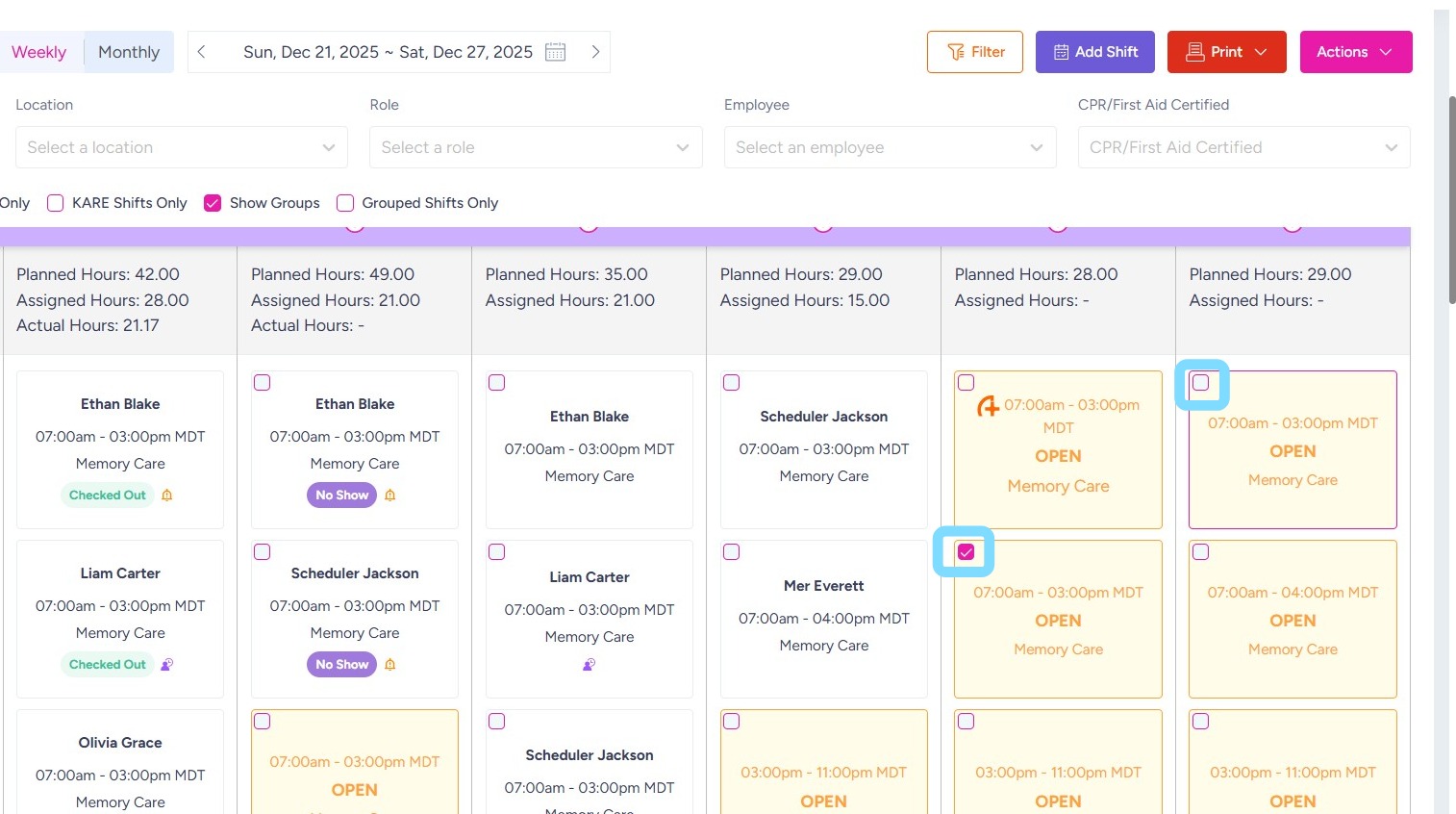
2. Select Action
Select Edit
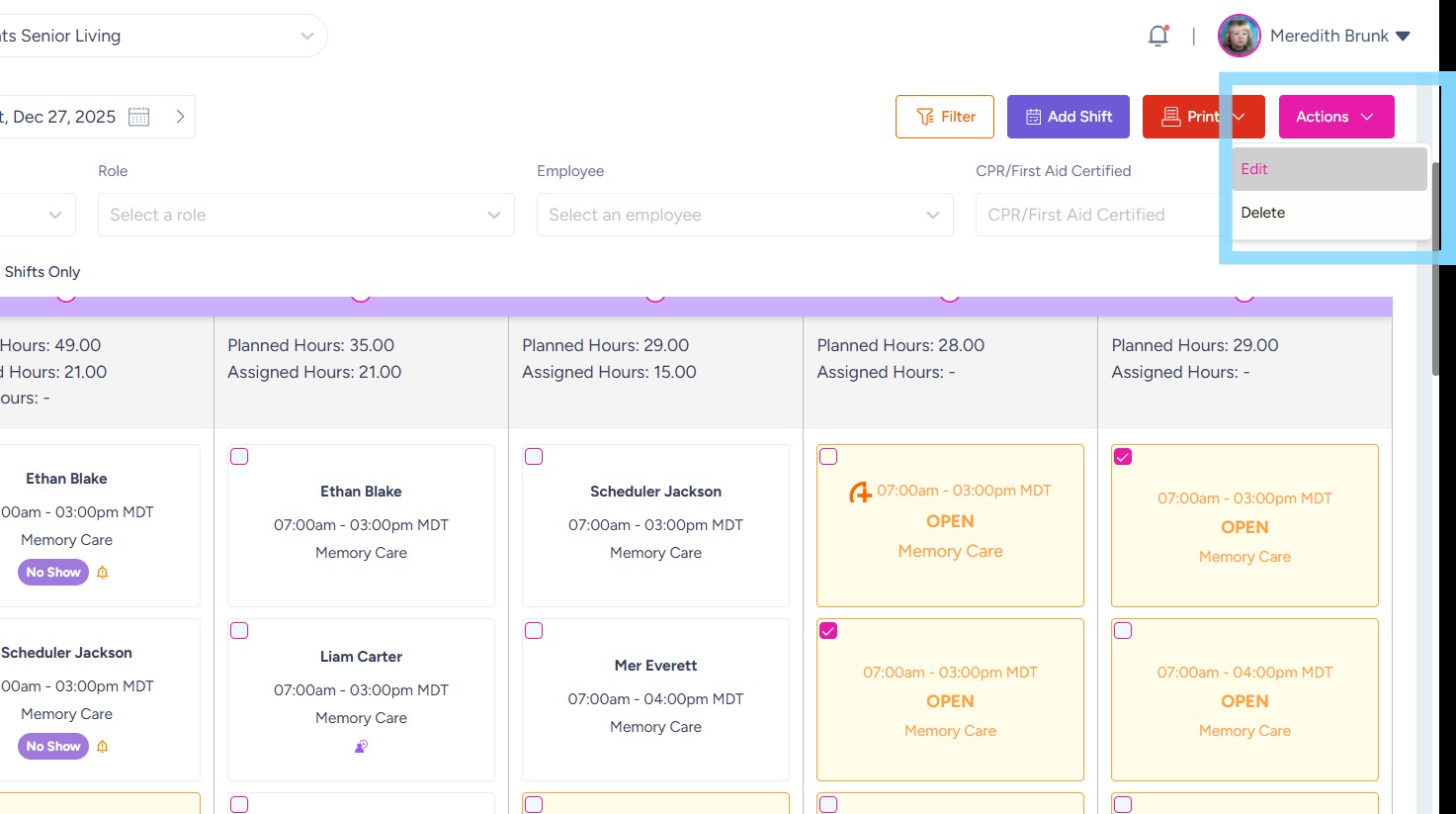
3. Open Employee dropdown list
Select employee name for shift assignment
Select Save.
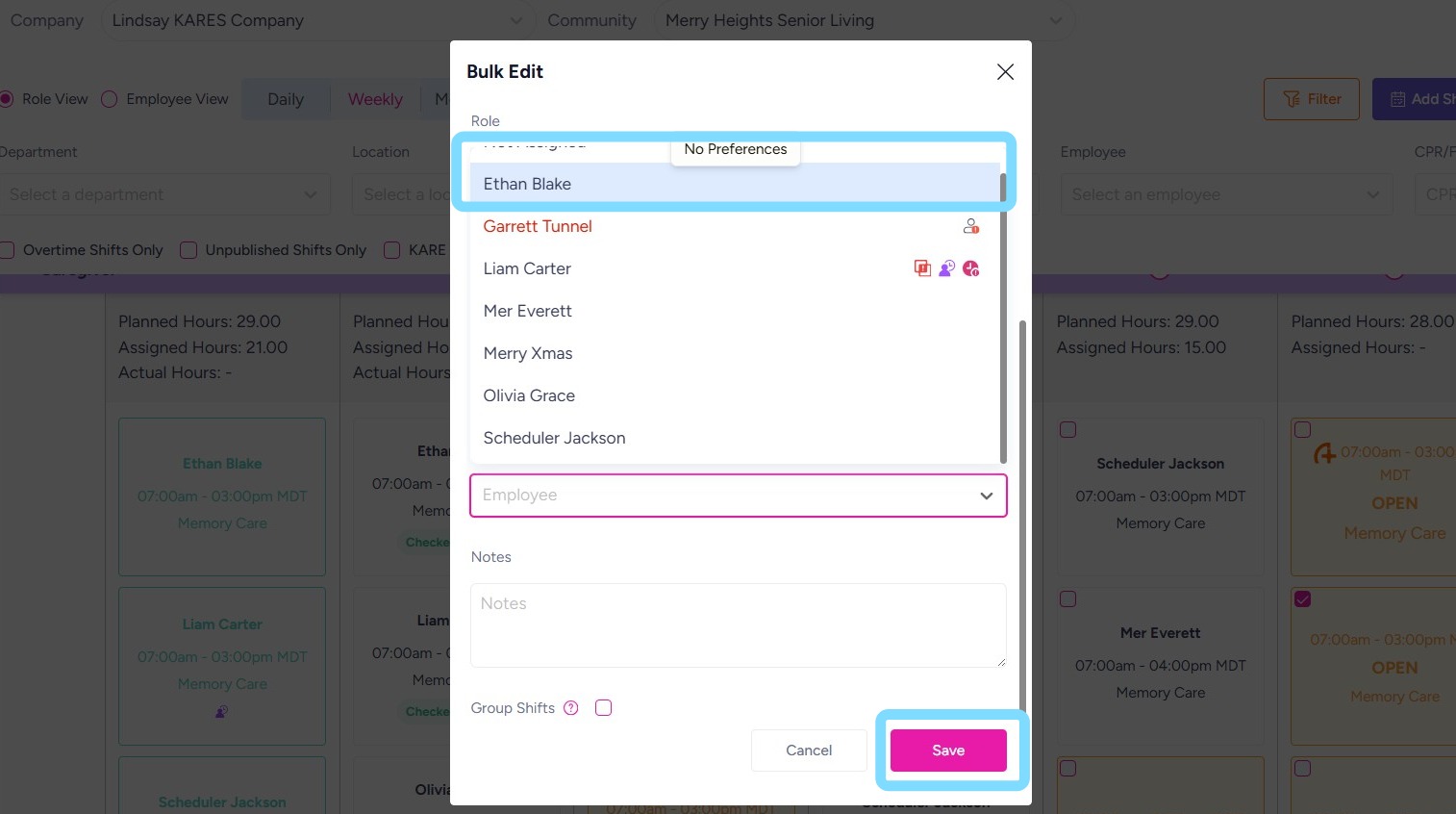
4. Select Yes to confirm assigning shift(s) to employee.