How to Approve Payroll
This guide provides a straightforward process for approving payroll, ensuring that all employee hours are accurately recorded and verified so that employees are paid correctly and on time.
1. Before payroll hours can be approved, any outstanding Time & Attendance Exceptions must be resolved to ensure all check-in and check-out times are reconciled. Exceptions can be resolved within Time & Attendance > Exceptions or with Payroll as you’ll see below.
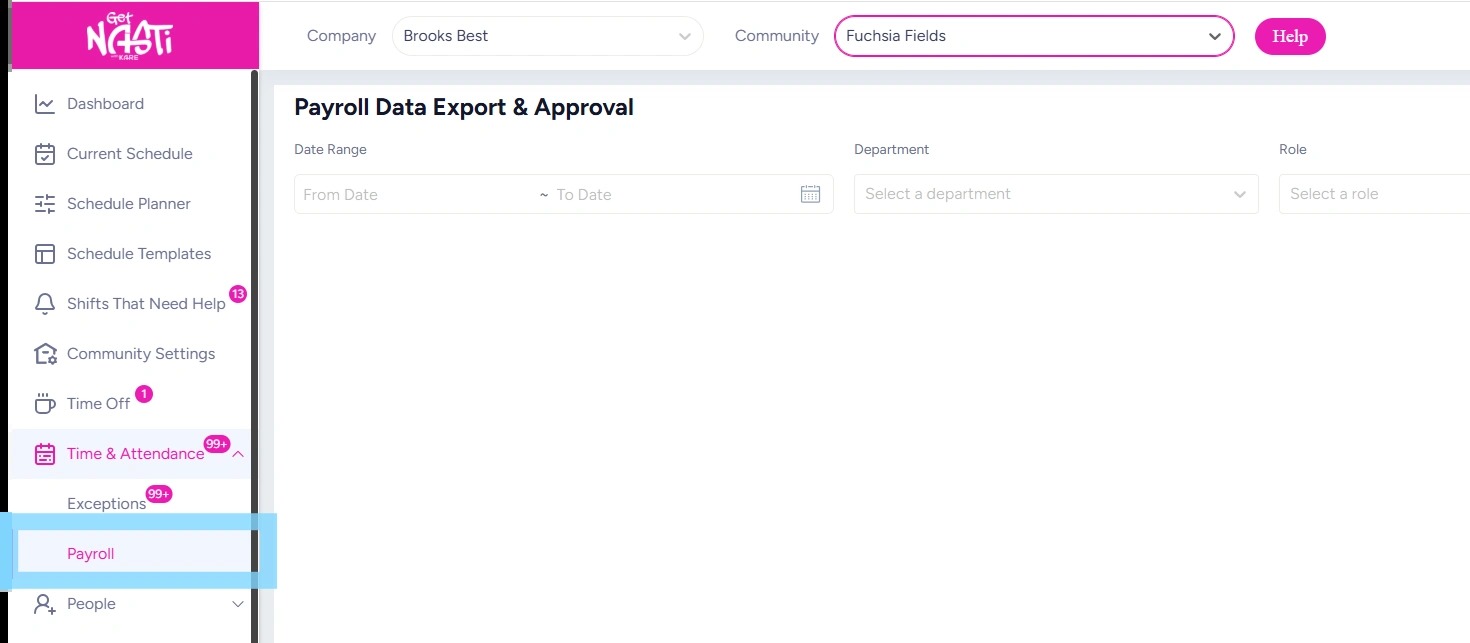
Navigate to Time & Attendance > Payroll.
Within Payroll, the Admin can review and approve hours for each employee.
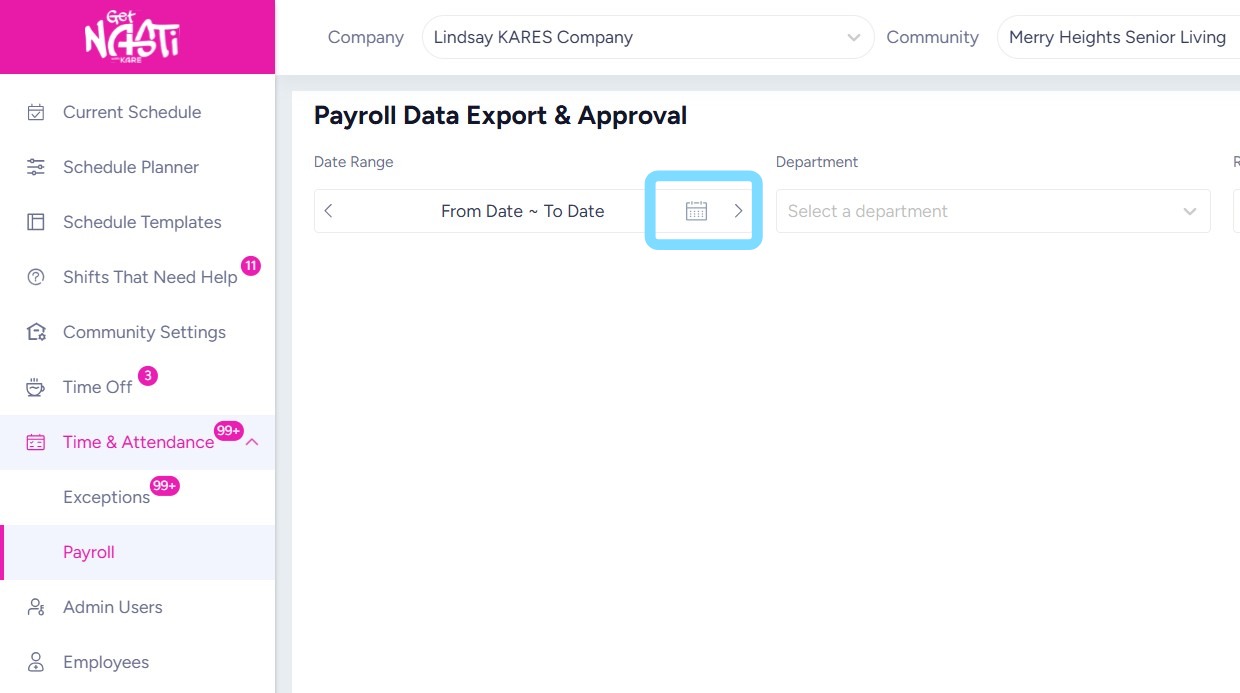
2. Select the Calendar icon to choose the payroll period dates.
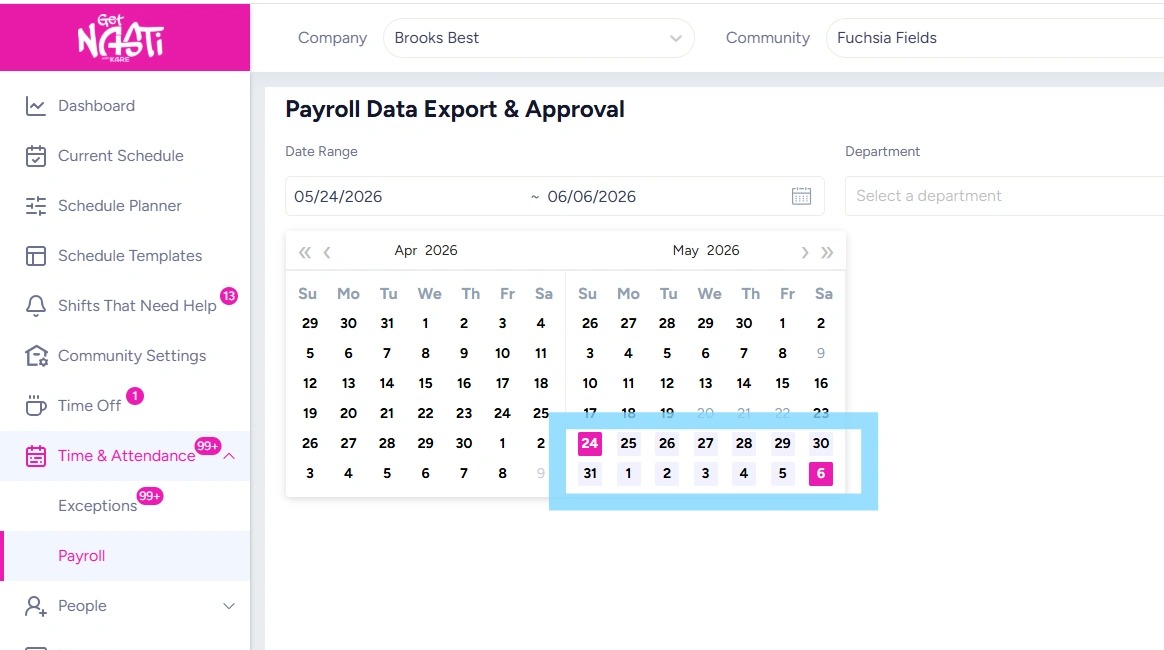
3. Select dates to be approved for payroll period.
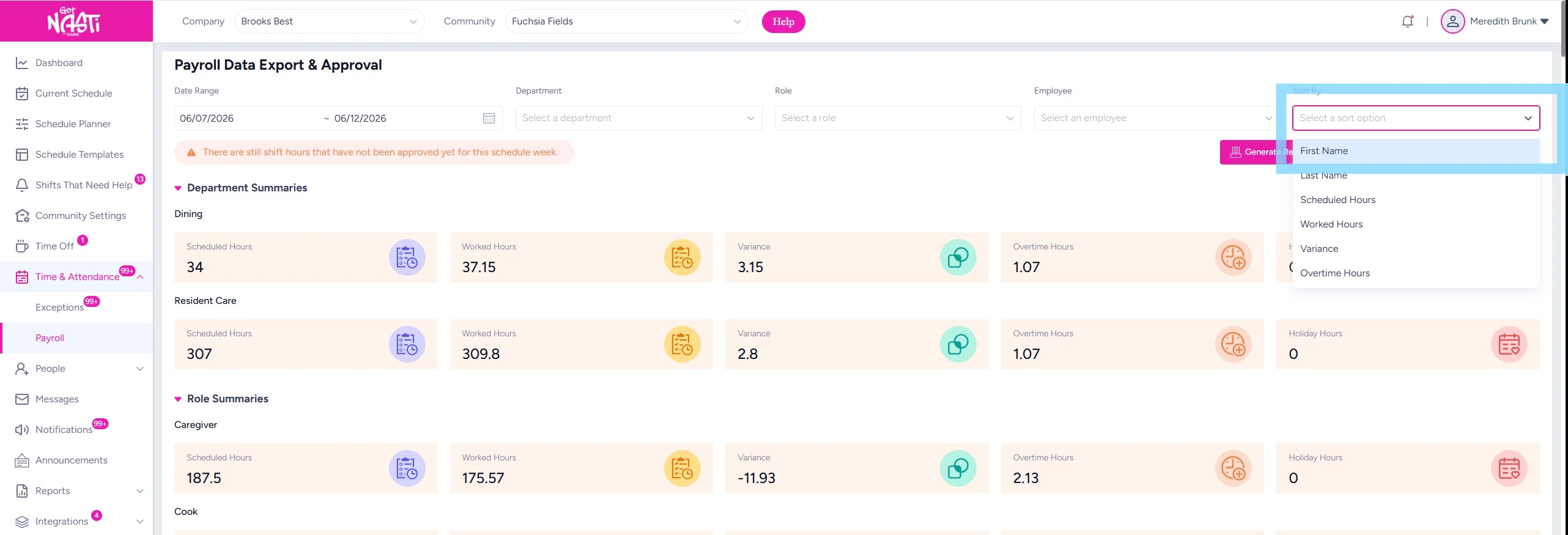
4. The Payroll Data will generate. The Admin can sort the data as needed. For example, to sort by employee first name, select Sort > First Name.
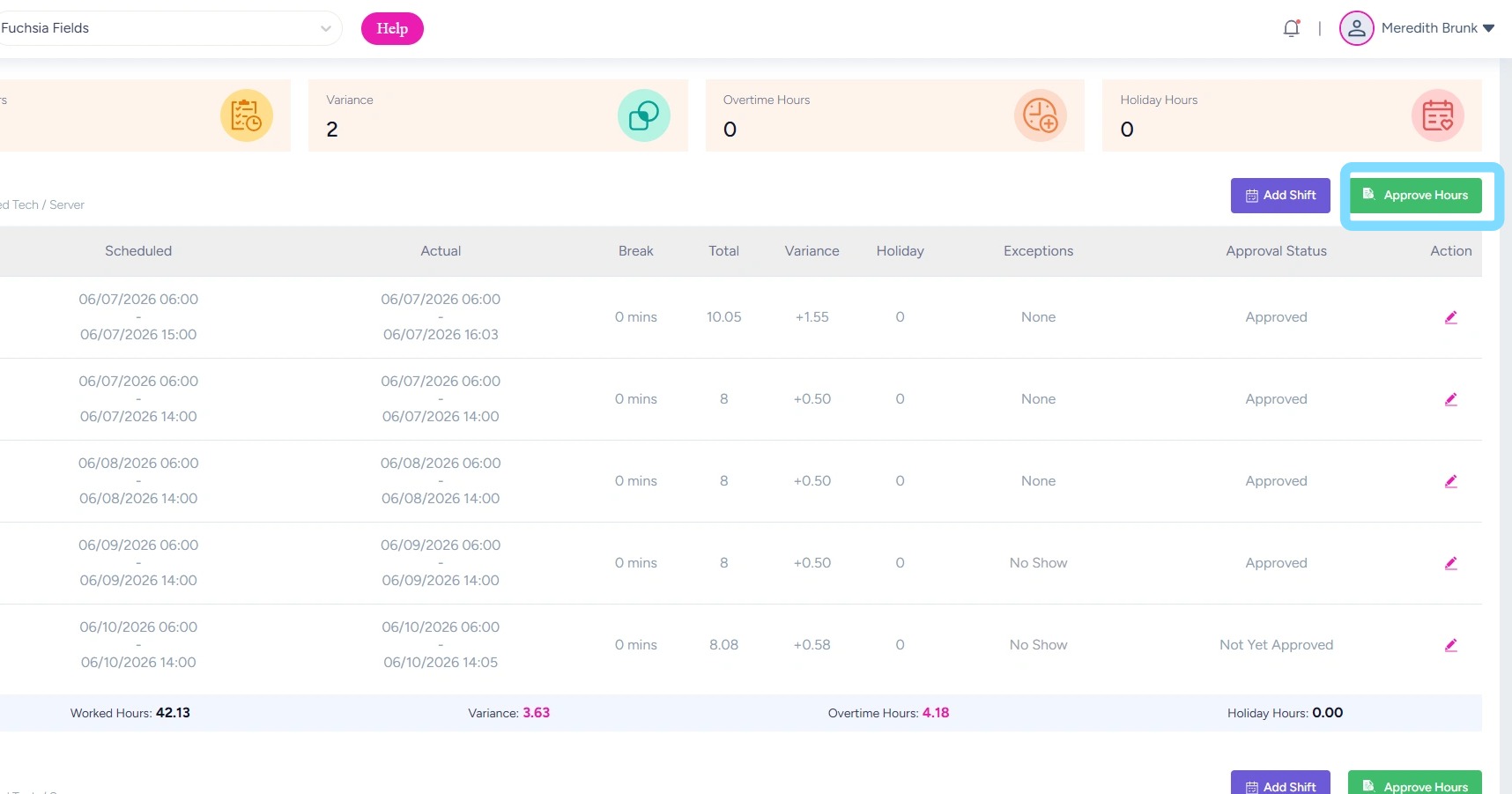
5. Scroll down and review shifts and hours for each employee. Select Approve Hours to approve their hours for the payroll period.
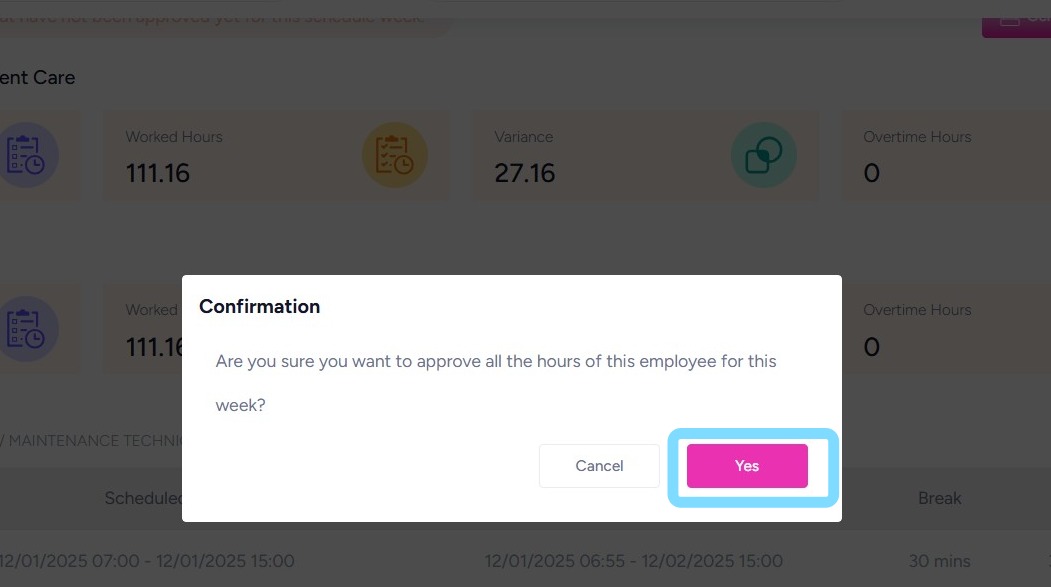
6. Select Yes to confirm approval of hours.
Continue these steps for each employee.
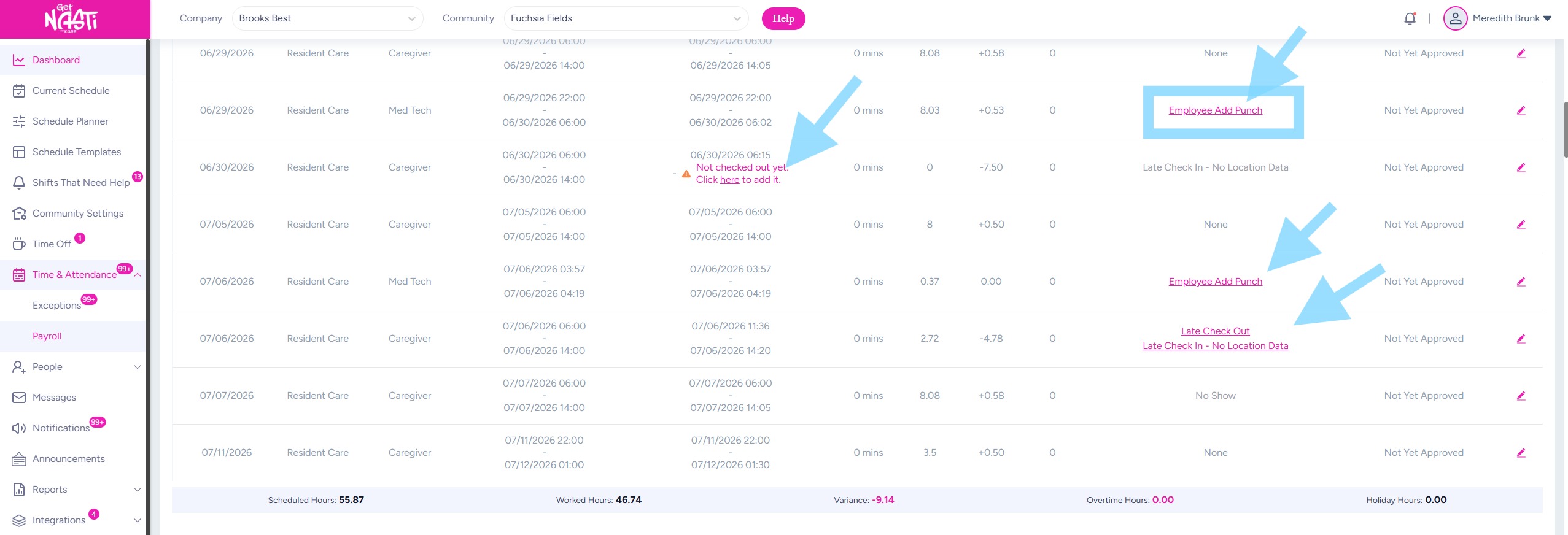
7. If there are outstanding Time & Attendance Exceptions, you will need to resolve them before approving the employee’s hours.
Exceptions are highlighted in pink and displayed as links. Select each exception to review it, then approve it or make any necessary edits to resolve the exception.
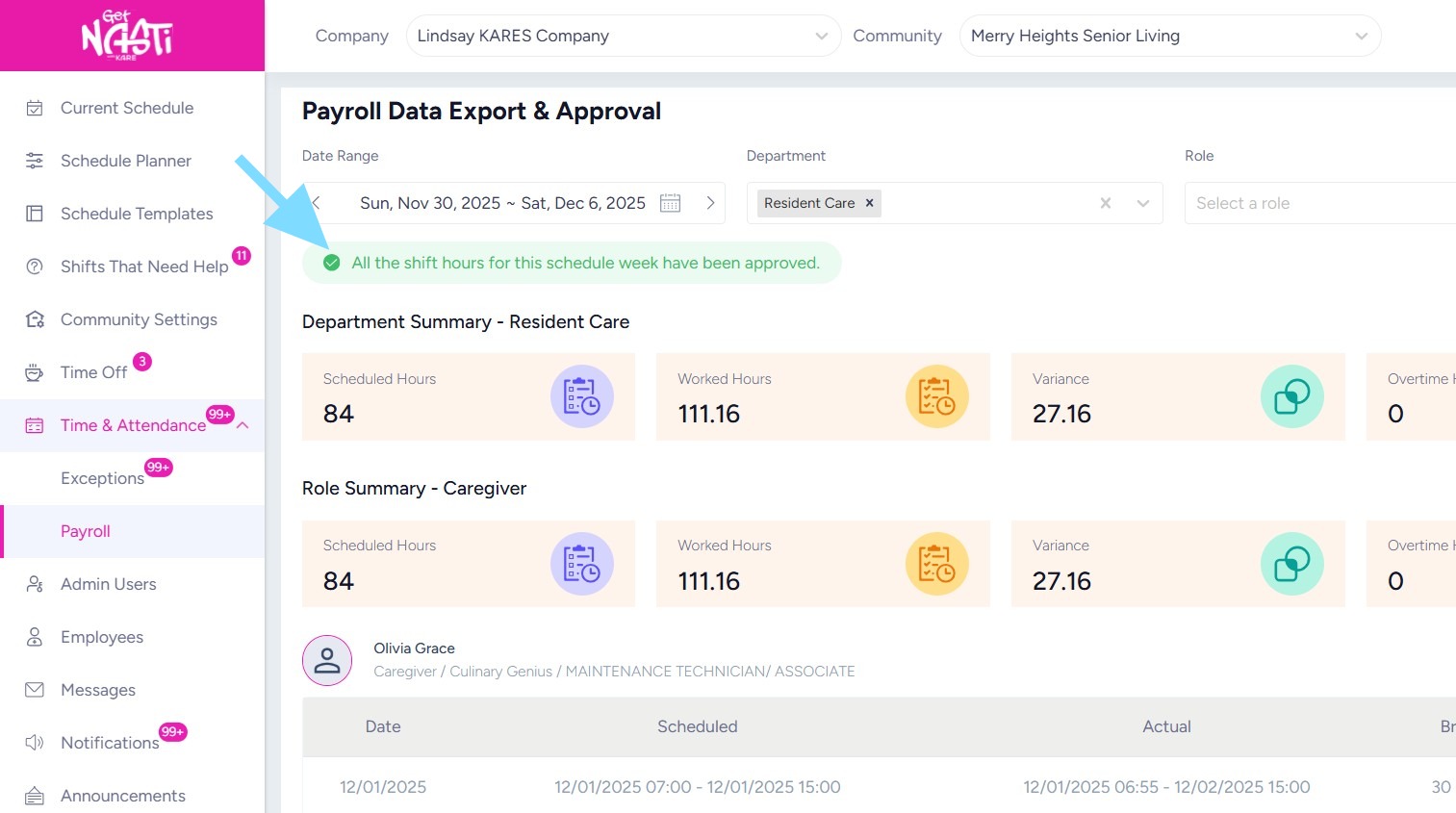
8. Once payroll hours have been approved for each employee, a green banner will indicate that all hours for the selected payroll dates are approved and ready for payroll.
CONGRATS!