How to Approve Overtime Shifts
This guide provides a straightforward process for approving overtime shifts, ensuring efficient management of staffing needs. It outlines two methods for action—bulk approval and individual review—making it adaptable to various situations. By following these steps, users can streamline their decision-making and maintain clear communication through comments.
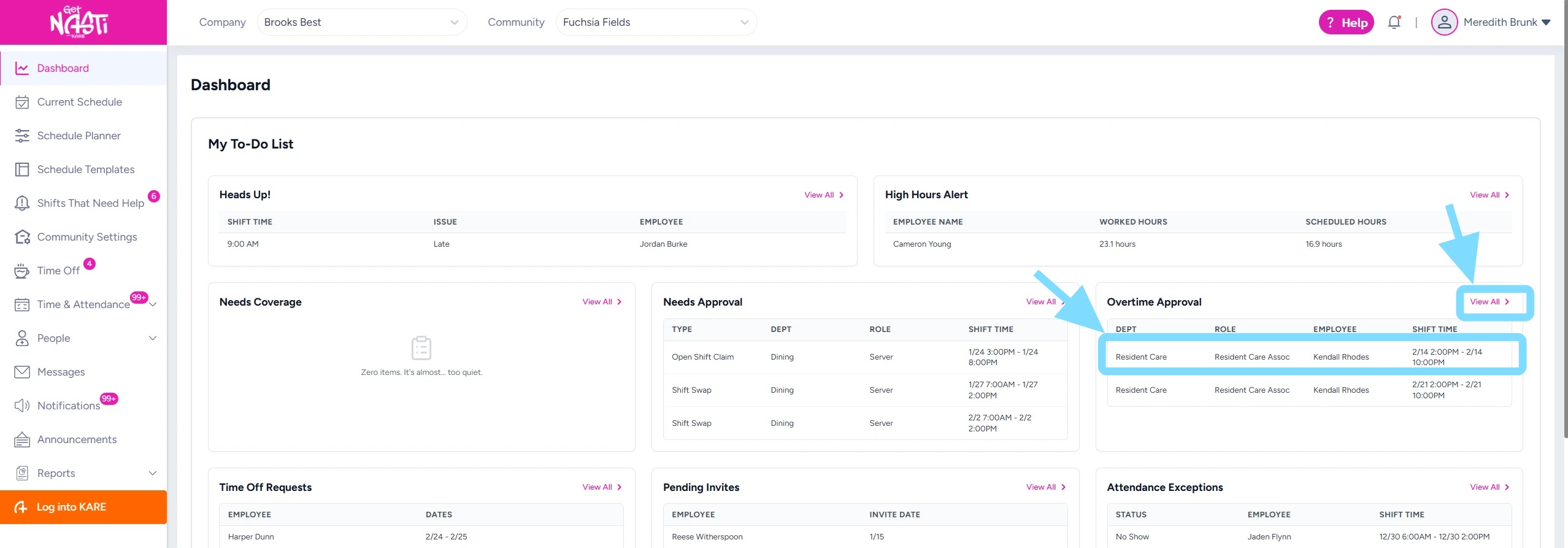
1. Any shifts requiring overtime approval will appear on your Dashboard.
You can review and approve these shifts in two ways:
-
Bulk approval: Select View List, then proceed to Step 4 to approve or reject multiple shifts.
-
Individual approval: Select a shift to open its details, then choose Approve or Reject.
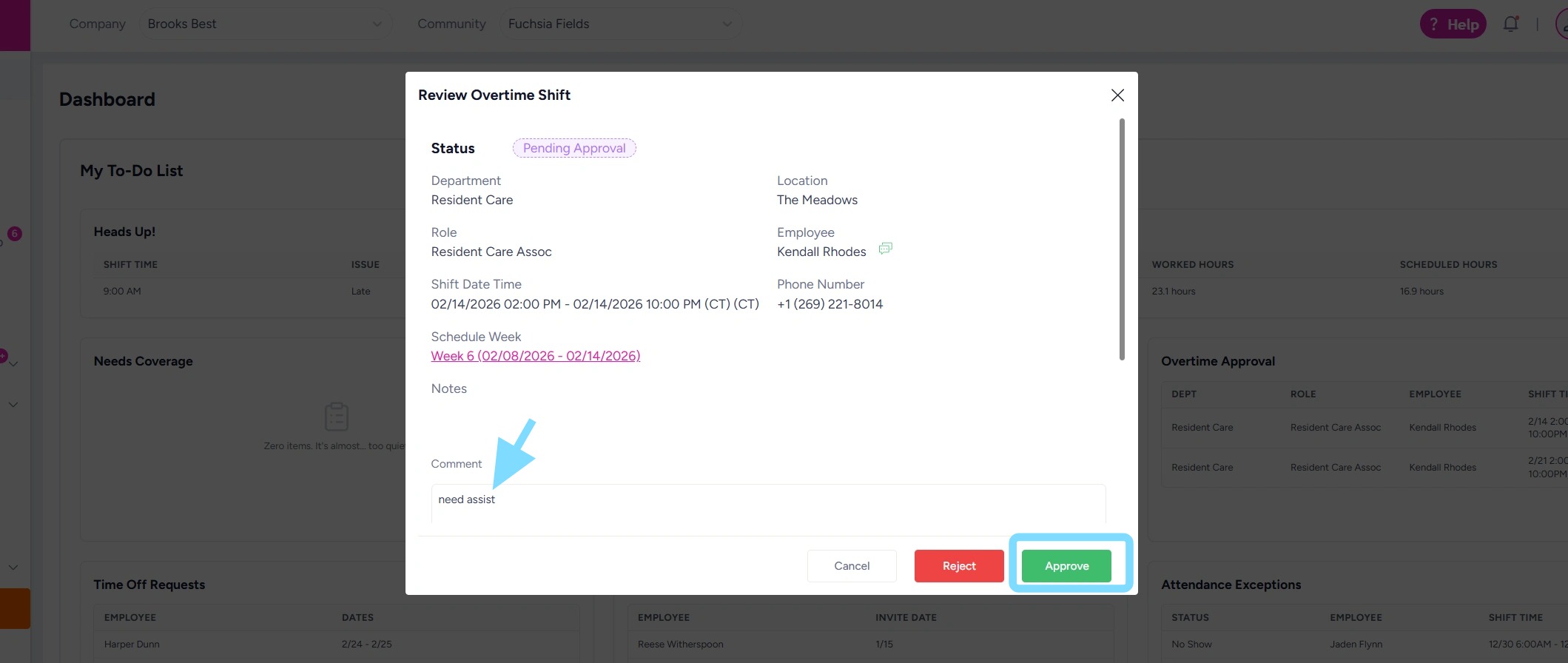
2. Enter comment and select Approve.
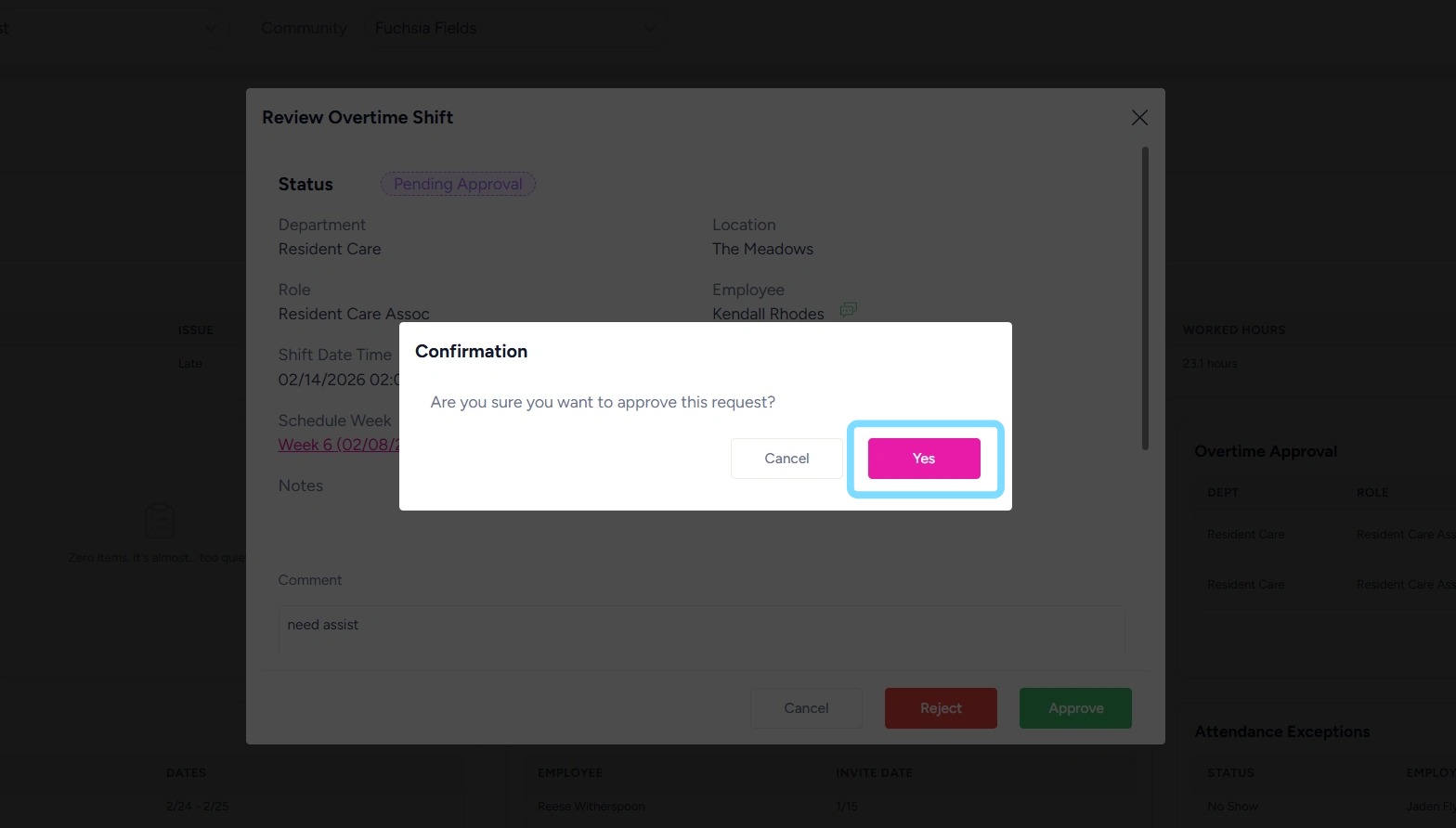
3. Select Yes to confirm action.
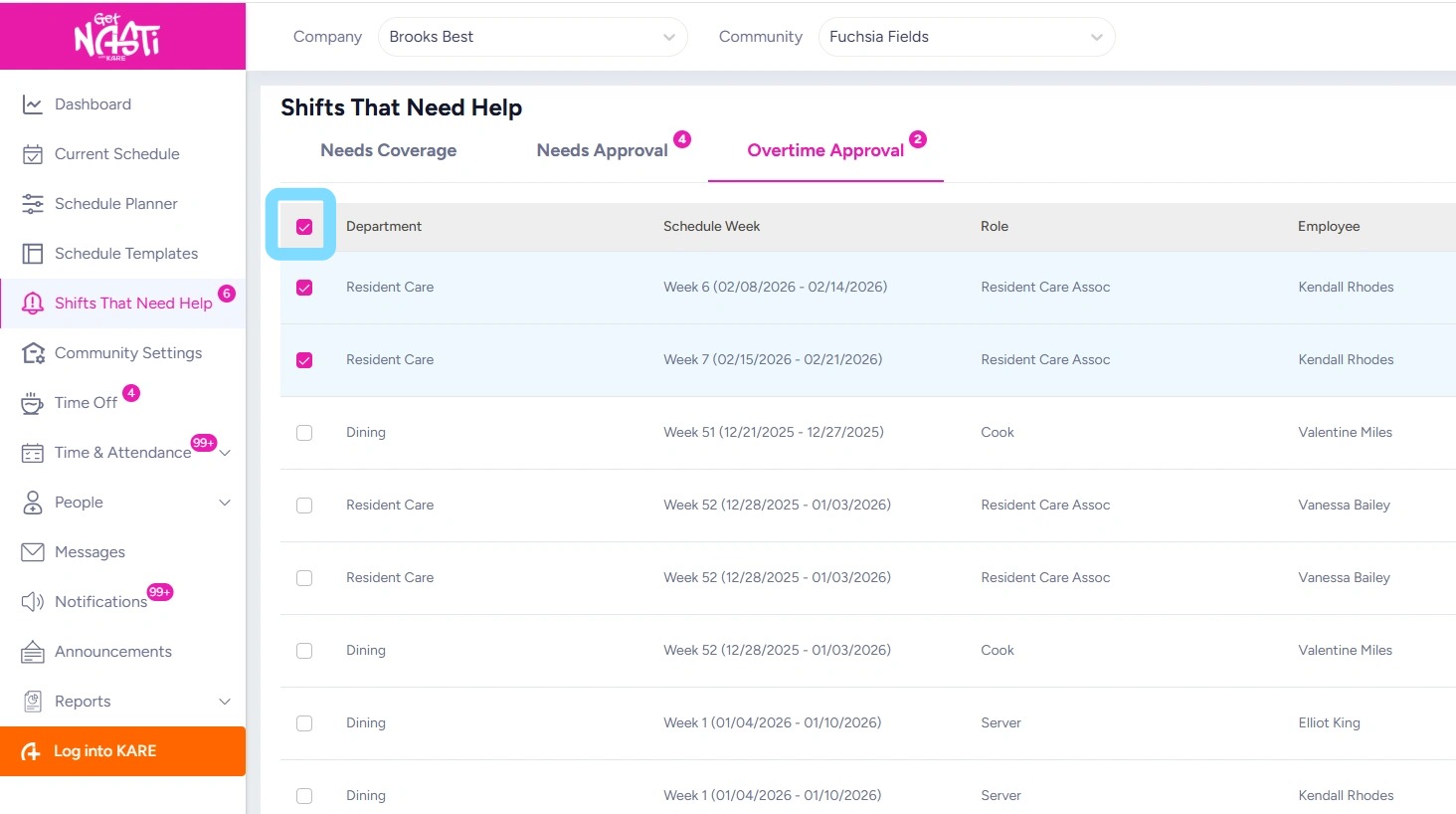
4. To perform bulk approval of overtime shifts, select the checkbox next to the Department name. This will select all pending overtime shifts.
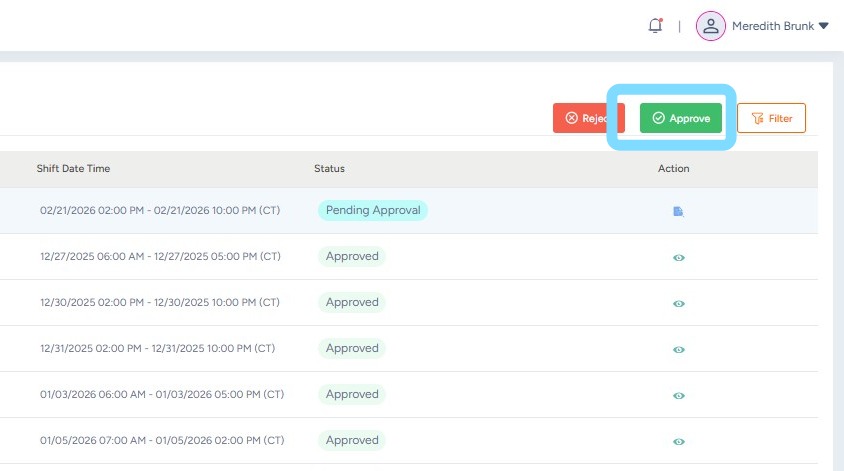
5. Then select Approve.
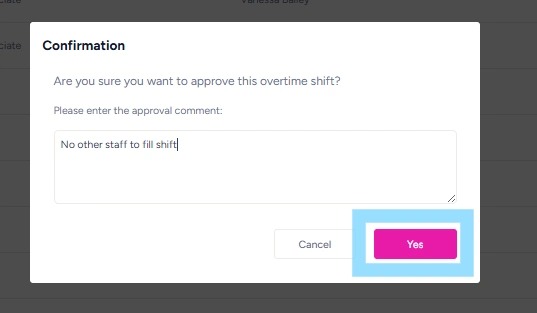
6. Enter comments and select Yes to confirm approval.