Employee Guide – How to Claim Open Shifts
Want more shifts? This guide shows you how to find and claim open shifts quickly.
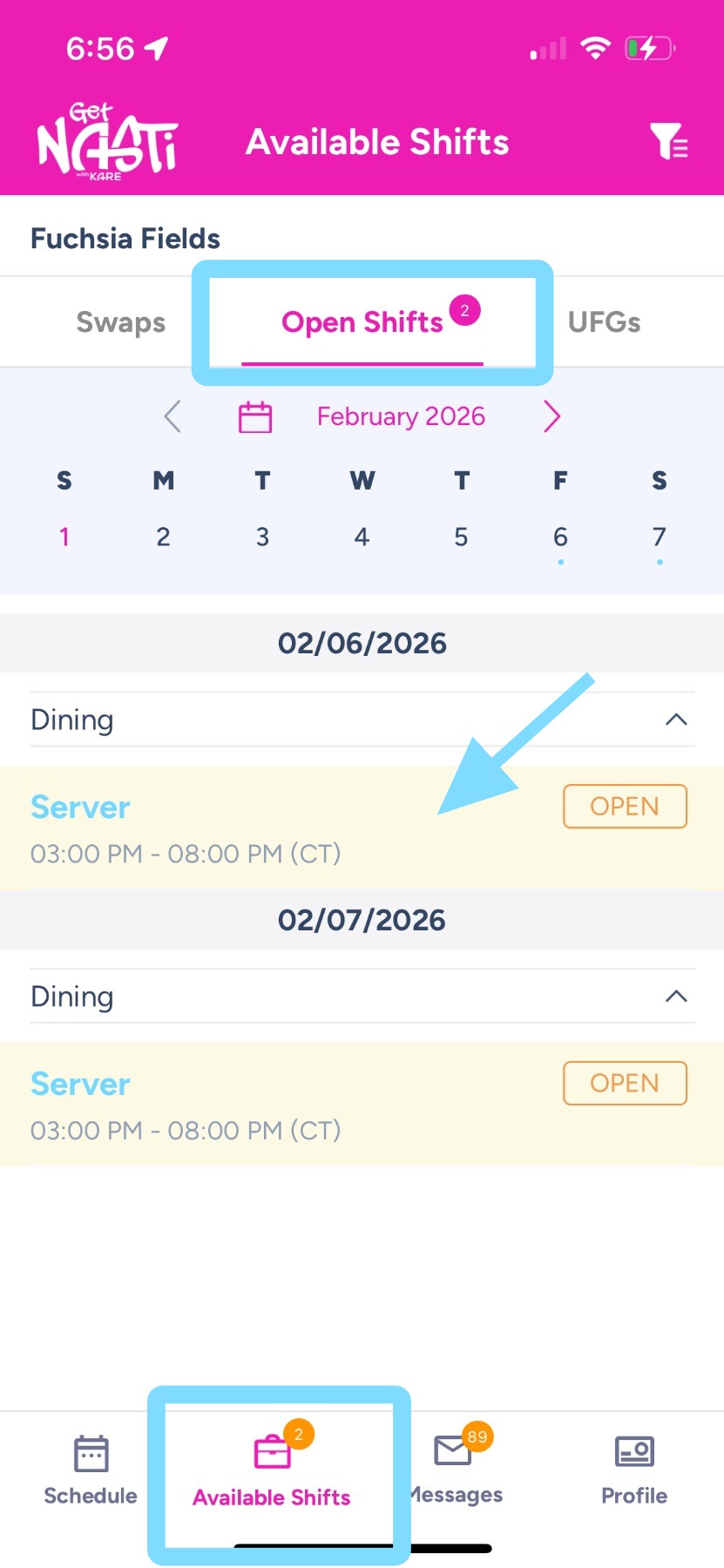
1. There are a few ways to claim open shifts. The easiest way is to tap Available Shifts, then tap Open Shifts.
Here, you’ll see all unassigned shifts that are available for employees to claim.
To claim a shift, tap on a shift.
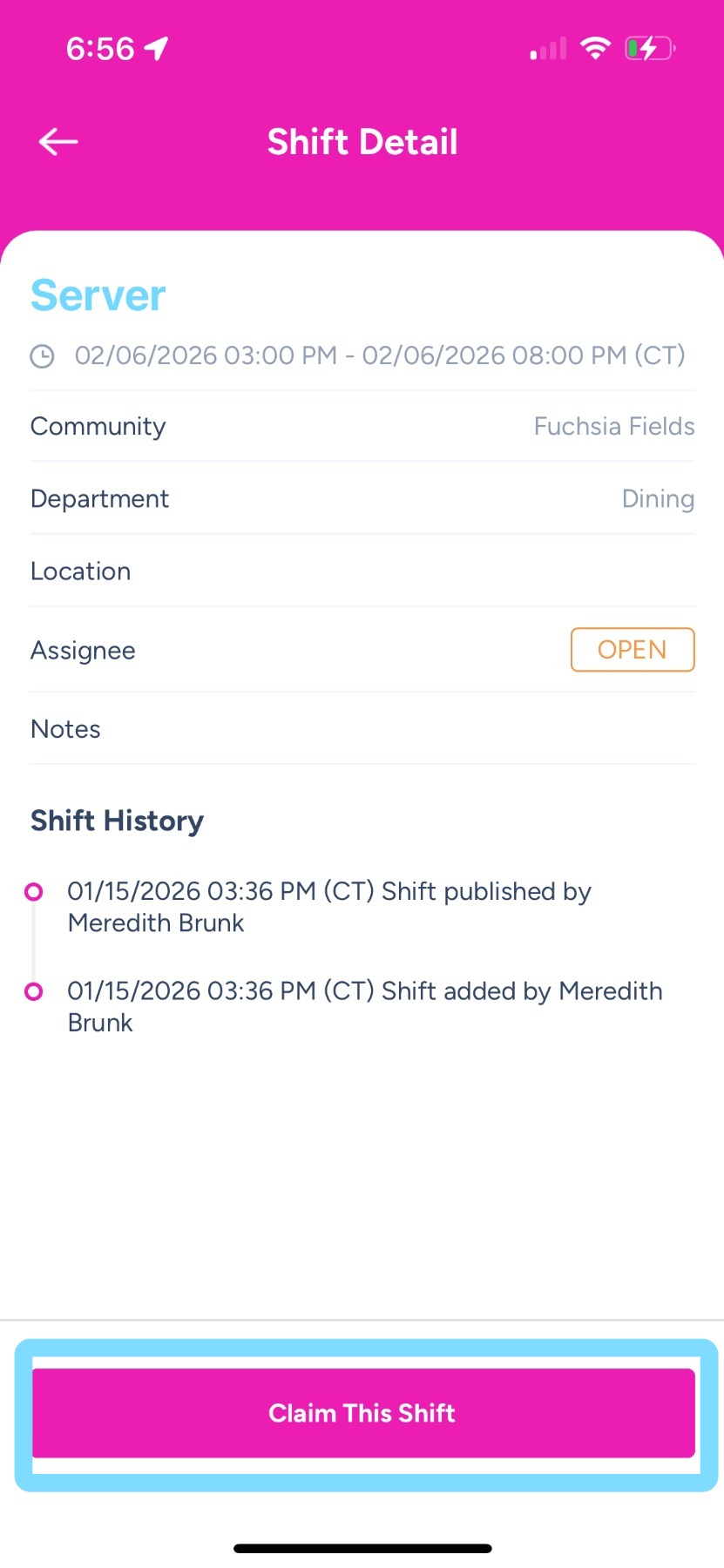
2. Tap on Claim This Shift
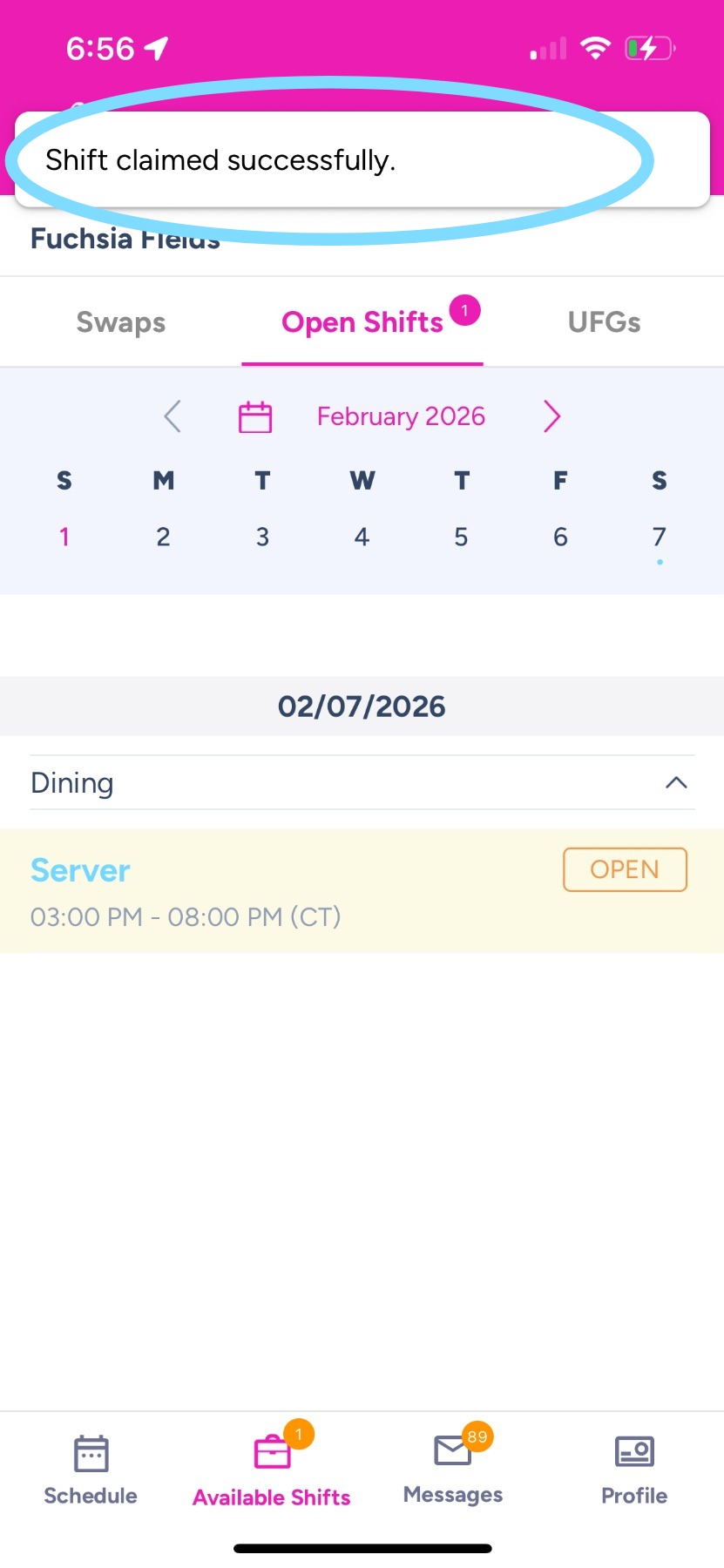
3. Success! You claimed the shift!
Note: If your admins have open shift claims set to auto-approve, the shift will now be added to your schedule.
If admin approval is required, your claim will be sent to an admin or scheduler for approval before it appears on your schedule.