Employee Guide – How to Manually Check Out
This guide shows employees how to manually check out in the app when automatic check-out misses the mark—so every minute worked is captured accurately. Follow the steps to keep time clean and accurate.
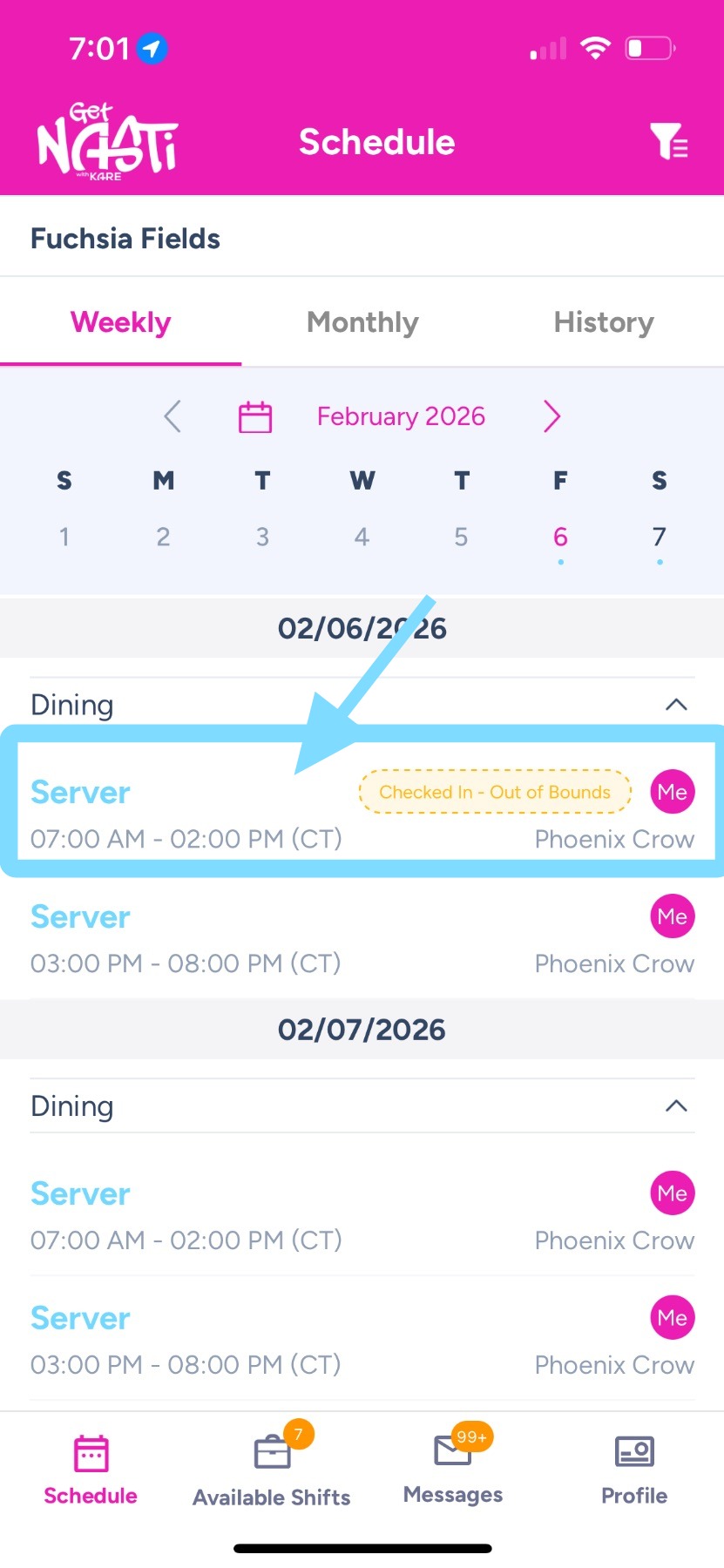
1. Lot into app and select tap on shift to manually check out.
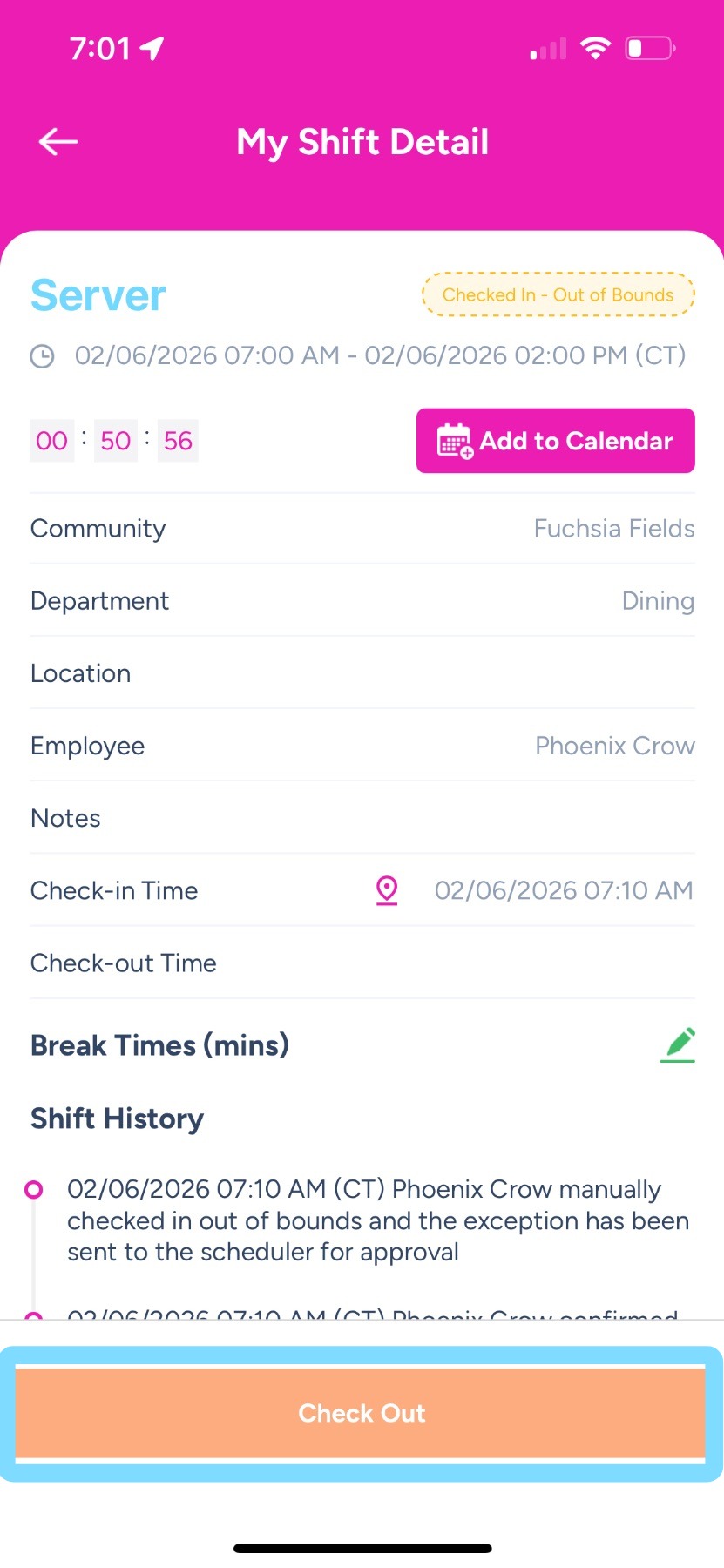
2. Tap Check Out
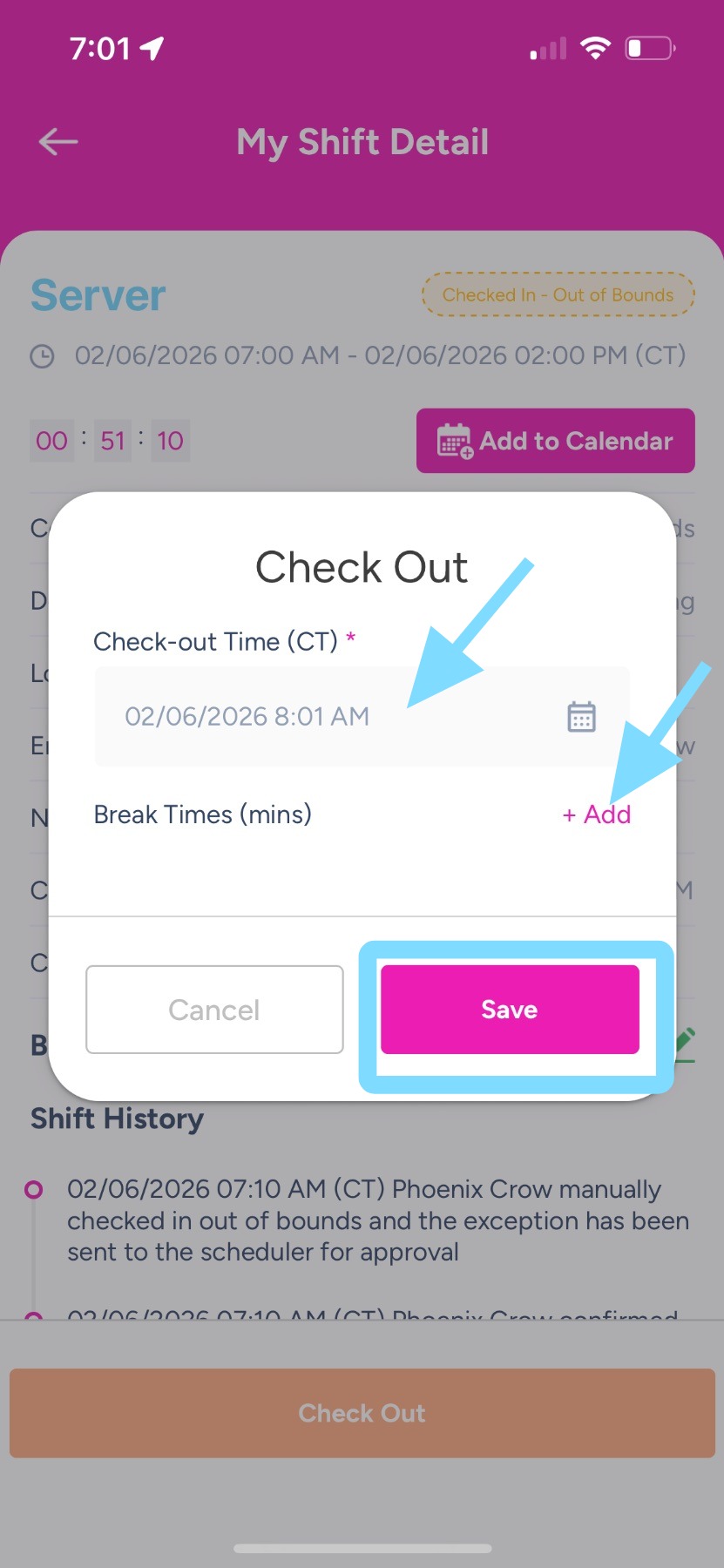
3. Enter Check-out Time.
Enter Break Time if needed.
Tap Save.
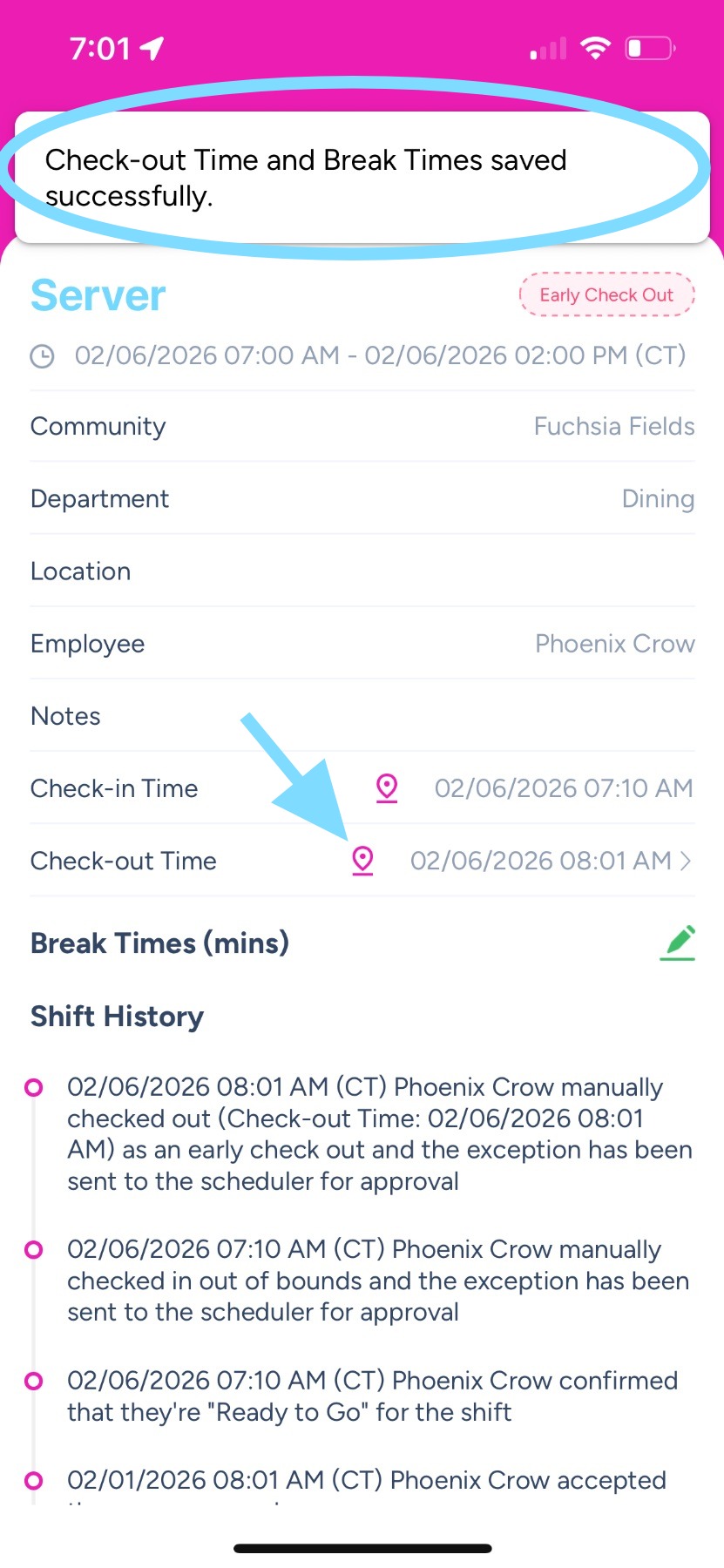
4. Done! See your manual check-out time has been saved!