How to Add Employees from Your Connected HRIS
Learn how to add employees to NASTi from your connected HRIS system, keeping your employee information accurate and up to date without manual entry.
1. The HRIS <> NASTi integration allows employee information from your HR system to be pulled into NASTi when new employees are hired, eliminating the need for manual entry. Once employees are linked, termination dates entered in your HR system will automatically sync to NASTi, keeping employee records up to date.
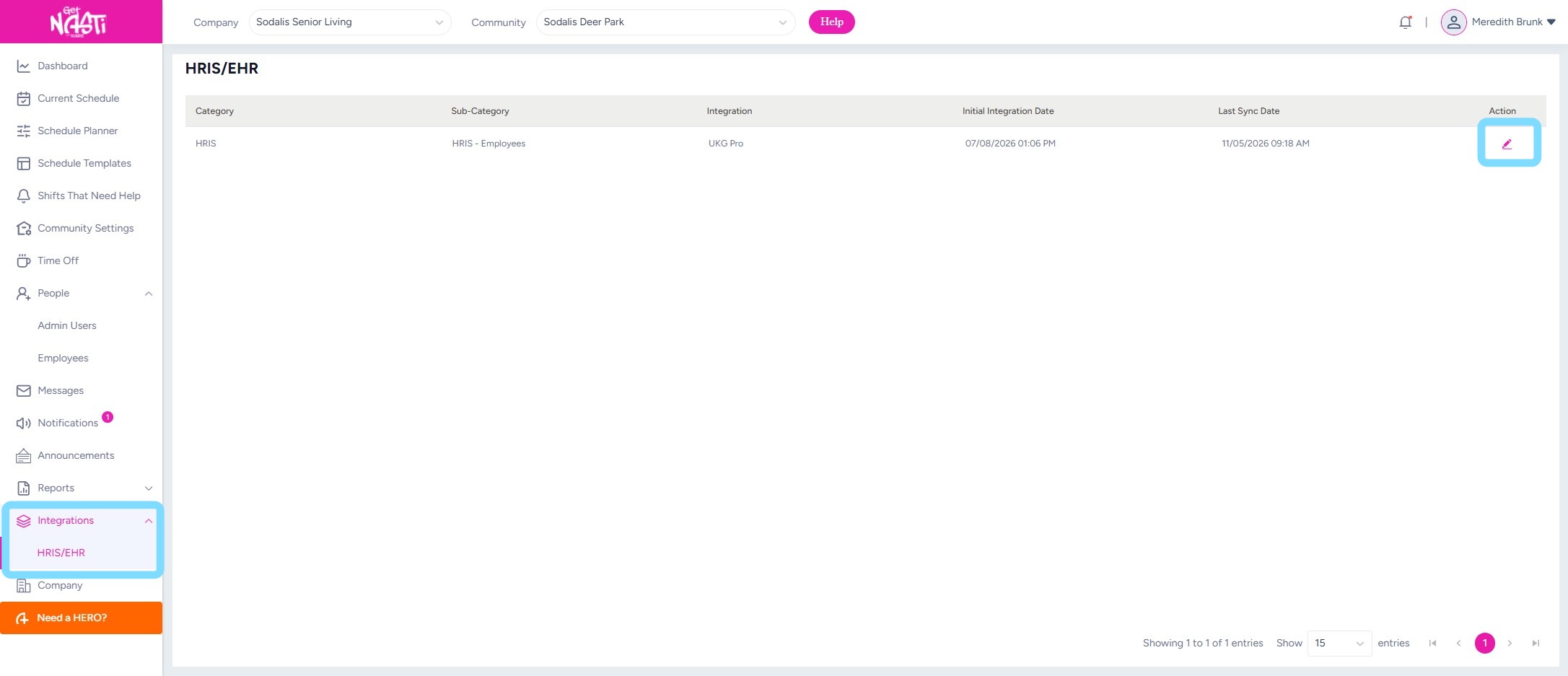
Navigate to Integrations > HRIS/EHR
Select edit icon
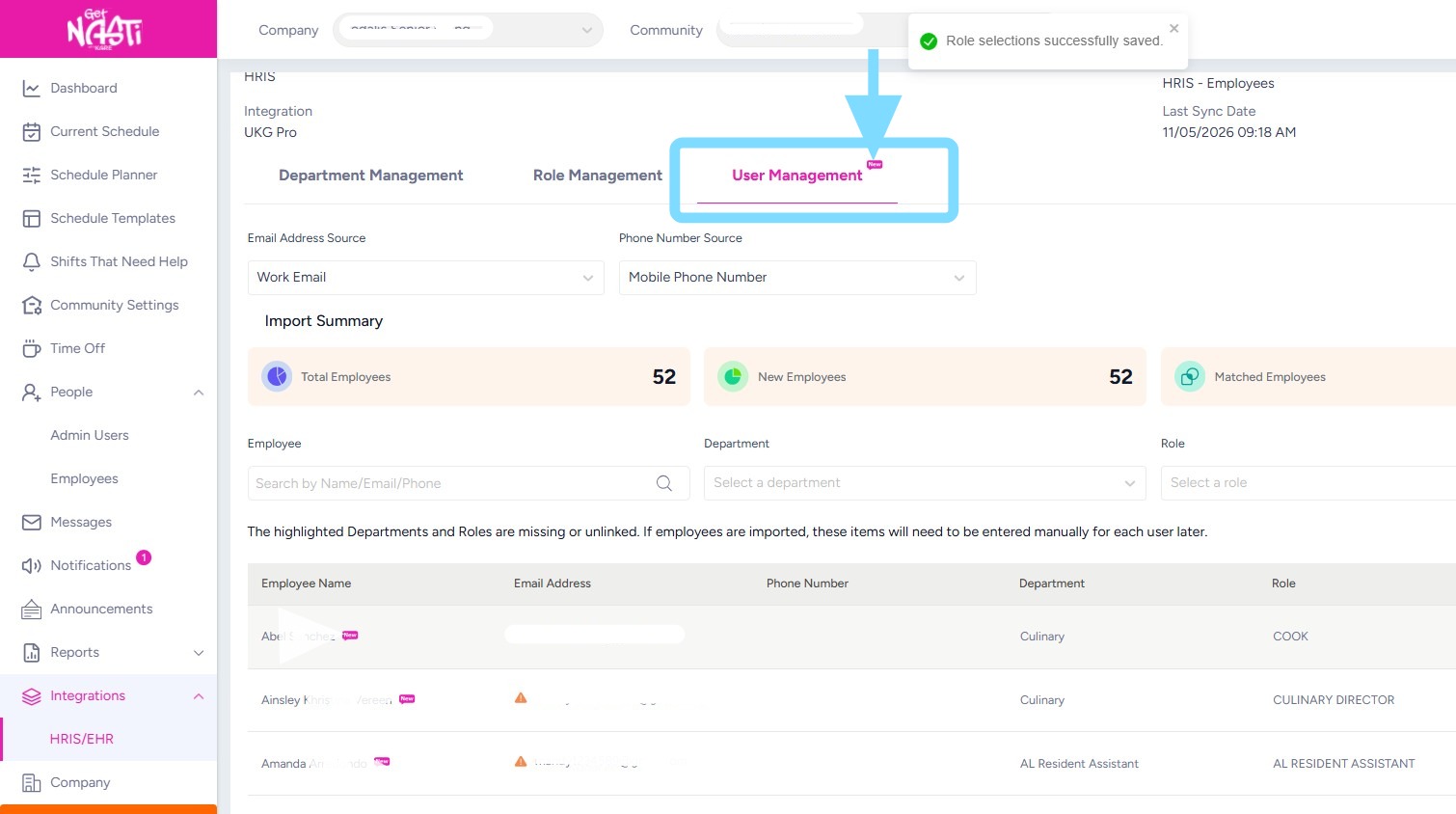
2. Select User Management
Note: A NEW tag will appear above User Management when new employees are available to add to NASTi from your connected HR system.
3. New employee(s) will appear at the top of the list.
Select the dropdown menu in the employee’s row
Select + Add New Employee
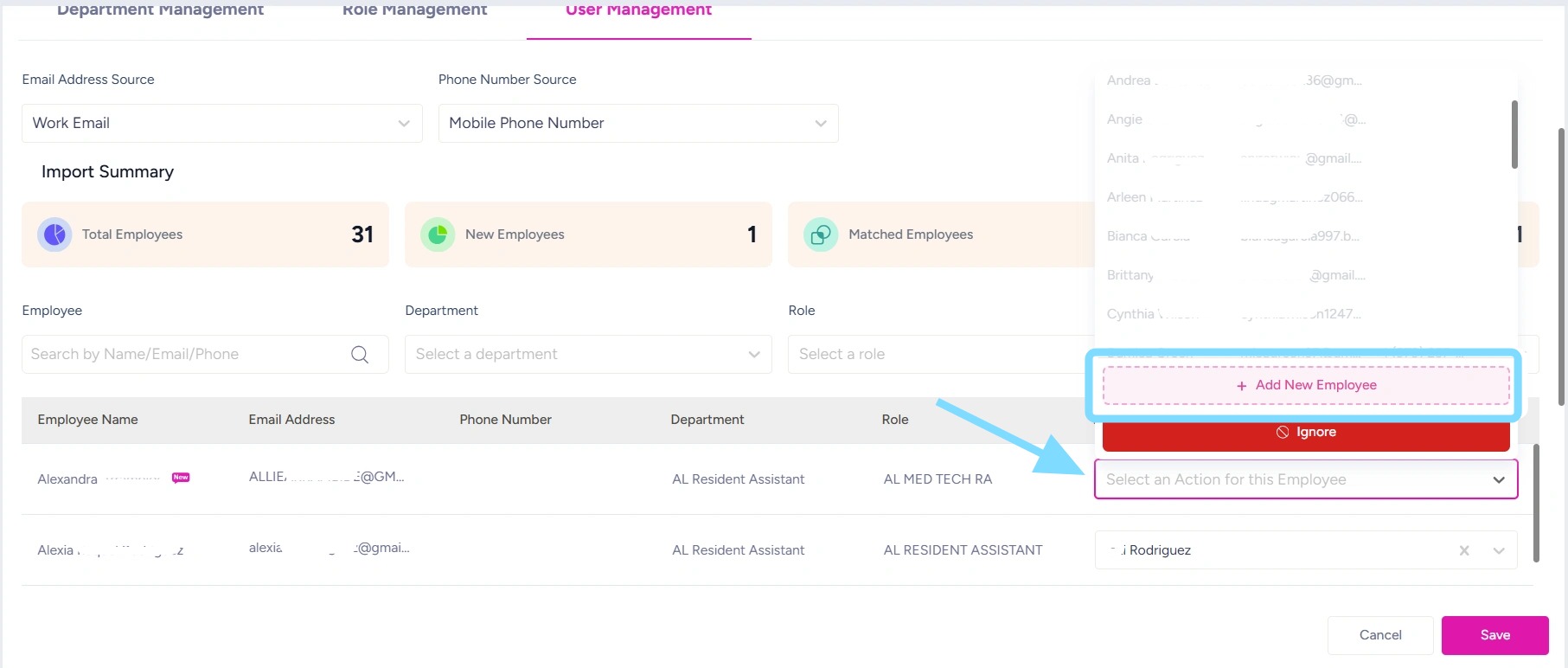
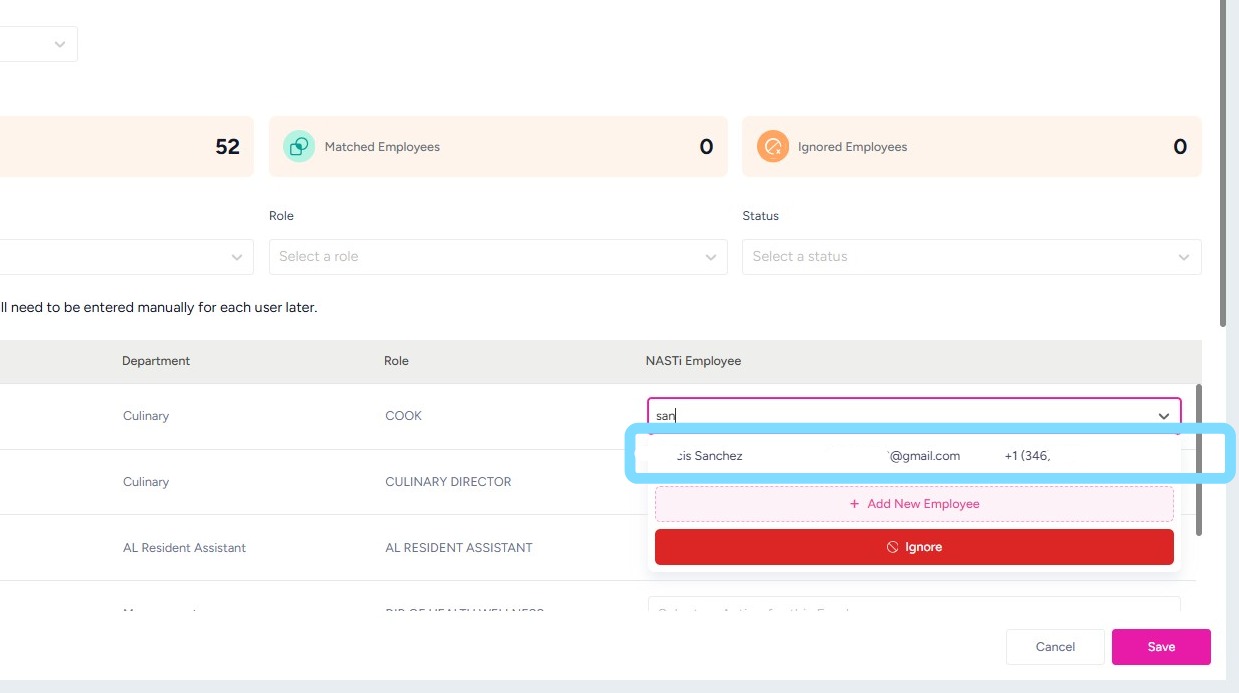
4. Note: If the employee was previously added manually to NASTi, their name will appear as an option in the dropdown list. Select the matching employee to link their existing NASTi profile to their HRIS record.
5. Once you’ve added the employees, select Save.
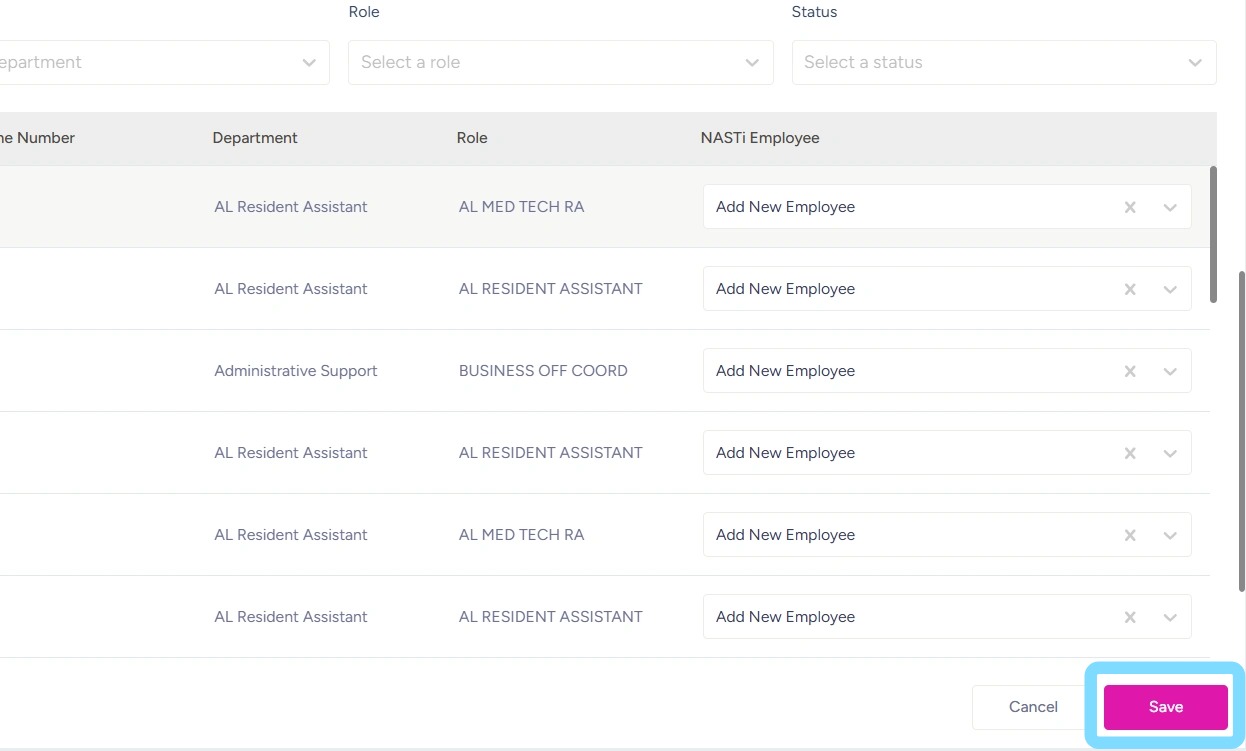
6. You’re all set! Your employees are now added in NASTi and linked to your HRIS through NASTi!
Note: Newly added employees will appear under People > Employees > Pending, where you can manually send their NASTi invites when ready. Invitations are not sent automatically.
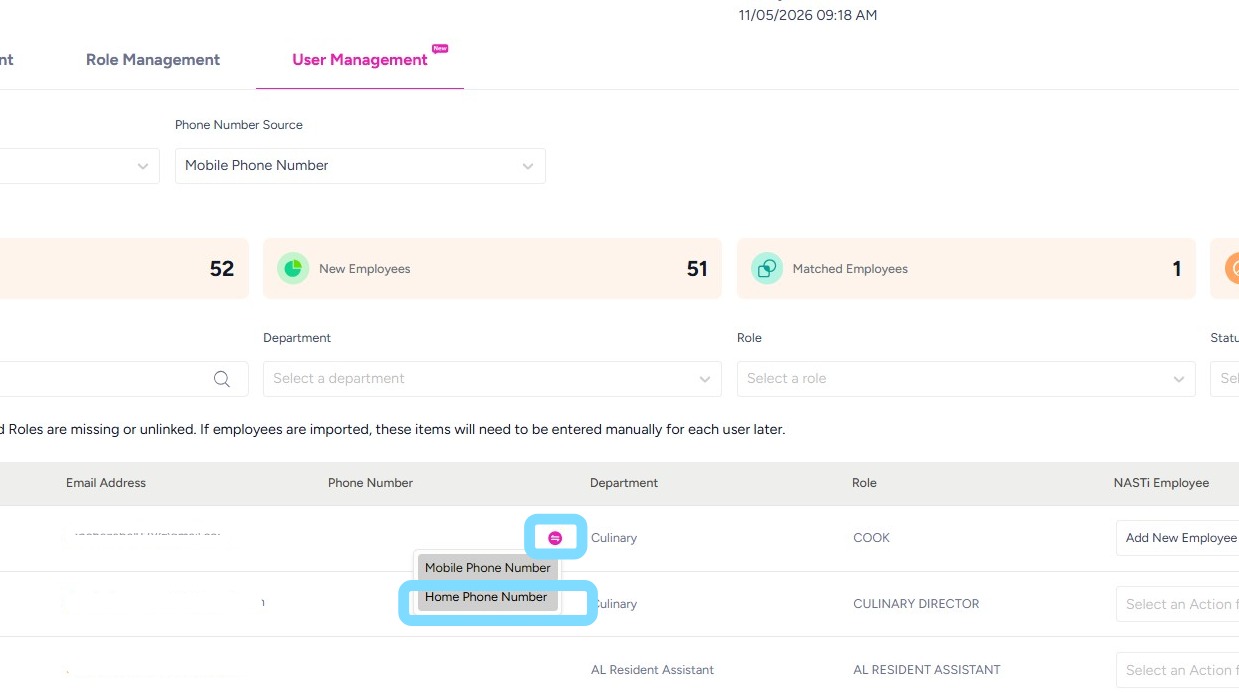
7. Note: If when attempting to Save, you receive an error indicating a missing phone number or email address, you may need to pull in alternate information from your HRIS.
Select Change icon in the Phone or Email field, then choose an available option from the dropdown list to pull in the corresponding information from your HRIS.
After pulling in the alternate email or phone number, select Save to successfully add the employee.